
*This post may contain affiliate links. As an Amazon Associate we earn from qualifying purchases.
If you found this article bet you’re wondering if Switch games are free. Because if they are, sign me up! I’ll take two of everything please.” Unfortunately, I have some bad news for you.
No, Switch games are not all free. In fact, they can be quite expensive. However, you can find some games that are free to download and play on the Nintendo Switch eShop.
Although these free games will not be the amazing Mario games that you know and love there are plenty of fun ones that you can enjoy (my current favorite is Fall Guys).
In the rest of this article, I will dive into the many different ways you can access Nintendo Switch games and what options are available for those on a budget (or just really good at negotiating with their parents for allowance money).


The cost of Nintendo Switch games
First things first, let’s discuss the various ways you can purchase Nintendo Switch games.
There’s the good old-fashioned physical copy, which you can find at your local game store or big box retailer. These can range in price from around $40 to $60, depending on the game and any special editions that may be available.
But let’s be real, who wants to leave their house and interact with other humans when you can just stay in your cozy gaming lair and buy a digital copy? Plus, with a digital copy, you can start playing the game almost immediately after purchasing it rather than having to wait for a trip to the store or for it to be delivered.
The downside to digital copies is that they usually cost the same as physical copies, but hey, convenience is worth something, right?
Now, let’s talk about subscription services.
I’m sure you’re familiar with the likes of Xbox Game Pass and PlayStation Now, but did you know that Nintendo has its own subscription service called Nintendo Switch Online?
For a monthly or yearly fee, you can access a large library of classic Nintendo games (from the NES, SNES, N64, and Sega Genesis) as well as online multiplayer for your favorite games. But, and this is a big but, the Nintendo Switch Online service does not include access to new, released games.
So while it’s a great option for those looking to play some nostalgic titles or get their online multiplayer fix, it’s not a replacement for actually purchasing the games you want to play.
Free Switch games available
Now, onto the good stuff: free Nintendo Switch games! While there may not be a ton of them, there are definitely some free game options out there for those looking to save some cash.
One great option is free-to-play games, which are just what they sound like – games that are free to download and play, with the option to purchase in-game items or bonuses. Some popular free-to-play Nintendo Switch games include Fortnite, Apex Legends, Fall Guys, etc.
Most of these free games require you to game online against other players so if you don’t have internet access you might be out of luck with playing them.
You can find all of these free-to-play games on the Nintendo eShop. Some will require you to have a Switch Online membership while others won’t so be sure and check that out before you get too excited.
Another way to access Nintendo Switch games for free is through demos and trials. Many games will offer a free demo (downloadable from the eShop) that allows you to play a portion of the game before deciding if you want to purchase the full version.
This is a great way to get a feel for a game and see if it’s worth the investment. And who knows, you may even find a game you love that you never would have tried otherwise!
But before you get too excited about all these free games, I should mention that many free-to-play games and demos may have in-game microtransactions or in-app purchases. These are additional purchases that can be made within the game to unlock items, cosmetics, or other bonuses.
While they’re not necessary to progress or enjoy the game, they can definitely be tempting (especially when that new skin for your character is just so freaking amazing). Just be sure to keep an eye on your spending and only purchase items that you really want or need.
Are there any free Mario games for the Switch?
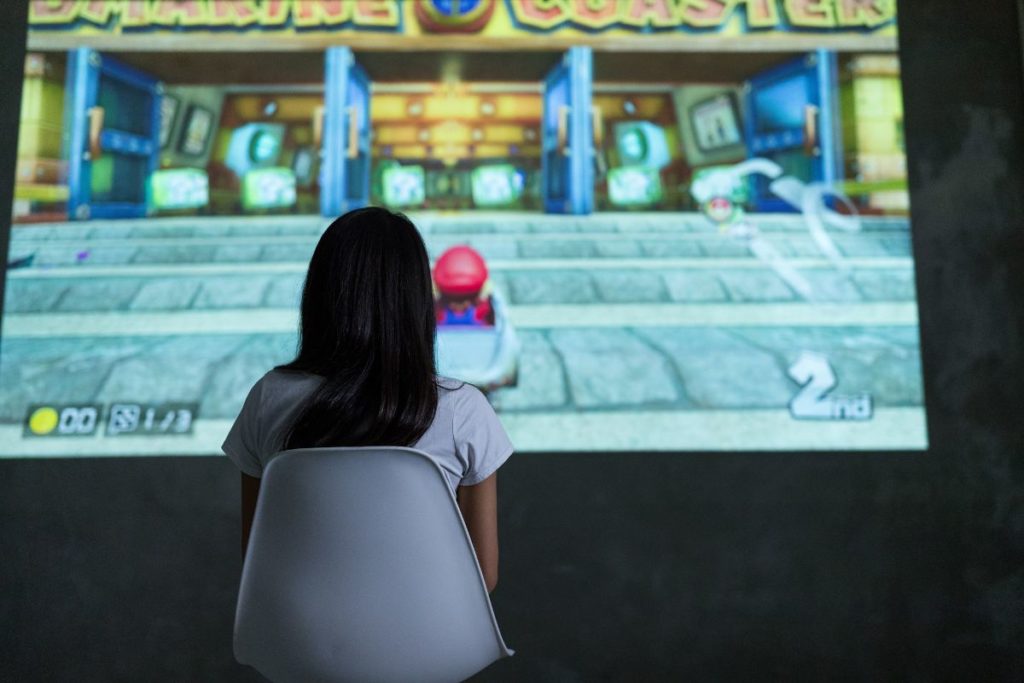
Ha, are you kidding me? Of course not! Do you really think Nintendo, the company that charges you $60 for a game with pixels that are slightly bigger than the ones on your calculator, would give you a free Nintendo Super Mario game? Dream on, buddy.
But, just in case you’re not convinced, let me spell it out for you: There are no free Mario games (super or not) for the Switch. None. Zip. Zilch. Nada. Not even a demo version that you can play for five minutes before being asked to fork over your life savings.
Now, I know what you might be thinking, “But wait, there are free-to-play games on the Switch!” Yeah, sure, there are. But those games are like the cheap knockoff version of Mario, the ones that you find at the dollar store and are made out of plastic that melts in the sun.
They’re not the real deal, my friend.
You also shouldn’t expect to be able to play or download any other first-party Nintendo games (like Donkey Kong, Pokémon, etc.) for free. Nintendo sets the prices for their first-party games quite high and although they might drop over time they will never be free.
The only way to get some “free” Nintendo games is to subscribe to the Nintendo Switch Online membership as you will get to play some classic NES, SNES, and N64 games with that subscription. The Switch Online membership offers a growing selection of free classic Nintendo games…
But if you are paying for a monthly membership are those games really “free”?
Most Popular Free Games On The Switch (Rocket League, Fortnite, Warframe, etc.)
There are actually quite a few free Switch games that you can download on your Switch. But of these games which of them are the most popular and the most likely to give you hours of fun?
Well, I’ve compiled a list of the ones that I (or my kids) love to play and that are 100% free. All of these games are free to play however, there are some microtransactions that you can choose to purchase so watch out for those (as they can add up quite quickly).
Rocket League
Rocket League, huh? Well, let me tell you, it’s not just any old game. It’s a tactical game that will make you scream “BOOM!” at the top of your lungs and fist pump like a maniac. But let’s be real, it’s not for the faint of heart. It’s a game that requires skill, precision, and a little bit of crazy.
First things first, let’s talk about the cars. Yes, you read that right, CARS. Not just any cars, but cars that can fly, jump, and do crazy flips in the air. And let’s not forget the giant ball that you’re trying to score with. It’s like playing soccer, but with rocket-powered cars.
How cool is that?
Now, let’s talk about the gameplay. It’s fast-paced, action-packed, and will make you feel like a pro. But don’t let that fool you, it’s also a game of strategy.
You have to know when to boost, when to jump, and when to make that perfect shot. And if you’re not careful, you’ll find yourself crashing into walls and spinning out of control. But that’s okay, it’s all part of the fun.
In conclusion, Rocket League is a game that will make you feel like a superhero behind the wheel of a rocket-powered car. It’s a game that will test your skills, make you laugh, and maybe even make you cry. But one thing’s for sure, it’s a game that will keep you coming back for more.
So, are you ready to join the ranks of the Rocket League elite? I hope so, because it’s going to be a wild ride.
Warframe
So, you want to know about Warframe? Well, buckle up buttercup, because you’re in for one wild ride. Warframe is a third-person shooter game where players control a customizable, robotic warrior known as a Warframe.
These Warframes have their own unique abilities and weapons, and players can earn or purchase new ones to add to their arsenal.
Now, you might be thinking, “Oh, this sounds like just another generic shooter game.” But let me tell you, Warframe is not your average shooter. It’s like a shooter on steroids, with a dash of ninja-like parkour and a sprinkle of RPG elements.
It’s like a buffet of awesomeness, and you better come hungry.
But don’t let the awesomeness fool you, Warframe is not for the faint of heart. It’s a challenging game that requires strategy and teamwork, especially in the end-game content.
But hey, what’s the fun in playing a game that’s too easy, right? Plus, with the constant updates and new content, Warframe never gets boring. You’ll always have something new to sink your teeth into.
So, if you’re looking for a game that will keep you on the edge of your seat, Warframe is for you. It’s like a rollercoaster ride that never ends. Just be prepared to die…a lot. But don’t worry, it’s all part of the fun. Trust me, you won’t regret giving Warframe a try.
Fortnite
Oh Fortnite, where do I begin? The game that has taken over the world and turned every teenager into a mini-ninja warrior. I mean, I get it, I really do.
The graphics are impressive, the building mechanics are top-notch, and the ability to dance like a fool in front of your enemies before taking them out is just too good to pass up. But let’s be real, how many times can one person play a game where the only objective is to be the last one standing?
Now, don’t get me wrong, I’m all for a good online multiplayer game. But Fortnite takes it to a whole new level. It’s like a never-ending cycle of loot boxes and microtransactions. “Oh, I just need to buy this new skin to really show off my skills.” Yeah, no, you don’t. You’re just buying into the hype.
But hey, I’m not here to judge. To each their own, right?
But the real kicker for me is the fact that this game has turned every kid on the block into a mini-celebrity. “Oh, you’re not playing Fortnite? You must not be cool.” Please, spare me. It’s like everyone has forgotten the joys of playing outside and actually having face-to-face interactions with other human beings.
But hey, at least they’re not getting sunburned, right?
In all seriousness though, I do understand the appeal of Fortnite. It’s a fun, fast-paced game that keeps you on your toes. But let’s not forget that there’s a whole world out there to explore and experience. So, put down the controller and go out and live a little. Trust me, you won’t regret it.
Fall Guys
This game has taken the internet by storm and for good reason. It’s like the love child of Takeshi’s Castle and Wipeout, and honestly, what’s not to love about that?
First off, let’s talk about the characters. They’re these adorable little bean-like creatures that make me want to squish their little faces. But don’t let their cute appearance fool you, they can be ruthless when it comes to winning.
I’ve seen some of these Fall Guys pull some dirty tricks to get to the finish line first. It’s like watching a group of toddlers fight over a toy, but way more entertaining.
Now, let’s talk about the obstacles. They’re like something straight out of nightmares. Giant spinning hammers, giant walls of fire, and giant spinning pies. It’s like the game designers were on some serious acid when they came up with these things.
But, somehow, it works. It’s like watching a bunch of lemmings run to their deaths, but way more fun.
In conclusion, Fall Guys is a game that’s equal parts hilarious and frustrating. It’s a game that will have you laughing at the absurdity of it all, while simultaneously pulling your hair out because you just can’t seem to get past that damn spinning hammer.
But, ultimately, it’s a game that will have you coming back for more, because let’s face it, who doesn’t love a good bean-based battle royale?
All of these games may seem like just another version of something you’ve seen before, but they all bring something unique to the table. So, if you’re looking for some free fun on your Switch, give these games a try.
You might just be surprised at how much you enjoy them.
Are there any free games on the Nintendo Switch?
Yes, there are a few free-to-play games available on the Nintendo Switch, as well as demos and trials of various games that allow you to try out a portion of the game before deciding if you want to purchase it. You can access these games via the Nintendo Switch eShop.
Can I try Nintendo games for free before purchasing them?
Many games offer demos or trials that allow you to play a portion of the game for free before deciding if you want to purchase the full version. However, none of Nintendo’s big titles will typically have those demos available.
So if you aren’t sure if a specific Nintendo title is for you or not check out some Youtube videos with the game being played to see if it is something that looks like it would be fun for you to play.
Are there any subscription services that offer access to play Switch games?
Yes, Nintendo has its own subscription service called Nintendo Switch Online that offers access to a library of classic games as well as online multiplayer for a monthly or yearly fee. However, this service does not include access to new, released games.
Are in-game microtransactions or in-app purchases present in Switch games that are free?
Some free-to-play games and demos (that you download from the eShop) may include in-game microtransactions or in-app purchases that allow you to unlock additional items or bonuses within the game. These purchases are optional and not necessary to progress or enjoy the game.
Final Thoughts
So, to sum it up, Nintendo Switch games are not free. But there are definitely options available for those looking to save some cash or try out a game before committing to a purchase.
Free-to-play games and demos are great ways to get your Nintendo fix without putting down any money upfront, and subscription services like Nintendo Switch Online can give you access to a library of classic games.
Just remember that while some free options may be tempting, they may also come with in-game microtransactions or in-app purchases that can add up over time (to far more than the cost of a regular game if you aren’t careful).
Nintendo Switch games may not be free, but that doesn’t mean you have to break the bank to get your gaming fix. There are definitely options available for those on a budget or just looking to try out a new game before committing to a purchase.
So go forth, fellow gamer, and enjoy all the Nintendo Switch has to offer, even if it does come at a cost.