
*This post may contain affiliate links. As an Amazon Associate we earn from qualifying purchases.
Do you own a Nintendo 64 and wondered if you could play games from other countries on it? Maybe you are looking to get one, but you prefer the games from another country. Well if you are looking to find out if the N64 is region locked then you are in the right place! We have the answers for all of these questions and more.
So are the Nintendo 64s region locked?
Although many people have tried to find a way to make every game work on the Nintendo 64, they just don’t work because of the region lock on them. There are some mods that you can use to try and bypass the region lock but those can be risky if you don’t know what you are doing.
If you want to know more about the Nintendo 64 and the region lock, you will definitely want to keep reading. If you want to find some N64 accessories such as controllers, cords, cleaners, etc. you can find them here.
If you prefer to watch a video instead of reading you can check out the one below.
Are you a huge Nintendo fan? Then you have to check out the Mario and Nintendo gear that you can get. Whether you want a Mario wallet, a Nintendo sweatshirt, or a classic NES hat there are plenty of choices to choose from. You can find them all by clicking here.
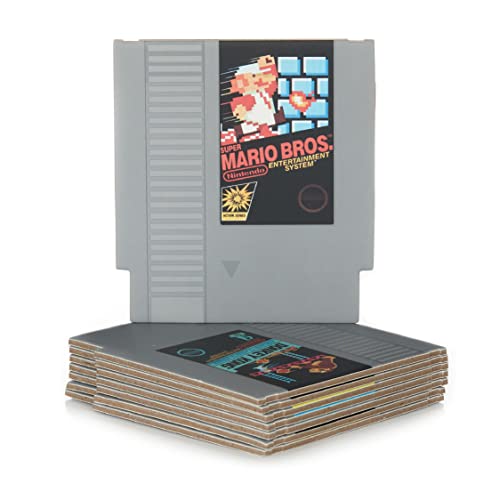
Do you love Nintendo? Then you have to check out this amazon NES cartridge drink coaster set!
This set includes 8 double sides drink coasters that look just like the classic NES cartridges.
This set is a perfect gift for the gamer in your life!
Why was the Nintendo 64 region-locked?
The Nintendo 64 comes with a region lock chip which restricts US and Japanese (NTSC) games from playing on a European (PAL) machine. There is a difference between PAL and NTSC regions because their frame rate is very different and this will mess up the display if played on the wrong console.
How does Nintendo use such lockout methods?
Nintendo was the very first console maker who introduced regional locks to their consoles. Games for the NES were locked using technical and physical means. Below we will discuss the different methods they used to make this happen.
1. Cartridges
The cartridge design used by Nintendo was different for every different part of the world. They used different kinds of pins to help accomplish this precaution. The Famicom or the Japanese version used smaller cartridges so that the Japanese games weren’t able to fit into the NES consoles without an adapter. What was even worse was that even with the adapters, the users weren’t able to enjoy the full sound capacities since the hardware was different.
2. NES Authentication
The NES also had a NES authentication chip which was originally coded for one of the three regions. These were NTSC (North America), PAL-A (Australia, United Kingdom, and Italy) and PAL-B (rest of the European countries). This chip recognized the region of the game. So if the chip inside the game cartridge wasn’t able to recognize the chip inside the gaming console then there would be no way for the game to start. By doing this, Nintendo was able to limit people buying the games where they were cheap and reselling them to a different part of the world.
3. Different cartridge cases
The Super Nintendo Entertainment System (SNES) and the Super Famicom ended up using different kinds of cartridge cases. By adjusting the size of the cartridge, the Super NES wouldn’t be able to fit inside a Super Famicom or PAL SNES since they both varied in shape.
There are also a couple of pieces of plastic inside the SNES slot which prevents the Famicom cartridges from being put inside the SNES fully. The Nintendo 64 also uses the same kind of lockout as the Super NES.
Is it possible to fix the Nintendo 64 lockout issue?
To fix the region lock on the N64 there are really only two ways to do it.
1. Take apart your entire console
This method is much more difficult, requires additional tools and you are much more at risk of damaging your N64 but if you have a lot of Japanese games that you want to play then using this method is best.
All you have to do is disassemble the N64 then using a saw or pair of wire cutters snip off the corners of the cartridge slot that is causing the cartridges from the other region not to work.
You then just put the console back together again and your console can play games from the USA and Japan.
You can check out this video below on exactly how to do this first method.
2. Get a screwdriver
Although this may seem simple, we went ahead and found the best screwdriver since it isn’t just a normal one that you need.
This other way is a little less difficult but it will require you to go through this process with every game so if you have a lot of games then the first method will work better for you.
Although this way doesn’t harm your console in any way, you still need to take the risk of damaging it into account when working on it.
Basically everyone knows that the Nintendo 64 uses cartridges for games. Most of the games on the Nintendo 64 have a very localized release originally outside of their own country. There were also good imports that were coming into the United States that everyone wanted to play.
Because there is such a small number of non-localized Nintendo 64 games, most people prefer to try this method rather than spending money on a converter.You can also decide to bypass the region restrictions of the Nintendo 64 if you are interested in speedrunning. This means that the Japanese version runs faster than the western versions and the western version has some glitches.
Here are the things that you will need to take the region lock off of your Nintendo 64.
- A throwaway game that belongs to the same region as the one your console is from. You can get it for like a dollar or so.
- Get a 3.8mm security screwdriver for Nintendo cartridges.
Know that the back of the cartridge determines the region of the game. You will find that there are little indents that are present on the side that allow the game to quite comfortably slide into another matching Nintendo 64 but this can’t be used on one which is from another region. So here’s what you will have to do to it:
- Remove the screws which are present on the cartridge which holds the back and front together. This is a really easy kind of setup. All you have to do is unscrew the screws there and then put them in a safe place so that those won’t get lost.
- Now remove the back portion to swap it out. For this, you will have to push down on the top of the cartridge. The back of the cartridge comes with little locks which helps in fastening it to the side. You won’t need to use much force for it, but if you can’t get the back to loosen and then come off then try to individually open one part of the cartridge at a time.
- Now just put the back of the throwaway cartridge on the import one right in place and then screw it in properly. Don’t throw away the old backing and screws as you may need these someday if you ever go to resell the item.
Conclusion
Now you know that Nintendo was the company that first released region lock on its games and consoles alike. Although this made some gamers upset, it made others extremely happy as they didn’t have to worry about what quality of item was going to be used.
Even though Nintendo doesn’t want anyone to bypass their region locks on the consoles or games, this is something that can easily be done on the N64. If you followed the steps above, or watched the video, on how to unlock your Nintendo 64 console, then you should now have a modded system that you can play on.
Although not all games will work, every game from the U.S and Japan will work, and those are the ones most everyone wants to play anyways because that is where the console was originally released.