
*This post may contain affiliate links. As an Amazon Associate we earn from qualifying purchases.
Today I’m going to talk about the Nintendo Switch Lite and its compatibility with Nintendo Switch games. Now, let me tell you a little story. A few years ago, I was in the market for a new gaming console and I stumbled upon the Nintendo Switch. I was in love at first sight, I mean, who wouldn’t be with its unique hybrid design and amazing games!
I was on cloud nine. But then, out of nowhere, came the Nintendo Switch Lite. And I was left wondering, can this new, smaller, and more affordable console play all the games I’ve been enjoying on my Switch?
Well, that’s what I’m here to talk about today. The Nintendo Switch Lite has been a hot topic among gamers, and it’s no surprise why. With its compact design, longer battery life, and lower price point, it’s definitely a tempting option for those in the market for a new console.
However, one of the most important questions on everyone’s mind is whether it can play all the games available on the Nintendo Switch.
All Nintendo Switch Games can be played on the Switch Lite console. However, if a specific game requires the use of Joy-Cons (for their motion controls) then you would have to purchase a set of Joy-Cons separately to be able to play that game on the Switch Lite.
The most popular Switch game that you would need to buy Joy-Cons for is Mario Party. Since you use the motion controls on the Joy-Con controllers to play the mini-games on Mario Party you wouldn’t be able to play that game on the Switch Lite until you get Joy-Cons and connect them to the Switch Lite console.
The Nintendo Switch Lite plays the library of Nintendo Switch games that work in handheld mode and technically all games will start on your Nintendo Switch Lite console. However, certain games that are designed to be used with Joy-Cons (like Mario Party) will need Joy-Con controllers.
So the Nintendo Switch can play all Switch games right out of the box (since it comes with Joy-Cons) while the Switch Lite will play almost all of the games right out of the box (except the ones that require Joy-Cons since you will have to purchase those separately).
So, it’s crucial to understand the compatibility of the Nintendo Switch Lite with Nintendo Switch games before making a purchase.
Now, I know what you’re thinking. “Isn’t it obvious? If it’s a Nintendo console, it should be able to play all Nintendo games, right?” Well, that’s a common misconception, my friend.
You see, the Nintendo Switch Lite has some key differences from the original Nintendo Switch, and these differences can affect game compatibility. So, it’s not as simple as just assuming all games will work on both systems.
But don’t worry, I’ve got you covered. In this article, we’ll dive deep into the world of Nintendo Switch compatibility and explore all the factors that determine whether a game will work on the Nintendo Switch Lite.
From hardware requirements to game file size, we’ll cover it all. And of course, we’ll go into more detail about the big question: can the Nintendo Switch Lite play Nintendo Switch games?
So, buckle up and get ready for a wild ride through the world of Nintendo compatibility.
Understanding the Nintendo Switch and Switch Lite
Alright, so before we dive into the world of Nintendo Switch compatibility, let’s take a moment to understand the difference between the Nintendo Switch and the Nintendo Switch Lite.
You see, when it comes to gaming consoles, I like to think of myself as a bit of a detective. And just like any good detective, I like to get all the facts straight before coming to any conclusions.
So, let’s start by talking about the Nintendo Switch.
The Nintendo Switch, as you may already know, is a hybrid gaming console that can be used both in handheld mode and used as a home console. This is what sets it apart from any other gaming console out there. And let me tell you, this feature has made my gaming life so much more convenient.
I can switch (see what I did there) from playing my favorite games on the TV to playing them on the go, all with the same device. It’s like having your cake and eating it too!
Now, let’s talk about the Nintendo Switch Lite. As the name suggests, the Nintendo Switch Lite is a more compact and lightweight version of the original Nintendo Switch. It’s designed specifically for handheld mode gaming and does not have the ability to be connected to a TV.
And, as a result, it’s more affordable than the original Switch. But, it’s not just the size and price that sets it apart. The Nintendo Switch Lite also has some other key differences, including improved battery life (over the first versions of the Switch but not the updated versions) and a more comfortable design.
But, with all these differences, you may be wondering how the Nintendo Switch Lite can possibly be compatible with games designed for the original Switch. After all, if the hardware is different, won’t the games have to be different too?
Well, that’s a great question! And the answer is a bit more complex than a simple yes or no.
You see, while the Nintendo Switch Lite does have some hardware differences from the original Switch, the core hardware components, such as the CPU, GPU, and memory, are largely the same. So, in theory, the Nintendo Switch Lite should be able to play most Nintendo Switch games.
However, there are some games that have unique control systems or hardware requirements that may not work on the Switch Lite.
For example, some games Nintendo has released require the Joy-Con controllers that come with the original Switch to be detached and used independently. And, since the Nintendo Switch Lite doesn’t have detachable Joy-Cons, these games may not be compatible unless you purchase those Switch Joy-Con controllers separately (which at that point you might as well just buy the normal Switch). Additionally, some games require additional hardware, like the Joy-Con charging grip, to be played.
And, since the Nintendo Switch Lite doesn’t have the necessary hardware to support these games, they may not be compatible either (again without purchasing those controllers separately and almost spending as much as the standard Nintendo Switch costs).
So, as you can see, the answer to the question of whether the Nintendo Switch Lite can play Nintendo Switch games is a bit more complicated than a simple yes or no. But, don’t worry, we’ll dive into all the nitty-gritty details in the sections to come.
I promise to leave no stone unturned in our quest for Nintendo compatibility!
So, now that we have a basic understanding of the difference between the Nintendo Switch and the Nintendo Switch Lite, let’s move on to the next section and talk about the various factors that determine game compatibility. This is where things get really interesting, so sit back, grab your favorite snack, and let’s get started!
Can the Nintendo Switch Lite Play Nintendo Switch Games?
Alright, now that we’ve got the basics down, it’s time to answer the big question: can the Nintendo Switch Lite play Nintendo Switch games? Well, I hate to be the bearer of bad news, but there’s no simple answer to this question.
But don’t worry, we’ll take a closer look at all the factors that come into play when it comes to game compatibility.
First of all, let’s talk about software compatibility. As I mentioned earlier, the Nintendo Switch Lite has largely the same hardware components as the original Switch, so in theory, it should be able to play most games.
And, for the most part, that’s true. The vast majority of games available on the Nintendo Switch eShop can be downloaded and played on the Nintendo Switch Lite.
But, there are some exceptions. For example, as I mentioned earlier, some games require the use of detachable Joy-Con controllers or additional hardware that the Nintendo Switch Lite doesn’t have.
So, if you’re planning on buying a game and you’re not sure whether it’ll be compatible with the Switch Lite, make sure to check the game’s requirements before you buy.
Now, let’s talk about physical games. This is where many people think that things get a little bit trickier. However, that isn’t really the case.
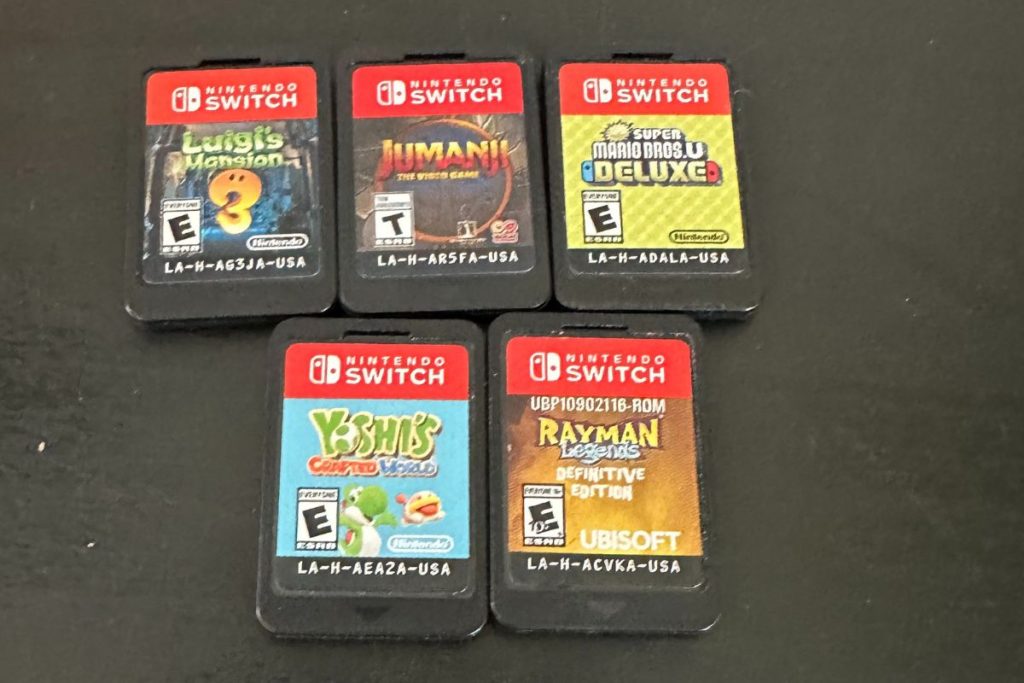
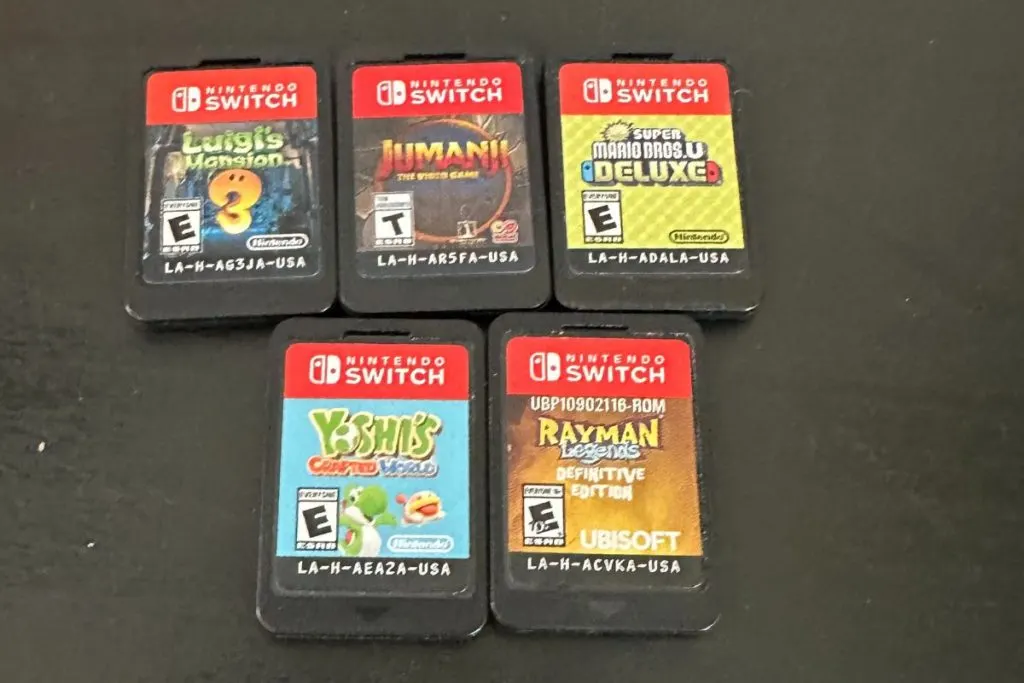
The Nintendo Switch Lite takes and uses the same game cartridges that the original Switch and Switch OLED do. Although carrying around the physical games with your Switch Lite is a hassle (especially since it is designed to be a portable console) all of the physical games will work with the Switch Lite.
Now, let’s talk about local multiplayer. One of the great things about the Nintendo Switch is that it allows you to play games with friends and family, even when you’re not in the same place. But, since the Nintendo Switch Lite doesn’t have detachable Joy-Cons, it may not be compatible with some local multiplayer games without buying those extra controllers.
Plus a massive disadvantage to playing local multiplayer on your Switch Lite is the fact that it doesn’t have tabletop mode (so no kickstand) and it can’t be connected to a television. So playing with everyone gathered around the tiny Switch screen and playing a multiplayer game just doesn’t work out very well for anyone.
So, if you’re a big fan of local multiplayer games and you’re thinking about buying a Nintendo Switch Lite, I would go ahead and get the regular Switch instead. Being able to play local multiplayer on the big screen is much easier than trying to see around everyone when playing it on the smaller Switch Lite.
As you can see, there are a number of factors that come into play, including software compatibility, physical games, and local multiplayer. So, when it comes down to it, the best way to determine whether a game will be compatible with the Nintendo Switch Lite is to check the game’s requirements before you buy to see if you need to buy extra controllers.
And, with that, I think we’ve covered all the bases when it comes to game compatibility.
Gaming Compatibility with Nintendo Games (Digital and Physical Switch Lite Games)
Alrighty folks, now we’re going to talk about the compatibility of digital and physical games with the Nintendo Switch Lite. I know this is an important question for many of you, so I’m going to break it down and make it as simple as possible.
Let’s start with digital games. If you’re a big fan of digital games, then I have some good news for you. Digital games are entirely compatible with the Nintendo Switch Lite, as long as they meet the other compatibility requirements we discussed earlier.
So, if you’ve already bought some digital games for your Nintendo Switch, you should be able to play them on your Nintendo Switch Lite without any issues.
However, as we discussed earlier, the Nintendo Switch Lite doesn’t have detachable Joy-Con controllers. So, if you’re a big fan of certain games and you’re thinking about buying a Nintendo Switch Lite, you may want to double-check the game’s requirements before you buy it to make sure you don’t have to also buy Joy-Cons.
Now, let’s talk about physical Switch games. Physical games that will work on the original Switch and the Switch OLED will also work just fine on the Switch Lite console Now granted some of them might be way more fun to play on the Switch or Switch OLED when connected to the big screen but that doesn’t mean that you can’t play those physical games on the Lite console.
Just that playing them on the Lite might not be as much fun as on the normal Switch.
For example, Switch games that don’t require detachable Joy-Con controllers and games that can be played with just one Joy-Con controller are usually compatible with the Nintendo Switch Lite. So, if you’re a big fan of physical games, don’t worry! You should still be able to play your favorite games on your Nintendo Switch Lite.
Now, let’s talk about how to play physical games on the Nintendo Switch Lite. If you have a physical game that requires detachable Joy-Con controllers, you’ll need to buy some Joy-Con controllers separately. And, if you have a physical game that can be played with just one Joy-Con controller, you’ll need to buy a Joy-Con controller for each player.
So, to sum up, digital Switch games are usually compatible with the Nintendo Switch Lite, as long as they meet the other compatibility requirements. Physical games might seem to be a bit trickier, but the majority of physical games are compatible with the Nintendo Switch Lite, including games that don’t require detachable Joy-Con controllers and games that can be played with just one Joy-Con controller.
And, if you have a physical or digital game that requires detachable Joy-Con controllers, you can still play it on the Switch Lite… you’ll just need to buy some Joy-Con controllers separately.
Nintendo Switch Game Vs Switch Lite Game (Are They The Same?)
Alright folks, buckle up because we’re diving into the world of Nintendo Switch games! And the question on everyone’s mind is, are the Switch games the same on both the Nintendo Switch and the Nintendo Switch Lite?
Well, let me tell you, the answer is a resounding YES! The games are absolutely the same on both the Switch and Switch Lite consoles. Whether you’re using a physical cartridge or downloading the game from the Nintendo eShop, you’ll be able to play the exact same games on both the Nintendo Switch and the Nintendo Switch Lite.
Now, you might be thinking, “But what about the differences in size and portability between the two consoles? Won’t that affect the games?” Well, my friends, I’ve got good news for you. The size and portability of the console don’t affect the games at all.
The games are specifically designed to be played on both the Nintendo Switch and the Nintendo Switch Lite, so you can expect the same gaming experience on both consoles.
In fact, some games might even be better played on the Nintendo Switch Lite. With its smaller size and lighter weight, it’s perfect for taking on the go and playing on long car rides or flights.
And, if you’re a fan of handheld mode gaming, the Nintendo Switch Lite is the perfect option for you.
But, what about playing games on the TV? Well, that’s where the Nintendo Switch comes in. If you’re a fan of big-screen gaming, the Nintendo Switch is the perfect console for you. Just connect it to your TV and you’re ready to go.
But, just because you can play games on the TV doesn’t mean the games are any different on the Nintendo Switch. You’ll still be playing the exact same games as you would on the Nintendo Switch Lite (just on a much bigger scale).
Now, I know what you’re thinking. “But what if I have a physical game cartridge for the Nintendo Switch and I want to play it on my Nintendo Switch Lite?” Well, no need to worry, my friend. The physical game cartridges for the Nintendo Switch and the Nintendo Switch Lite are exactly the same as well.
Just pop in your cartridge and you’re ready to play.
In conclusion, whether you’re a fan of handheld mode gaming or big-screen gaming, the collection of games on the Nintendo Switch and the Nintendo Switch Lite are exactly the same no matter which model you get. Whether you’re using a physical cartridge card or downloading the game from the Nintendo eShop, you’ll be able to play the exact same games on both consoles.
So, what are you waiting for? Start gaming!
Conclusion
Well, folks, that’s a wrap! We’ve covered everything you need to know about the Nintendo Switch and Nintendo Switch Lite, and whether or not the Nintendo Switch Lite can play Nintendo Switch games.
I hope you’ve found this information helpful and that you now have a better understanding of these two consoles.
Let’s recap what we’ve learned. We’ve talked about the differences between the Nintendo Switch and the Nintendo Switch Lite, including the size, weight, and portability of each console, as well as the controllers and other features.
We’ve also discussed the compatibility of the Nintendo Switch Lite with Nintendo Switch games, including the factors that determine compatibility and the compatibility of digital and physical games.
So, what’s the bottom line? Can the Nintendo Switch Lite play Nintendo Switch games? The answer is yes, the Nintendo Switch Lite can play most Nintendo Switch games. However, there are some games that may not be compatible without you purchasing additional hardware.
This is true for games that require detachable Joy-Con controllers. If you’re a big fan of only a few games and you’re thinking about buying a Nintendo Switch Lite, it’s important to double-check the game’s requirements before you buy.
Now, let’s talk about what this all means for you. If you’re a fan of Nintendo games and you’re looking for a portable gaming console, the Nintendo Switch Lite is a great option. It’s smaller, lighter, and more affordable than the Nintendo Switch, making it perfect for gamers who are always on the go.
And, with its compatibility with most Nintendo Switch games right out of the box, you’ll be able to play all of your favorite games on the go.
So, there you have it folks! The Nintendo Switch and the Nintendo Switch Lite are both great consoles, and the Nintendo Switch Lite can play most Nintendo Switch games.
I hope this information has been helpful, and I hope you enjoy your new console. Happy gaming!