
*This post may contain affiliate links. As an Amazon Associate we earn from qualifying purchases.
Do you own a Sega Saturn and want to use it to play some imported games? If you are like me, then you know there are some good import games created by Sega. Although you would love to just pop the imported game in, you are a little scared that it might break the Sega Saturn, or possibly damage the imported game. Well you are in the right place to find the answer.
So can the Sega Saturn play Imported games? Unfortunately the Sega Saturn was not created to be able to play any imported games. Although they do make mod chips that could allow the Saturn to play imported games, the one you have is probably not able to.
Of course we all want to be able to play the japanese imported games on our Sega Saturn, I am not here to disappoint you. If you keep reading you will learn about the origin of the Sega Saturn, as well as the mods people used to play the imports.
Are you a huge Sega fan? Then you have to check out the amazing Sonic and Sega gear that you can get. Whether you want a Sonic wallet, a Sega sweatshirt, or a classic hat there are plenty of choices to choose from. You can find them all by clicking here.
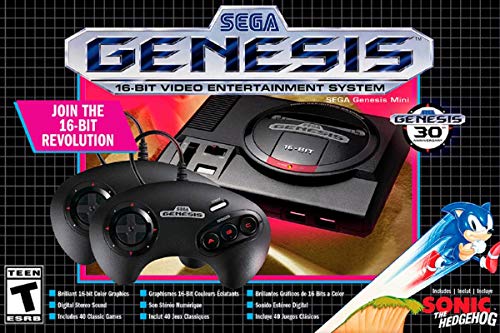
If you love Sega then you will want to check out this Sega Genesis Mini console. It comes with two controllers and even comes preloaded with 42 Games!
Enjoy these classic Sega Genesis games without having to purchase a single game cartridge!
What is the history of the Sega Saturn?
After having great success with the mega drive also known as the Genesis, Sega wanted to move towards better technology. Shortly thereafter Sega started to move to the 32-bit generation.
The Sega Saturn was first released in North America., and is the third most popular video game of the Sega brand. All of the Sega Saturn consoles were sold from 1995 to 1998.
In contrast to other gaming systems, the Saturn has two processors. Because of this dual-processor the games ran at much faster speeds than older consoles. The other biggest advantage of the Sega Saturn is the 3D controllers! Yes you read that right, the Sturn had 3D controllers. These controllers were the first controllers associated with an analog stick.
The only downside to the Sega Saturn was the fact that the lifespan of the system itself was very short lived. Why was it so short lived? Well that was due to the fact that the Sega Dreamcast was shortly released after the Saturn, and everyone wanted the newer better Dreamcast over the Saturn.
What made the Sega Saturn so strong?
The Saturn is an excellent working 2d processor for 2d games. There are a number of old games like the 2dfighter that were very popular amongst gamers. Sega manufacturers also produced many games that were very engaging for the gamer, and easily made the gamer fall in love with the games.
These games were specifically designed for the Sega consoles and they were not able to be imported to any other console. The best controllers for these old school games were the six-button genesis controllers. If you are in search of the best console then the Saturn is definitely going to be your best bet!
Problems and weaknesses with Saturn
Saturn is a lot of times compared to the original playstation. The problem is the Saturn takes more time to load than the Playstation and other consoles today.
The Saturn is relatively small and is limited with its abilities to perform. The internal memory of the Saturn is lacking, but they did leave a spot for the option of added external memory to be added. The problem with adding external memory is that it is halfway expensive to purchase.
How to play imports on your Sega Saturn
If you have a favorite imported game or just want your Saturn to be able to play every game that was ever made then you will need to add a modchip to your saturn. The modchip that you will want to add is called the phantom modchip.
This modchip will allow your system to play every imported game as well as play your backup game discs if you damage or lose your originals.
The Phantom does require some technical know how to install but thankfully there are tons of videos on Youtube that will walk you through the process.
Both of these video belows are from different people so you can see which style and instructions you like better.
Does the Sega Saturn have any imported accessories?
Actually there are some imported accessories for the Sega Saturn. The first accessory that comes to mind is the standard controllers for the first and second generation of the System.
The second-generation standard controller is home to the 6 button genesis controller. The all body functions are the same except the position of the button on the shoulders.
The 3D controllers were introduced in 1966 due to the advancement of technology. Their features are extremely similar to an analog joystick, and their storage capacity is more than previous inventions.
A Few companies of Sega introduced the Virtua stick. This is a 6 button arcade-style joystick. These joysticks are well known in the competition of modern items. The Sega Saturn introduced several other devices such as the twin-stick, virtual gun, racing wheel, mission stick, multi-tap, net line modem, floppy drive and many more.
SATURN IMPORTS
There are three booting imports for the Saturn.. They are action replay cartridges, Sega Saturn mod chip with the patching of games, and the third is the importing choice of transferring Japanese games into Sega Saturn. This is known as the free BIOS region. The free BIOS region is the way for making any Japanese or American games able to play on the Saturn.
Another benefit of BIOS is it does not affect the video mode or CD -booting. If someone wants further development or any other modifications, it is still allowed with BIOS. There is one drawback though, and that is that some PAL games have issues running at 60hz. This is not a very common problem, and normally not a problem in North America Saturn game consoles.
Sega Saturn and emulations
If you want to play games on your pc instead of the console then you are going to be waiting for a long time for the suitable compatibility.
Overall the best-recommended emulator is the Saturn, saturnine, and Giri Giri emulator. The console of Saturn is cheaper than other consoles, but the performance and quality of the Saturn console is more impressive than other consoles.
By utilizing the Saturn people can play unique games that are not on other consoles. If you are searching for a Saturn console they are easily available here. There are various games available at different prices, and here is a video of the best saturn video games!
The most popular and demanding games range from 25 to 100 dollars. There are currently two methods of playing games in Saturn. The first one is the swap trick, and the second is the mod chip.
Conclusion
No matter what game system you prefer, there is no denying the Sega Saturn as an amazing gaming console that is still popular even today. Even though most Saturns cannot play any games imported from Japan, there are a couple of mods that quite a few people use to be able to play any game they want.
The Saturn has many gaming options that are unique to the Saturn. They can range from 3D games, to just simply games that became super popular on the Saturn.
Although there are some issues with the Saturn, no gaming system is perfect. The best part about the Saturn though is that the Saturn’s strengths outweigh its weaknesses. It has so many more unique things about it, and even though being unique can make it difficult for some people, others love items that are unique and rare.
No matter what gaming system you play on, the Saturn is one that will always bring joy to people all across the Globe. Between the different games and the variety gaming experiences the Saturn can be the game system for you. If you do prefer the Japanese games, there are a couple different mods you can add to your Saturn, or you could purchase a Saturn that already has them installed so you can begin enjoying the games immediately.