
*This post may contain affiliate links. As an Amazon Associate we earn from qualifying purchases.
Most of us remember the old Nintendo games that took up most of our free time during the summer. Maybe you had a favorite game that you were really good at.
The newest Nintendo gaming system is the Nintendo Switch. It’s so popular and there are hundreds of games available for you to play. The Switch is good quality and has a high resolution for great gaming express. Always enjoying Nintendo, you play their new games on the Switch. Still, those classic games hold somewhat of a nostalgia for you.
If you are one who enjoys playing those old-school games like Donkey Kong or Super Mario Bros., you probably want to still play them. The question is, can you play these classics on the Nintendo Switch?
You can play old Nintendo games on the Nintendo Switch. To get access to these classic games, you will need to subscribe to Nintendo Switch Online. With this membership, you can enjoy playing many nostalgic Nintendo games.
You have probably heard friends talking about the Nintendo Switch. This gaming device is popular for a reason. Not only can you play it as a handheld device like a GameBoy or Nintendo D.S., but you can also hook it up to your TV and play on a bigger screen if you want to.
As a handheld gaming system you can play games solo or with friends. The same goes for playing on the TV, too. The Joy-Cons are easily removed so you can play two-player games.
If you have more controllers like the Pro controller, even more players can join in on the fun! Speaking of Nintendo Switch games, there are hundreds you can play from the gaming device.
If you have a special place in your heart for those old classic games like the original Super Mario, Zelda, and Metroid games, you can bring back memories and play these old Nintendo games that have stood the test of time.
Want to take your Nintendo Switch to the next level? Then check out this Nintendo Switch accessory bundle by clicking here.

Do you love your Switch but want to stand out from everyone else with the same model? Then look no further than this custom Joy-Con grip.
This Joy-Con grip will make your Switch console look amazing and you can even choose the one that fits your style the best!
What Are The Best Classic Games On The Nintendo Switch?
Nintendo has some pretty great games that offer hours of fun and enjoyment for all players. If you like those classic and nostalgic types of games then you may want to play some. So, what are the best classic games on Nintendo Switch?
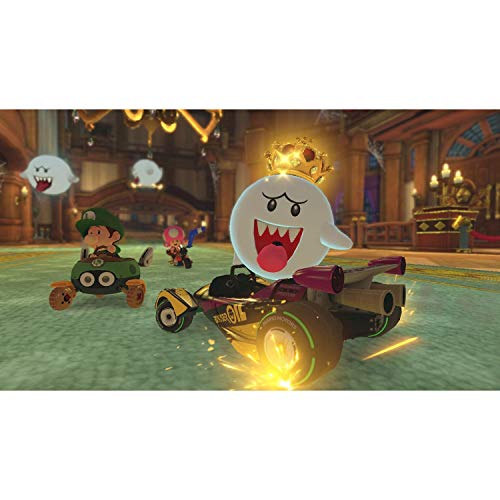
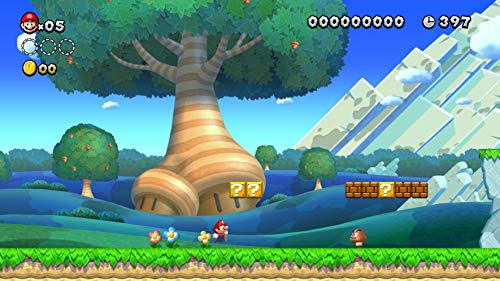
Some of the best classic Nintendo retro games you can play on the Switch are Donkey Kong Country, Blaster Master, Super Mario All-Stars, Super Mario World, the Legend of Zelda, Super Metroid (playing with Samus Aran), Super Mario Kart, and many more.
To be able to access Nintendo 64 or SEGA Genesis games, you will need to subscribe to the Nintendo Switch Online Expansion Pack. But if you have a regular active Nintendo Switch Online membership then you can play NES and SNES games for free.
How To Play NES Games On The Switch?
So, you can play the old Nintendo games on your new and modern Nintendo Switch. Yes, those old games you used to play as a kid can still be played on the new and improved gaming device. But, how can you play NES games on the Switch?
To play NES games on the Switch, you first have to subscribe to a Nintendo Switch online membership. Then you can download whatever games you want including those classic and enjoyable NES games.
NES stands for Nintendo Entertainment System. This home video game console was the best-selling one of its time. Featuring a simple console that ran games stored on cartridges and a small controller, NES was popular in its time.
Even today, games like Super Mario Bros., The Legend of Zelda, and Metroid, NES games are still thought back to with fond memories. On your Nintendo Switch, you not only have access to NES games but also Super NES, Nintendo 64, and SEGA Genesis games.
In order to download and play these old Nintendo games, you have to become a member of the Nintendo Switch Online subscription. That costs a fee, but if you play your Switch a lot and want access to tons of games including nostalgic ones, then it is worth it.
All you have to do is just subscribe to Nintendo Switch online and then download the games you want to play. It’s that easy! Now, you can play these classic NES games on your new Nintendo Switch.
How To Get A Nintendo Switch Online Membership
You love the classic Nintendo games and want to take a walk down memory lane by playing some of them. Well, you need a Nintendo Switch Online membership to play these old Nintendo games. But how can you get one?
To subscribe to Switch Online membership you want, you can go online via your internet connection and choose the subscription you want. It will cost a monthly fee and then you will have access to hundreds of downloadable Nintendo games.
You can even subscribe online here or on your console by selecting Nintendo Switch Online on the Nintendo eShop and choosing a membership. It is $4 a month, $8 for 3 months, or $19.99 for a one-year subscription.
If you want the Expansion Pack (which features games from Nintendo 64 and SEGA Genesis) then it is $49.99 for a one-year subscription. There is also a Family pack which is $34.99 a year or the Family expansion pack membership, $79.99 a year.
Once you have a membership you can then start downloading all of those old classic games or any other games you’d like. You can do this on your console as well.
Just open the Nintendo eShop and select the user with an online Nintendo membership. Select Nintendo Switch online and in the Special Offers section select whatever classic game library you want. Then, Select Free Download twice. Now you have a variety of classic games for you to play on your Nintendo Switch.
Which Retro Games Come With The Regular Nintendo Switch Online Membership?
With the regular Nintendo Switch Online Membership, you get access to a variety of NES and SNES games. The NES Games that you can play on your Switch are:
ADVENTURES OF LOLO
Balloon Fight™
Baseball
Blaster Master
City Connection
Clu Clu Land™
Crystalis
DAIVA STORY 6 IMPERIAL OF NIRSARTIA
DIG DUG II™
Donkey Kong
Donkey Kong 3
Donkey Kong Jr.™
Double Dragon
Double Dragon II: The Revenge
Dr. Mario™
EarthBound™ Beginnings
Eliminator Boat Duel
Excitebike™
Fire ’n Ice
Ghosts’n Goblins™
Gradius
Ice Climber™
Ice Hockey
JOURNEY TO SILIUS
Kid Icarus
Kirby’s Adventure
Kung-Fu Heroes
MAPPY-LAND
Mario Bros.™
Metroid
Mighty Bomb Jack
NES™ Open Tournament Golf
Nightshade
Ninja Gaiden
Ninja JaJaMaru-kun
Pinball
Pro Wrestling
Punch-Out!!™ Featuring Mr. Dream
River City Ransom
Rygar
S.C.A.T.: Special Cybernetic Attack Team
Shadow of the Ninja
Soccer
Solomon’s Key
Star Soldier
StarTropics™
Super Dodge Ball
Super Mario Bros.
Super Mario Bros.: The Lost Levels
Super Mario Bros 2
Super Mario Bros. 3
Tecmo Bowl
Tennis
The Immortal
The Legend of Zelda
TwinBee
Vice: Project Doom
Volleyball
VS. Excitebike™
Wario’s Woods™
Wrecking Crew
Yoshi™
Zelda II: The Adventure of Link
The SNES games that you can play on your Switch with the Nintendo Switch Online Membership are:
Bombuzal
Breath Of Fire
Breath of Fire II
BRAWL BROTHERS
Caveman Ninja (also known as Joe & Mac)
Claymates
Congo’s Caper
Demon’s Crest
Donkey Kong Country
Donkey Kong Country 2: Diddy’s Kong-Quest
Donkey Kong Country 3: Dixie Kong’s Double Trouble!
DOOMSDAY WARRIOR
EarthBound™
Earthworm Jim™ 2
Fighter’s History
F-ZERO™
Jelly Boy
Joe & Mac 2: Lost in the Tropics
Kirby Super Star™
Kirby’s Avalanche™
Kirby’s Dream Course™
Kirby’s Dream Land™ 3
Magical Drop2
Mario’s Super Picross
Natsume Championship Wrestling
Operation Logic Bomb
Panel de Pon
Pilotwings™
Pop’n TwinBee
Prehistorik Man
Psycho Dream
Rival Turf!
Spanky’s™ Quest
Smash Tennis™
Star Fox™
Star Fox™ 2
Stunt Race FX™
Super Baseball Simulator 1,000
SUPER E.D.F. EARTH DEFENSE FORCE
Super Ghouls’n Ghosts™
Super Punch-Out!!™
Super Puyo Puyo 2
Super Mario All-Stars
Super Mario Kart™
Super Mario World™
Super Mario World™ 2: Yoshi’s Island
Super Metroid™
Super Soccer
Super Tennis
Super Valis IV
The Ignition Factor
The Legend of Zelda™: A Link to the Past
The Peace Keepers
Tuff E Nuff
Wild Guns
What Retro Games Come With The Nintendo Switch Online Expansion Pack?
Nintendo recently added an expansion pack to their Switch Online membership. With this expansion pack, you get access to the NES and SNES games but also access to Sega Genesis games and N64 games.
The N64 games that you get with your monthly Switch Online Expansion Membership are:
Banjo-Kazooie™
Dr. Mario 64
F-Zero X
Kirby 64™: The Crystal Shards
Mario Golf
Mario Kart 64
Mario Party™
Mario Party™ 2
Mario Tennis
Paper Mario
Pilotwings™ 64
Pokémon™ Puzzle League
Pokémon Snap™
Sin & Punishment
Star Fox 64
Super Mario 64
The Legend of Zelda™: Majora’s Mask™
The Legend of Zelda™: Ocarina of Time™
Wave Race™ 64
WIN BACK: COVERT OPERATIONS
Yoshi’s Story
The Sega Genesis games that you get with the Switch Online Expansion pack are:
Alien Soldier
ALISIA DRAGOON
Altered Beast
Beyond Oasis
Castlevania: BLOODLINES
Comix Zone
Contra: Hard Corps
Dr. Robotnik’s Mean Bean Machine
Dynamite Headdy
Earthworm Jim
Ecco the Dolphin
Golden Axe
Gunstar Heroes
Light Crusader
MEGA MAN: THE WILY WARS
M.U.S.H.A.
Phantasy Star IV
Ristar
Shining Force
Shining Force II
Shinobi III: Return of the Ninja Master
Sonic The Hedgehog 2
Sonic The Hedgehog Spinball
Space Harrier II
Streets of Rage 2
STRIDER
Super Fantasy Zone
Sword of Vermillon
Target Earth
Thunder Force II
ToeJam & Earl
Zero Wing
Final Thoughts
Old Nintendo games bring back memories for a lot of us and being able to play them on the new Nintendo gaming system can be a lot of fun and nostalgic. You can play these old-school Nintendo games on the Nintendo Switch.
To do this, you need a Nintendo Switch Online membership and then you can download any games you like including the classic ones. Some of the best are those games like Super Mario Bros., Donkey Kong, and The Legend of Zelda, among many more. There are so many awesome classic games to play on the Nintendo Switch.