
*This post may contain affiliate links. As an Amazon Associate we earn from qualifying purchases.
The Nintendo Switch Lite is a version of the Nintendo Switch that is just a handheld console. So, while the Switch can be used as an at-home gaming system, the Switch Lite can only be used as a handheld console. So this brings us to our question, do Nintendo Switch games work on the Switch Lite?
Nintendo Switch games do work on the Nintendo Switch Lite. These games will have to support handheld mode, and if they don’t, players have to buy a separate controller (or Joy-Cons) in order to play these games.
Although technically all games will start on your Nintendo Switch Lite playing things like multiplayer on your Switch Lite is difficult because of its small screen. That is what makes the dock such an important part of the standard Switch console.
Although you can certainly have fun with online play and multiplayer on your Switch Lite console if you are trying to play Mario Kart (or some of your other favorite games) with friends who are over at your house doing it on the Switch Lite won’t be ideal.
While the Nintendo Switch Lite does not have the ability to connect to a TV like the original Switch, it is still capable of playing all of the same games as the original Switch. This means that you can play all of your favorite Nintendo Switch games on the Switch Lite, including popular titles like The Legend of Zelda: Breath of the Wild, Super Mario Odyssey, and Animal Crossing: New Horizons.
In order to play Nintendo Switch games on the Switch Lite, you will need to purchase physical copies of the games or download games digitally from the Nintendo eShop. Once you have the game, you can simply insert the game cartridge into the Switch Lite or select the game from your digital library on the Switch Lite’s home screen.
One thing to keep in mind is that some specific games may require the use of motion controls or other features that are not available on the Switch Lite. For example, some games may require the use of the Joy-Con controllers that come with the original Switch (like Mario Party) since the Switch Lite only has built-in controls.
In that case, you will have to purchase a pair of Joy-Con controllers separately so you can play that game on your Switch Lite console. And if you are going to purchase a pair of Joy-Cons separately you might as well get a normal Switch since the cost of the Joy-Cons will almost eat up all of your savings that you get by purchasing the Switch Lite.
However, many games do not require these additional features and can be played on the Switch Lite without any issues.
Additionally, there are some games that are specifically designed for the handheld mode of the Switch and can only be played on the Switch Lite. These games are labeled as “handheld mode only” on the Nintendo eShop, so you can easily identify them when purchasing games.
Overall, the Nintendo Switch Lite is a great option for gamers who want to play their favorite Nintendo Switch games on the go. While it does not have all of the features of the original Switch, it is still capable of playing the same games and offers a portable gaming experience that is perfect for on-the-go gaming.
Coming in a variety of colors, the Switch Lite is great for on-the-go gaming. It’s easy to take with you anywhere with its lightweight, sleek, and compact design and built in-controllers.
The Switch Lite is different from the Switch because it cannot be connected to a TV. This means that it doesn’t have any Joy-Cons that can be removed from the device. Its controllers are built into the system.
So there are no specific Nintendo Switch Lite games. All Switch games play on all three of the Switch consoles. With the Switch Lite, you do have to buy some separate Joy-Cons for certain games (which I will go into later) but you don’t even have to buy separate Joy-Cons except for with a couple of specific video games.
Want to take your Nintendo Switch video game console to the next level? Then check out this Nintendo Switch accessory bundle by clicking here.

Do you love your Switch but want to stand out from everyone else with the same model? Then look no further than this custom Joy-Con grip.
This Joy-Con grip will make your Switch console look amazing and you can even choose the one that fits your style the best!
Which Switch Games Don’t Work With Nintendo Switch Lite?
The Switch Lite is a lot like the Switch except it cannot be connected to a TV for gameplay. Because the Switch Lite is strictly a handheld gaming system, it can only play certain Switch games. So, which games don’t work on the Switch Lite?
The following Switch games will not work on the Switch Lite without purchasing Switch Joy-Cons and connecting them to your Switch Lite console:
- 1-2 Switch
- Just Dance
- Super Mario Party
- Fitness boxing
- Fitness Boxing 2: Rhythm and Exercise
- Ring Fit Adventure
- Nintendo Labo
The Nintendo Switch Lite can play many of the Nintendo Switch games as long as they have handheld mode. There are those few games that don’t support handheld mode and can’t be played on the Switch Lite without getting and using Joy-Con controllers.
Except for Nintendo Labo, these games can be played on the Nintendo Switch Lite but you have to purchase a pair of Joy-Cons and have something to prop up your Switch Lite (since the Switch Lite doesn’t have a kickstand like the Switch and Switch OLED).
It also may be a little hard to see what you are doing on the Switch game on the small screen but if you’d like you can give it a try! You can wirelessly connect compatible controllers to your Switch Lite to be able to play those games (except Nintendo Labo) that don’t support handheld mode.
So if you are still on the fence about which gaming console to purchase, you will want to keep this in mind.
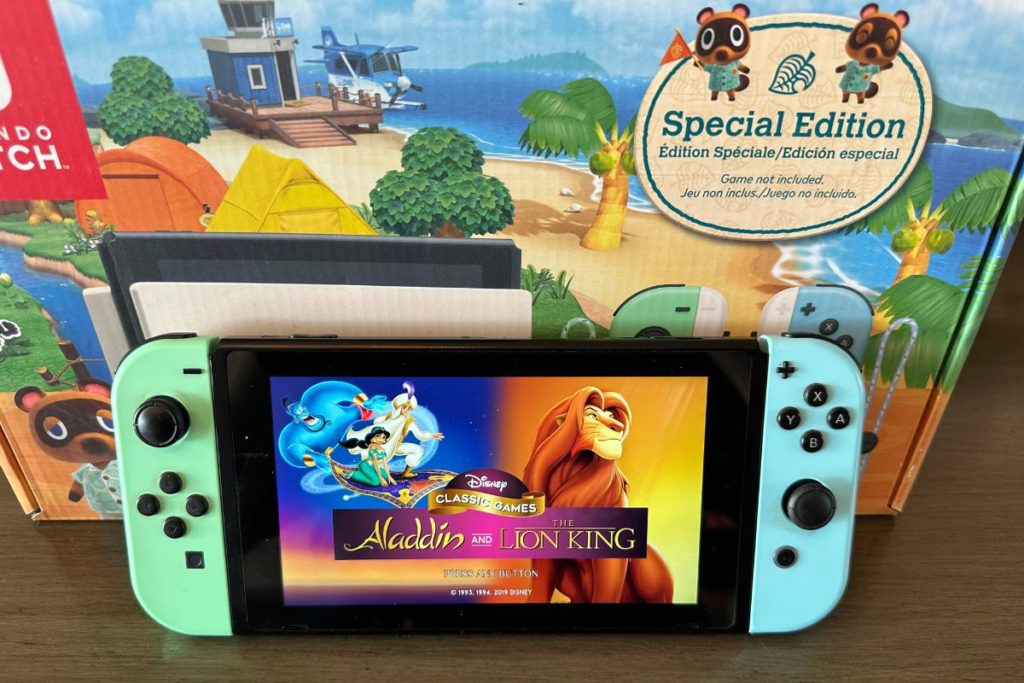
Does The Nintendo Switch Lite/Switch Come With Games?
Both the Nintendo Switch and Nintendo Switch Lite are fun and entertaining to play. The Switch quickly became the number one selling Nintendo gaming console thanks to its ability to work on the go and at your house.
What people really want to know when they go to buy the Switch or the Switch Lite though is if it comes with games, or if they will need to be purchased separately.
Neither the Nintendo Switch nor the Nintendo Switch Lite comes with any games except for the Mario Kart Switch bundle (which includes a downloadable version of Mario Kart). The Switch and Switch Lite gaming consoles come with everything you need to play the games except for the games themselves.
Games have to be purchased separately and cost around $60 (the same as Switch games) for first-party Nintendo games. Switch games can work with the Switch Lite as long as they are compatible with handheld mode. If you get a Nintendo Switch Online membership you can get access to hundreds of games for only the monthly or yearly cost.
You can purchase all of your games on the gaming system once you sign into your Nintendo account, or you can purchase them at a store. You can also purchase games for your device by clicking here.
Most Popular First-Party Switch Game (Super Mario, Donkey Kong, etc.)
Okay, so let’s talk about the most popular first-party Switch games, shall we? Because let’s be real, we all know that the Switch is the shiz-nit when it comes to gaming. It’s like the ultimate console, with all the perks of a portable device and all the power of a home console.
I mean, who doesn’t love the ability to play Breath of the Wild on their commute to work? It’s like a dream come true.
But let’s get down to the nitty-gritty of it all – what are the most popular first-party Switch games? Well, I’m glad you asked, my dear reader. Because I’ve got the inside scoop on all the must-have titles for your Switch collection.
First on the list is none other than The Legend of Zelda: Breath of the Wild. I mean, come on, it’s Zelda. It’s a classic. It’s a must-have.
It’s like the Mona Lisa of video games. It’s a masterpiece. It’s a game that will keep you coming back for more, even after you’ve completed it. It’s a game that will make you forget all your responsibilities and just let you get lost in its world.
Next up is Super Mario Odyssey.
And let me tell you, it’s a doozy. It’s a game that will have you jumping for joy (literally) as you collect moons and save Princess Peach from the clutches of Bowser. It’s a game that will make you laugh, cry, and maybe even sing a little ditty.
Last but not least, we have Animal Crossing: New Horizons. Now, I know some of you might be thinking “But wait, isn’t Animal Crossing just a game for kids and old people?” And to that, I say “Nope, not anymore, baby!” Because Animal Crossing: New Horizons has taken the gaming world by storm.
It’s a game that will have you building your own island paradise and making friends with cute little critters. It’s a game that will make you forget all your problems and just let you relax and unwind.
So there you have it, folks – the most popular first-party Switch games. Now go out there and get yourself a copy of each and every one of them. Trust me, you won’t regret it.
The Number One Switch Game You Need The Switch Joy-Cons To Play
Oh boy, where do I begin? You know those games that are just so painfully reliant on motion controls that you can’t help but roll your eyes every time you see them? Yeah, those are the games that you need the Joy-Cons for.
And let me tell you, Super Mario Party is the king of them all.
Now, don’t get me wrong, I’m a big fan of the Mario Party series. I’ve spent countless hours playing with my friends and family, trying to sabotage each other’s progress while also trying to come out on top. But Super Mario Party takes it to a whole new level.
Sure, it’s fun to play in handheld mode, but once you start getting into the minigames that require motion controls, you’ll quickly realize that the Joy-Cons are a necessity.
I mean, do you really want to play a game of “Rhythm and Bruise” with just the buttons on your Switch? Or how about “Sizzling Stakes,” where you have to cook a virtual steak by shaking your Joy-Cons like crazy? Trust me, it’s not as fun as it sounds.
And don’t even get me started on “Rhythm and Go,” where you have to shake your Joy-Cons to the beat of the music. It’s like a never-ending nightmare.
In all seriousness, while Super Mario Party is a decent game, it’s definitely hindered by its reliance on motion controls. And if you want to be able to play it on your Switch Lite you’re going to need to buy a set of Joy-Cons.
So, if you’re thinking of picking up the game, be prepared to invest in some extra controllers. But hey, at least you’ll have something to do when your friends come over and you want to show off your mad Joy-Con skills.
Nintendo Switch or Switch Lite (Video Game Console Pros & Cons)
When comparing the Nintendo Switch with the Nintendo Switch Lite, there are a few differences. Many people want to know what these differences are and which one they should purchase.
The main difference between the two consoles is that the Switch Lite does not connect to a TV while the normal Switch does. The other differences are their price, size, controllers, and the games they can play.
If you are not sure which Switch to purchase, you probably want to know the pros and cons of the two devices. Below we will go over the pros and cons so you can decide which one fits you best.
Pros of Nintendo Switch:
- It is attractive and has a unique design for a gaming system.
- It has a great game library.
- It is solid and durable so it has great quality.
- Its Joy-Cons are comfortable to use and can be used in different ways (on the console, by themselves, or on the Grip controller).
- Can be played on the TV or on the go.
Cons of the Nintendo Switch:
- It has a short battery life.
- Its online service could be better.
- Its kickstand is flimsy.
Pros of Nintendo Switch Lite:
- It is smaller and lighter than the Switch (in handheld mode) but has the same handheld gaming experience.
- It has a solid build with great quality.
- It features a direction pad.
Cons of the Nintendo Switch Lite:
- It cannot be connected to a TV and can only be played in handheld mode.
- You need to buy Joy-Cons for games not compatible with handheld mode. These can be hard to play on its small screen (5.5 inches compared to the Switch’s 6.2 inches)
- It features vibration.
- The cloud saves are limited.
The Nintendo Switch comes with more possibilities since it can be used as an at-home and handheld console which makes it the better option of the two. It is $100 more costing $299 with the Switch Lite costing $199. This is because it is more versatile than the Switch Lite.
The Switch’s Joy-Cons can be removed and the Switch Lites cannot. You can play the same games with both the Switch and Switch Lite consoles however, if you are wanting to play a game that does not support handheld mode, you will need to buy some Joy-Cons for the Switch Lite and connect them.
The Switch Lite which can only be used as a handheld gaming system but is one of the best. So, if you want a gaming console that can be played in your hands or on the TV, the Switch is for you. You can purchase a Switch for a good price here.
If you want a gaming console; that is purely for on-the-go use, then you will want to go with the Switch Lite. This console will bring you plenty of joy and fun, and if you are not at home much, the smaller size is far better than the original Switch. You can purchase the Switch Lite by clicking here.
Is The Switch Lite Better Than The Normal Switch?
The Switch Lite is a more portable and lightweight version of the normal Switch, making it a great option for on-the-go gaming. It is also significantly cheaper, making it a more budget-friendly option.
However, the Switch Lite has several limitations compared to the normal Switch.
Firstly, the Switch Lite does not have removable Joy-Cons, meaning it cannot be used in tabletop mode or with certain games that require motion controls. It also lacks a dock for connecting to a TV, so it can only be played in handheld mode.
Additionally, the Switch Lite has a smaller battery life, lasting around three to seven hours compared to the normal Switch’s four to nine hours. It also has a lower-resolution screen, which may affect the quality of some games.
Overall, whether the Switch Lite is better than the normal Switch depends on the individual’s needs and preferences. If portability and a lower price point are important, the Switch Lite may be a better option. However, if the ability to play on a TV and use motion controls is necessary, the normal Switch will be a better choice.
Is The Switch Lite Weaker Than The Normal Switch?
In terms of hardware, the Switch Lite has slightly less power than the normal Switch. It has a lower clock speed and fewer graphics processing units, which means it may not be able to run certain games as smoothly or at the same high resolution as the normal Switch.
However, it is important to note that the Switch Lite was not designed to be a direct replacement for the normal Switch. It is a specialized handheld console that is intended for a different type of gaming experience. Many of the games available on the Switch are also available on the Switch Lite, and the majority of them will run just as well on the Lite as they do on the normal Switch.
Overall, while the Switch Lite may not have the same level of power as the normal Switch, it still offers a great gaming experience and has its own unique benefits. It ultimately comes down to personal preference and what type of gaming experience the user is looking for.
Is The Switch Lite Even Worth It?
One of the biggest selling points of the Switch Lite that makes it worthwhile to many gamers is its price. At $100 less than the original Switch, it offers a more affordable option for gamers who want a portable console.
However, the Switch Lite does have some drawbacks. The most significant is that it is not compatible with the Switch’s dock, so it cannot be connected to a TV or external monitor. This means that the Switch Lite is limited to handheld gaming only, which may be a deal breaker for some gamers.
Overall, whether or not the Switch Lite is worth it depends on the individual gamer’s needs and preferences. For those who prioritize portability and a lower price point, the Switch Lite may be a great option.
However, for those who want the full Switch experience and are willing to pay a little extra, the original Switch is a better choice.