
*This post may contain affiliate links. As an Amazon Associate we earn from qualifying purchases.
Have you gone into the EShop recently and received an error code? Maybe you are looking to purchase a Nintendo Switch, but want to make sure you don’t get one that will not work properly. If you keep reading, we will answer your questions as well as help you be able to not be banned anymore.
So how do I check if a Nintendo Switch is banned?
If a Nintendo Switch has been banned, you will be able to find out by checking the access to the EShop. Once you log in and go to the EShop, you will be able to purchase games. If the device has been banned, you will receive error code 2124-4007 and the EShop will not load.
If your Nintendo Switch is banned, it can still be used, but you will no longer have access to playing games online or in the EShop. Although this is horrible for some gamers, others find that it isn’t that big of a deal if they don’t play online that often anyways.
If you find yourself banned, you will want to keep reading this article or watch this video instead.
Want to take your Nintendo Switch to the next level? Then check out this Nintendo Switch accessory bundle by clicking here.

Do you love your Switch but want to stand out from everyone else with the same model? Then look no further than this custom Joy-Con grip.
This Joy-Con grip will make your Switch console look amazing and you can even choose the one that fits your style the best!
Why Would A Nintendo Switch Be Banned?
The Nintendo Switch console is well known by many switch users in the world, and most of them are trying to hack into the Switch games and make them free or cheat on them. The problem is that Nintendo takes modding your device very seriously as well as attempting to hack it.
If Nintendo catches you then they will ban your device. Although this may sound like you will not ever be able to use your device or play on the switch ever again, this is not true.
Even if a Switch has been banned, it is still able to be played and used. You will lose access though to playing online with your friends and family, as well as the EShop. If your Switch is banned there are still emulators you can use to play online, although it is not as easy as playing online was before.
The other option is to do what most people do and to sell the banned Nintendo Switch and purchase a different one. Even though Nintendo banned the Switch, they did not ban you as a user. This means you can go and purchase a different Switch and log on and still play online and have access to the EShop.
If you do purchase a second Switch, you will need to go to the settings of the device and change the primary device from the banned console to the new one to avoid having issues with the EShop and redownloading your games.
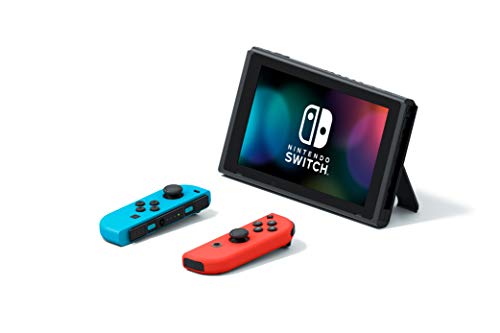
Why Does A Nintendo Switch Get Banned?
Although there are many reasons, a Switch can be banned, it is never from normal use. Nintendo loves all of its users and the community that plays every day within the Switch system. Because Nintendo takes its security seriously, they are very strict, and have recently been banning a lot of Switches for things people may think are ok to do.
The most common reasons why your Switch might get banned are:
- Violating the user agreement
- Breaking the code of conduct
- Hacking (your own console or someone else’s or using Switch Homebrew))
- Piracy (this will normally result in a permanent ban)
- Using obscene language, bullying, harassment, etc. (will normally result in a temporary ban)
Depending on the severity of your violation will determine whether your account or console is suspended or permanently banned. Nintendo will normally issue a temporary ban or suspension for language or breaking the code of conduct while hacking and piracy will normally mean you will get a permanent account or console ban.
Below I will go into more detail about the different things that can cause your Switch to get banned.
I also wrote an entire article about the Switch Homebrew explaining what it is and whether you can use it safely on your Switch (or if you will get banned). You can read that article about Switch Homebrew by clicking here.
Can CFW (custom firmware) Get Your Nintendo Switch Banned?
If you run a CFW or homebrew launcher, you are at risk of getting banned. Although disabling error reporting may help, it is still a risk of running custom firmware. If you receive an error log, you will want to Delete the error log immediately.
Although Nintendo will not get the report only if your console does not go online before the time of the creation of the error log and after the deletion of the record.
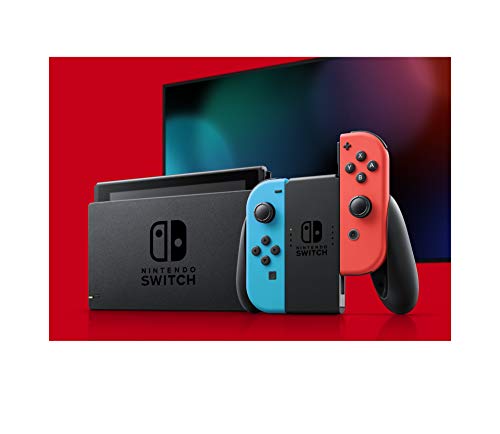
Can Pirating A Game Get A Nintendo Switch Banned?
Although most people think pirating a game from a friend or online is ok, Nintendo does not. This is probably one of the easiest ways that people get banned. When you download a title or cartridge, there are certificates that the Switch checks anytime something is downloaded.
If the game is missing those certificates ( which it is) it will let Nintendo know, and your device will be banned.
How Do I Avoid My Switch Being Banned For Hacking?
- Before doing anything, you will want to delete all your saved internet connections in OFW.
- Enable airplane mode and optionally enable Bluetooth for your controller.
- Fire up Hekate and dump your full NAND.
- You will want to protect that backup as you will be using it every once and a while when needed.
- You will never want to save internet connections since CFW will already be in airplane mode.
- You can do what you want in CFW but never go online.
Some other tips to avoid being banned
- Don’t go online with CFW.
- Don’t install NSPs
- Use the atmosphere’s report reimplementation to save the crash logs locally and not in the servers.
- Avoid using LFS in games that have CRC checks on assets.
- Don’t use your single console to download things from the CDN.
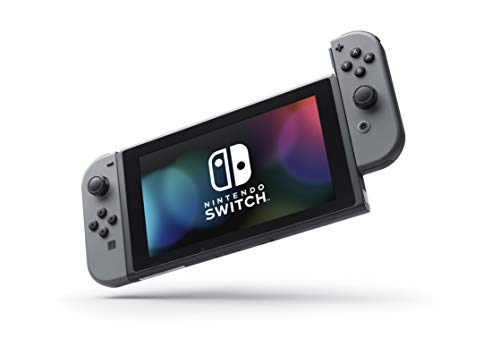
What To Do If Your Nintendo Account Has Been Banned
- Check it
- Consider trying to gather more data as to why your Nintendo account was banned.
- Be honest with yourself
- If you did something dirty that could be just the reason for a ban if your ban was unjustified then move to the next step.
- Get in touch with Nintendo for help. Nintendo has one of the friendliest and most understanding support teams.
If your Nintendo Switch has been banned and you want more information about what you do with it then you have to read another article that I wrote. I will explain exactly what you can do with a banned Switch.
You can read that article about what to do with a banned Switch by clicking here.
Nintendo’s Perfect Method For Detecting Online Switch Piracy
Nintendo has put in place ways to detect systems playing pirated games online and to permanently ban those consoles from Nintendo’s network.
Nintendo permits games and systems when connecting to the Nintendo network. The core of protection comes from a unique encrypted client certificate stored in the trust zone core of every switch unit.
The certificate is used to identify the specific hardware being used for logging in to Nintendo’s servers. That means a banned console will stay banned from the network permanently.
For Switch games themselves, Nintendo uses encrypted certificates to confirm that the game in question is legitimate when connecting online. In the case of the physical game card, the document is unique. This means even if you share the game it could be detected.
An encrypted ticket inside the game data combines info about the game with the console’s distinctive device ID and the Nintendo Account ID used to purchase it. If you download an illegitimate copy of a Switch game that was bought on a different console, Nintendo will be able to detect the mismatch as soon as you log in and immediately ban the console from its network.
Nintendo is fighting back as all previous bans have been elevated to content distribution network bans.
Earlier Nintendo was prohibiting people from using homebrew by preventing online play and e-shop access. But the entrance to their content distribution network remained. So it was possible to update the console’s firmware and games as well as to redownload archived games.
That is why most hackers did not think it was an issue to get banned. If you abused the CDN access too much, they also received the super ban, which prevented access to the CDN.
Nintendo did things differently by elevating bans to the super ban. This means that the people who got banned must search for firmware files and game update files from the connection and use homebrew tools to update their console’s firmware and games. Making it much more cumbersome and annoying for hackers.
As of right now, Nintendo does not ban Nintendo accounts. It only affects the switch console when you get banned. You can still log in to your Nintendo Account on a personal computer, on mobile, or on the 3DS.

Conclusion
If you don’t want to get banned, the best way is to just not do anything that is questionable. Millions of people play on the Switch every single day, and none of them get banned.
If you are doing questionable things on your Switch, you can almost guarantee that even if you are careful and getting away with it right now, it will not last forever.