
*This post may contain affiliate links. As an Amazon Associate we earn from qualifying purchases.
Have you ever been playing the Xbox and found out your account was banned? Maybe you heard about one of your friend’s Xbox accounts being banned and wondered how long the ban would be for.
No matter which question you have, you will definitely want to know your Xbox suspension length.
Xbox account suspensions will normally be issued for one day, seven days, or fourteen days (depending on what you did). If there are repeated violations though, then it can result in a permanent ban of the account or console.
To know exactly how long your Xbox is suspended or banned you will want to check your email as Xbox will send you a notification when a ban or suspension is issued and let you know exactly how long it is for. When you go to log in to your Xbox online account you also might get an Xbox ban message that will tell you what you are suspended or banned from and how long it will last.
If you are unsure why you received a suspension or ban on your Xbox you will want to keep reading as I will cover the most common reasons why this happens in the sections below.
You can also watch this video below if you prefer.
Are you a huge Xbox fan? Then you have to check out this amazing Xbox gear and decor. Whether you want an Xbox-styled wallet, a sweatshirt, or a pair of Xbox socks there are plenty of choices to choose from. You can find them all by clicking here.
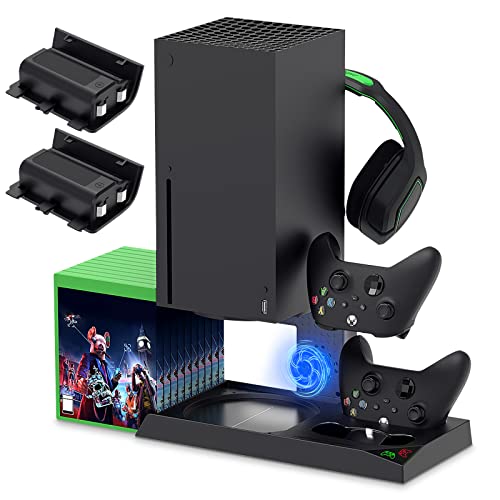
If you have an Xbox you need to get this cooling/charging stand for your console/controllers.
There is nothing worse than being ready for a long night of gaming only to realize your controllers are dead. With this stand that never has to happen again!
How Long Does A Communication/Chat Ban Last On Xbox?
If you have been com banned on Xbox you will not be able to communicate while using the Xbox Live service. But how long does that normally last?
Xbox communications bans (for chat or voice) are typically for 24 hours or for 7 days. Exactly how long it will last depends on what you said and whether this is your first offense or if you have received several com bans before.
Most Xbox com bans will last for 24 hours since normally after that people are more careful to not have the same thing happen again. However, if you continue to curse at people, bully them, etc. then your second or third communications ban might last for 7 days.
Xbox Suspensions/Bans: How Do You Get Banned On Xbox
If you have received a notification (via email or notice on your Xbox) that you have received a suspension or ban on your console or account. You might be wondering why the Xbox enforcement team would issue that.
What could you possibly have done wrong? What actions could you have taken that would have caused your Xbox account or console to be suspended or banned?
Your Xbox account or console could be suspended or banned because of the following reasons:
- Violation of the Microsoft Services Agreement
- Hacking your own console (or trying to hack someone else’s)
- Online fraud (such as account theft, stealing account info, or filing a chargeback for something you actually purchased)
- Your enforcement history (if you have been warned about something many times you will often start getting suspensions if you continue to do it)
- Phishing (if you are caught phishing you will normally get a permanent console ban)
- Using obscene language, bullying, sexist or racist remarks, etc.
These are far from the only reasons why your Xbox could be banned by the enforcement team but they are the most common reasons. If you find yourself with a banned or suspended account or console this list is where you will want to start to determine what you did wrong.
Why Did My Xbox Account Get Banned?
Your Xbox account can get banned for violating the code of conduct that Microsoft expects its gamers to follow. The Xbox Live Policy & Enforcement Team monitors the behavior of gamers.
Any violations of the Microsoft Service Agreement and Code of Conduct can result in a variety of actions depending on the severity and nature of the actions.
You should know that Microsoft isn’t obligated to provide any sort of prior warning before issuing any kind of enforcement action or suspension.
When Does An Xbox Suspension End?
Generally, suspensions end at around the same time of the day they are issued and not at the beginning of the calendar day. For example, a 24 hours suspension which is issued at 3:00 p.m will end at around 3:00 p.m. the next day and not at midnight the day it was issued.
What Kind Of Suspensions Does Xbox Normally Give Out?
Account Suspensions
Account suspensions won’t let you sign into the Xbox Live service (essentially it is an Xbox Live Ban) for the duration of the suspension. These are issued for a duration of 1, 7, or 14 days. If there are repeated violations though, then a permanent ban is also possible.
The Xbox enforcement team will be the ultimate deciding factor on whether you get a permanent account suspension or if the user’s account just gets a temporary suspension.
Your account can be suspended due to cheating, inappropriate in-game behavior, offensive Xbox Live profile content, attempting to manipulate the Xbox Live service, harassment of another gamer, account, theft, and other attempts at fraud.
Communications Suspensions
A communication suspension (commonly known as an Xbox communication ban) will be imposed as a result of inappropriate conduct during communication activities on Xbox Live (or an Xbox Party chat). If you get this ban then you won’t be able to access any of the communication features on your Xbox Live.
This suspension is usually issued because of swearing, bullying, or the use of obscene language. Normally someone will have to be reported by the gaming community to receive this type of suspension.
This means that text messages, video communications, and voice messages are off-limits to the user’s account during the suspension period.
Such bans last for a very temporary period like 1, 7, or 14 days. During the Xbox communication ban period, you will be able to access the Xbox Live service and this includes online multiplayer but you won’t be able to communicate with people.
Privilege Suspensions
This kind of suspension occurs when an account has abused a very particular Xbox Live feature. It can also occur if the account has committed a Code of Conduct violation that doesn’t need a full account ban.
Select account privileges are suspended to isolate inappropriate content or behavior without banning the entire account. Some examples of privilege suspensions are making game DVR or uploading screenshots, joining parties, sharing profile content, and more.
Game-Specific Bans
Although Xbox could ban specific games from being played on their consoles, most of the time they don’t. This is because they want gamers to have the best experience and a wide variety of games for gamers to play.
Apart from the above, you may encounter other kinds of bans and suspensions. So here are other very common account and Xbox device ban-related questions:
![Xbox Live Gold: 12 Month Membership [Digital Code]](https://m.media-amazon.com/images/I/51nM8or-YZS._SL500_.jpg "Xbox Live Gold: 12 Month Membership [Digital Code]")
Are All The Xbox Device Bans Permanent?
All Xbox Live device bans are fully permanent. If the code of conduct violations don’t go to the level of a device ban then you can be served with a temporary loss of a specific Xbox One or Xbox on Windows device privileges.
When this happens then the device can still connect to Xbox Live but some functionality like online multiplayer or communications will be restricted for a specified amount of time.
Can A Microsoft Account Be Used Even If The Xbox or Windows Device Gets Banned?
When a Windows device gets banned, the device won’t be able to connect to the Xbox Live service. This also includes the use of the Xbox app and its other associated features.
Even with this device banned, you can still use the Microsoft account and use other features and apps online as long as the account was banned as well.
Does A Device Ban Result In An Xbox Live Account Suspension As Well?
There are a lot of factors that are looked into before deciding on the kind of action which will be taken against the account holder.
In the list of factors considered, the severity, as well as the nature of the violation as well as previous violation history, is all taken into consideration.
In some cases, an account suspension can be given out to accompany a device ban. This action does not happen very often though. To make sure that you don’t get an account suspension make sure that you follow the Microsoft code of conduct.

Will My Account Get Suspended If An Xbox Console Was Purchased Second Hand?
Although your account may not get suspended, it has happened previously to many people. This is because second-hand purchasing makes the warranty void and the buyer assumes all the risk for any kind of previous modification or unauthorized activity that happened on the console.
This means even if the owner of the console has changed, the console itself can still be subject to a ban. So if you buy a console that has been previously banned you will probably also not be able to connect to Xbox Live. Also, there is not much you can do to fix the console as more than likely Microsoft will not lift the ban.
This is why it is important to make sure the console is not banned before you buy it.
How Do I Know If An Xbox Console Is Banned?
Getting a console ban on your Xbox is not something anyone wants. but how can you tell if your Xbox console has been banned? How can protect yourself from being duped if you think someone is trying to sell off their banned Xbox?
All you have to do is enter the Xbox’s current serial number in the Console Check Tool to find out if it has been banned.
This will take you to the enforcement.xbox.com website where you can check if your console has been banned or suspended. This is always a good thing to check if you are buying a used Xbox console from someone. By checking the enforcement.xbox.com website you will know whether the console has a ban or not.
You will also want to keep in mind that an absence of a current ban doesn’t mean that one cannot be added in the future as a result of the previous owner’s actions. After all, it does take time to look into the violations and time to decide on the appropriate ban.
Overall, keeping in mind the code of conduct rules and regulations will prevent account bans of any kind. If you do get an account ban then it won’t generally be for more than two weeks.
But if you persist in going against the established rules then you should be ready to receive a permanent ban.
How Do I Know If My Xbox Is Banned?
The Xbox is my personal favorite gaming console to play games on. This gaming console has come so far from when it was originally released. Not only has the console grown to be the top-of-a-line gaming console, but it is also faster and better than any other home gaming console.
If you do a bunch of playing games online, you know that there have been some changes made to the way that Xbox monitors and enforces stuff. Sadly, online gaming is not what it used to be, and people are quickly learning that.
This is easily seen as people who have been playing games for a long time are beginning to get banned and are no longer able to play specific games. If you think you might be banned, but you aren’t sure, you may be wondering how to know if your Xbox is banned.
To know if your account has been banned, you will want to check your email and notifications. If you have been banned, Xbox will send you a notification and email about the ban for your account.
While some people do not care about their accounts getting banned, other people may be trying to make a living off of streaming their games. This can easily mean loss of income as well as people unsubscribing.
Since no one wants to ever get banned, you may be wondering why you are banned. Most people today get short bans because of cursing or a small infraction like that. There are a few people that hack the system and try to cheat, but for the most part, people are just banned for small infractions.
Always check your email to learn about the ban that you received and get any information you are looking for. Most of the time you will need to contact Microsoft if you think the ban was inaccurately placed on your account.
If you did not do anything wrong, it may be an error on their end. While Xbox does not normally ban people who do not do anything wrong, it is possible that a mistake was made. After all, people do make mistakes.
If Microsoft made a mistake when they banned your account, you will need to prove that they were wrong. If they are wrong, they will make it right and unban your account.

How Do I Get Rid Of A Communication Ban On Xbox?
When playing online, you may have heard that some people have been banned from communicating when playing online. This is a tactic that Xbox uses to punish people who are breaking the rules without entirely banning their accounts.
Xbox does not want to ban people from playing on their network. That is why if someone breaks the rules and it is not major, they may impose a communication ban on their account instead of fully banning them.
If you have broken the rules and had a communication ban placed on your account, you are probably hoping you can get it removed. So how do you get rid of a communication ban on Xbox?
To get rid of a communication ban on Xbox, you will need to submit a case review at enforcement.Xbox.com. If you are trying to remove it even faster and do not want to wait 24-48 hours to hear back, you can contact Xbox account support at 1-800-4my-Xbox.
Getting rid of your communication ban is something everyone who has ever been banned before wants! No one wants to play games online with their friends and not be able to talk with them. This is especially true if you are playing a strategy game where communicating with your team is important.
Some of the biggest games that need communication are any shooting game, as well as most team sports games. It really doesn’t matter what game you are trying to play though, as not being able to communicate with your friends is brutal.
Not everyone likes to comment during games, but sometimes it is nice to simply comment on what is going on in the game. Even if you do not think that you talk that much, being banned will show you just how much you use it.
How Do I Check My Xbox Reputation?
While having a good reputation in life is important, most people do not judge others for their reputation. Most people judge people on their personal works rather than just their reputation or their name.
When you play a game online you will need to create an account. You may be pretty surprised when you found out that this Xbox account has a reputation, you may be wondering what it is, and if it’s possible to check on your Xbox reputation,
In order to check on your Xbox reputation, you will need to go to account.Xbox.com/en-US/Profile, or you can go to the friend’s app and view your own profile. You can also check the status on the Xbox enforcement website (enforcement.Xbox.com).
Knowing your reputation can make you feel good or bad about how you play and converse with other players. Most people are surprised when they look at their reputation that they have negative feedback reports.
Even though this isn’t the end of the world, people like to please other people and when you are being complained about, you are not going to be pleasing those upset people.
Because it does not change anything if you know your Xbox reputation, some people will never look it up even out of curiosity. I personally like to know my reputation for jobs, as well as for gaming online.
Because people leave negative feedback, you can use that feedback to fix the issues you had and move forward with a better gaming experience.
Conclusion
Now that you know how to check if your Xbox is banned, you can accurately decide if you want to buy a gaming console or not. Because these accounts are banned, most people prefer to buy their consoles from a reputable dealer such as this one.
You can also now expect to only be banned for a few days for your first offense unless it is very severe.
No matter if your console is banned or if your account is simply banned, you can correct your behavior, and make sure your account is never banned again.