
*This post may contain affiliate links. As an Amazon Associate we earn from qualifying purchases.
Gaming is something that many people enjoy doing on a regular basis. It is an important part of many people’s lives simply because gaming is a lot of fun to do by yourself or with friends.
Nintendo is one of the trusted names in the industry and many people enjoy using their different systems but what if you find that your Nintendo Switch or the Switch that you just bought is banned? Is there a way to fix this issue?
How do you fix a banned Nintendo Switch?
There are a few different steps that you can take to try and get your Switch unbanned. Some of the most popular methods are:
- File a complaint
- Make a new account (if only the account is banned)
- Get a new console
- Replace the motherboard
- Use it offline
Each of these above methods may or may not work in your situation so starting with the first one and working your way down is the best way to go for most people. We will discuss each of the above methods in more detail next.
If you would prefer to watch a video rather than reading the article then you can check out the video below.
Want to take your Nintendo Switch to the next level? Then check out this Nintendo Switch accessory bundle by clicking here.

Do you love your Switch but want to stand out from everyone else with the same model? Then look no further than this custom Joy-Con grip.
This Joy-Con grip will make your Switch console look amazing and you can even choose the one that fits your style the best!
How To Fix Your Nintendo Switch That Is Banned
A banned Switch can be really annoying as you may lose access to many things. The worst part is that you won’t be able to enjoy online games over the internet at all and you also won’t be able to access the eShop either.
This Is because despite having wifi if your Nintendo account or Nintendo Switch console is banned you won’t be able to use Nintendo’s online services to make purchases or for online play.
Also, it can be really annoying as you may lose all the money they spent on any online games or other things that you have purchased online to advance in any games.
Having your Nintendo Switch (or Nintendo Switch Lite or Nintendo Switch OLED) get banned is of course not something that anyone wants to experience but if your Switch has been banned then all hope is not lost… yet.
The methods below are some things that you can do to hopefully fix the issue and get your Switch unbanned or debanned.
1. File a Complaint With Nintendo
If you think that you haven’t done anything that is worth banning your console, then you can simply contact the helpline provided by Nintendo. They will help you out in the best possible way but first, it is important to know why you were banned.
Check out the error code being shown on your screen and search for it on Nintendo’s site. It should give you all the details about how it was violating their community guidelines. Even if you realize that you actually did violate the community standards it still might be worthwhile to contact Nintendo and see if there is anything that can be done.
If you are upfront about the issue and it was an honest mistake you might get someone who will fix the issue for you. It isn’t a sure thing but it certainly can work so it is worth a try.
2. Make A New Nintendo Account
Making a new account will only help if the account has been banned but won’t help you if the console itself is banned. Nintendo has begun banning consoles because people would just create a new account and go back to not following the rules so this might or might not work depending on the type of ban you received.
You can simply create a new account and if it was the account that was banned then you can get back to playing like normal.
It is important to know why the account was banned in the first place so that way it doesn’t happen again. Make sure to figure that out immediately as repeated account bans can quickly turn into console bans.
3. Replace The Switch’s Motherboard
This isn’t something that most people should try as it is easy to damage the console quite easily if you don’t know what you are doing. You can often buy motherboards online for the Switch that you can then swap out for the one on your banned console.
After swapping out the motherboard you can create a new account and use your Switch as you did before.
Replacing the motherboard (or changing other hardware) is something that should only be done as a last resort as it isn’t simple to do and for most people, it is better to just move on and get a new console (discussed below).
You can see exactly how difficult it is to replace the motherboard in the video below.
4. Get A New Switch Console
If Nintendo Customer Support is not willing to unban your console then there are not many options left. Chances are there must have been something that you or someone with access to your console did that caused this permanent ban.
Assuming that you don’t have the technical know-how to replace the motherboard (mentioned above) then buying a new console is likely the last option that you have.
You may just have to buy a new console, make a new account and enjoy the games as you did before the ban.
Of course, going this route isn’t cheap but you can also sell the banned Switch on eBay or local for-sale groups to recoup a little of the cost of the new Switch.
Remember when selling the console be completely clear about it being banned so that way the person you are selling it to knows what they are buying.
5. Use Your Switch Offline
The last option that you have is to keep the banned switch and use it solely offline. I know this isn’t something that many gamers are used to doing but you can actually play games solely offline and many people (myself included) grew up gaming without any online capabilities!
Of course, this limits the fun that you can have and will often mean that you cannot update your Switch either (which might mean some brand-new games won’t work) but if you don’t know how to replace the motherboard and don’t have the money to buy an entirely new console then this is probably your best option.
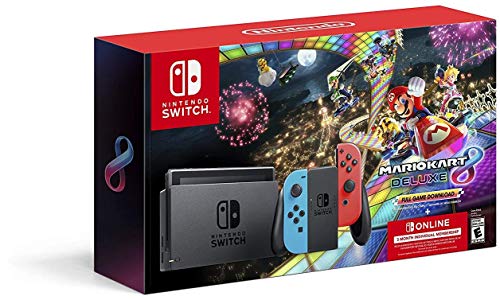
3 Common Reasons For A Nintendo Switch Getting Banned
Sometimes it can be quite difficult to know why you got banned in the first place. You may wake up in the morning and find your console banned. It can be quite annoying especially when you weren’t doing anything recently.
It is important to realize that most bans take a few days or weeks to go into effect so it probably wasn’t something that you did a few hours ago that caused the ban.
Below we will give a few of the reasons which may lead to your console being banned. It is important that you avoid doing any of these to keep your new console from being banned in the future as well.
1. Using Vulgar Content
If you bought, downloaded, or are using a vulgar image as your display picture during a game, there are high chances of your console getting blocked. Nintendo is a huge platform used by people of all ages and it is important that such content stays away from children.
If you are found using such content, then it is likely that you will at minimum have your account banned and at worse have the console banned.
All the players must make sure to keep the adult content to themselves so that the environment is suitable for all the users out there.
Vulgar content can also be foul or derogatory language and many people have reported being banned for cursing or using slurs while playing online.
2. Hacking
Hacking is something completely intolerable to Nintendo. If someone is found using the hacked version of a game it will be an immediate ban of your console.
The same is true for using a hacked Switch or if you are caught using Switch homebrew. Nintendo considers both of these things hacking and will ban your account or console if you are caught. You don’t even have to be pirating games or software to be banned.
If you are using custom firmware on your Switch and Nintendo’s servers detect it then you can expect to get banned.
Nintendo has a system that is capable of identifying pirated games and it can even identify if there is pirating software on the device. If you are trying to use your console as an emulator or something like that it is extremely likely to get permabanned!
3. Other Reasons Switches Get Banned
There may be other reasons too such as using a stolen debit/credit card or filing a chargeback for a game that you purchased as well as many other reasons.
It is completely up to Nintendo to decide whether to ban you or not when you are in violation of their terms of service. If you feel like you have been unjustly banned then go back to step one and contact Nintendo’s support team.
How Do I Unban My Nintendo Account?
While Nintendo is known for its immersive gaming experience and recently it’s on the go and at home gaming console, there have been some concerns about their consoles. One of the biggest concerts is about Nintendo banning people’s accounts.
If you have been playing online a lot, it is possible that you have been banned by Nintendo before for something that you probably didn’t even know was against the rules. The most common thing people get banned for is cursing or using racial slurs online.
This is one of the newer things that Nintendo has been banning people’s accounts for. They are doing this to keep the lobby a safe environment so people of all ages can enjoy gaming online.
If your account has been banned, you probably want to know how to deban your Switch. This is very important as you cannot play online when your Switch account is banned.
To unban your Switch account, you will need to contact Nintendo about the ban. If it is a temporary ban, after a few days, you will be able to play online again and your account will no longer be banned.
There have been a few people that have accidentally broken the rules and did not know it, and Nintendo has even unbanned their accounts immediately. This is why it is important to call Nintendo when you first realize that you have been banned.
Obviously, if you have been banned before, Nintendo will probably not work with you or unban your account since you have already previously had a warning. They are willing to work with you if you did not know what you did and they can see that you have never been an issue previously.
If you have been banned before, your best option is to just wait until your ban is over and then you can go back to playing online. You will need to be careful because if you have been banned before, the ban will be for a longer period of time, and possibly even forever.
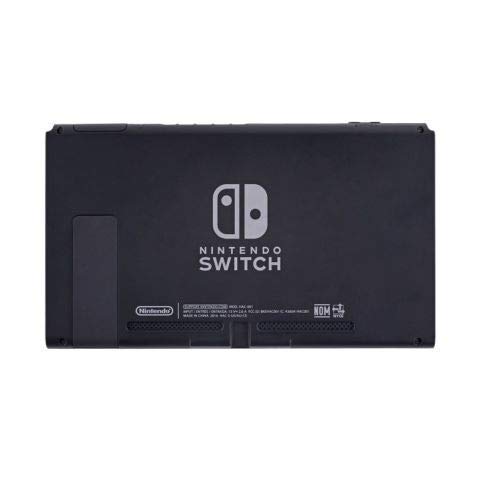
Can You Still Play Games On A Banned Switch?
If your Nintendo Switch has recently been banned, you are probably freaking out a little. This is normal, and to be expected. The last thing you want is to completely ruin your Switch and never be able to play it again.
The first question people who get banned want to know is if they can still play games on their Switch, or if they ruined their entire system. They also want to know what the next step is after they are banned.
You can still play games on a banned Switch, but, you can only play offline games. You cannot play online games, or games online with your banned Switch.
When you are banned, you no longer have access to Nintendo’s online platform. This means that not only can you not play games, but you can also not update your Switch, download any new games, or have access to the Eshop!
So if you want to purchase new games for your Switch you will need to buy physical games as you will not be able to download games from the eShop. Essentially you will lose all online functionality with your Switch when it is banned.
Most of the time, Nintendo will not ban you unless you are doing something that is a clear violation of the rules. They are also one of the best gaming companies that will work with you if you broke the rules and did not know what you were doing.
Obviously, if you were blatantly breaking the rules, they will not reinstate you, or help you, but if it was a simple mistake, they will sometimes help you get your account back online. They have great customer service, and unlike other gaming companies, they care about their customers a lot.
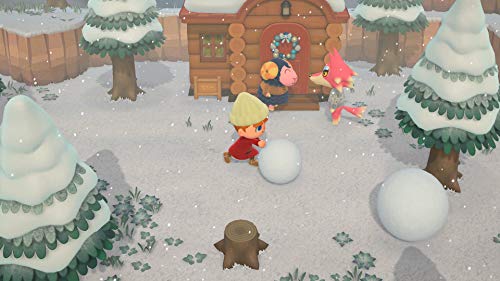
Can You Get Banned In Animal Crossing For Cursing?
While most games online you are allowed to say certain words, Animal Crossing is a different story. This is because it is played in real-time, and it is supposed to be a place similar to your home where you can say and do what you want.
Animal Crossing has been a huge success and is still a great game that is played a lot by a ton of people. It is not just popular in the United States, it is popular all over the world as well!
You can get banned in Animal Crossing if you curse on Mr. Nook’s island. Most of the time you can say whatever you want to through in-game chat anywhere else and never get in trouble.
Animal Crossing is so much fun and is played by so many people all around the world. While it is regulated, most people can say and do whatever they want in the game.
This is because it is not just a game for young children to play, but it is a game that many adults and teens alike play. That is because the game is never the same.
There are many different ways to play animal crossing and the game changes every day! There are always new things to do, time never gets old and before you know it the animals will have a birthday or holiday. The game is always changing with events that come and go!
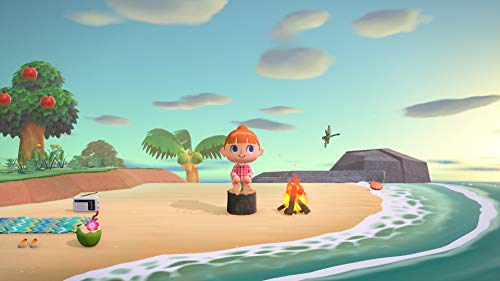
What Does Reporting Do In Animal Crossing?
While Animal crossing is so much fun to play, it is not all fun and games. You may have reported someone in Animal Crossing before, and are curious about what happens when you do this.
Maybe you have been reported before as well, or you were told that someone was going to report you and you wanted to know what exactly happens when you are reported.
Reporting to Isabelle in Animal Crossing will reset someone’s behavior and clothing. It will not get them kicked out of the village, or make them leave.
Obviously, you want the best villagers in the game, and if someone is not being a good villager, you may want them to leave. Reporting them will not accomplish this though unless they are breaking some specific rule.
Most of the time reporting someone will not change anything as far as the game actually goes, and should not be used unless someone committed a serious offense.
To learn some additional information about being banned from the Nintendo Switch you will want to watch the video below.
Conclusion
A Nintendo Switch is a video game console that was launched by Nintendo a few years ago. It received a lot of appreciation worldwide and has many fans too. It is famous because of its amazing features and many great games.
If you are someone who hasn’t tried it yet then buddy, you have missed something quite amazing.
A banned Nintendo Switch doesn’t allow you to have access to online games. You can enjoy local multiplayer as they don’t require the use of online services. There are a few different types of bans that are done by Nintendo like piracy-related and more.
You may still be able to access the EShop in some cases but it depends on the type of ban applied on your Switch. There are many different reasons why a Switch can be banned (as mentioned above) but Nintendo has been less than transparent with exact reasons for bans and how far you can go before they implement a ban.
Sometimes, unreasonable bans can be removed but it is better to try and follow the rules and not do anything that will get you banned in the first place.
Ultimately it is up to you, the player, to ensure that you don’t get banned by practicing self-control and not doing any of the above things that will get you banned.