
*This post may contain affiliate links. As an Amazon Associate we earn from qualifying purchases.
Have you been playing your Xbox and wondered what would happen if you got banned? Maybe you were wondering if you would even know or how you would know if someone else had been banned. Well, in the article, we will answer all the questions about being banned that you might have.
So how do you know if someone got banned on Xbox?
If you want to know if a person you reported has been banned, you will receive an email when Xbox receives your report, but you will not know what ban or suspension they gave the user if any. The only way to know is to manually check their profile and see if it is still active.
The only thing you can do to know for sure is to watch the account or profile that you reported and continually check and see if it is still active. Beyond that there is no way for you to know.
If you want to know more about being banned on an Xbox, you will want to keep reading. You can also check out this video below if you prefer instead.
Are you a huge Xbox fan? Then you have to check out this amazing Xbox gear and decor. Whether you want an Xbox-styled wallet, a sweatshirt, or a pair of Xbox socks there are plenty of choices to choose from. You can find them all by clicking here.
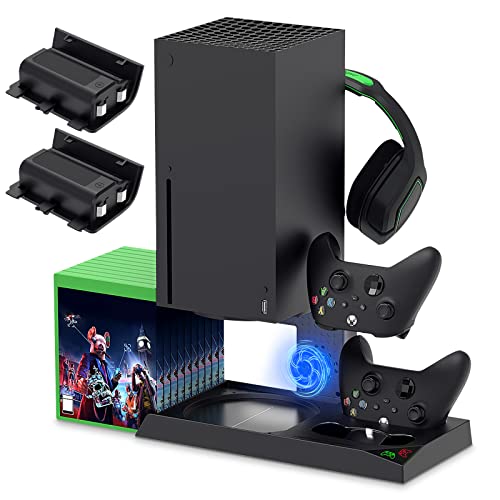
If you have an Xbox you need to get this cooling/charging stand for your console/controllers.
There is nothing worse than being ready for a long night of gaming only to realize your controllers are dead. With this stand that never has to happen again!
How would you know if an Xbox was banned?
This is the first and foremost concern that most people have. Because we all know that cybercrime is quite common these days, sometimes people have to be banned. Pranks have also been known to go too far and take a toll on people as well.
So with so much stuff going on, how are you supposed to know if your Xbox has been banned? Well, first, the concerned user will receive an email to notify them that their device has been banned.
Although this is technically when you first know you are banned, it is highly recommended and advised that even after you receive the email or notification, you should still call Xbox or Microsoft and ask whether such actions were really taken and what you did to be banned or suspended.
As for the notifications, either of the following will come to your email if your Xbox was to be banned:
- For Xbox 360:
The console has been banned for violating the company’s Terms of Use. To protect the members and services of Xbox Live, concerning details have been withheld by the company. Resources of any kind will be unavailable at the moment.
- For Xbox One:
The gaming console has been banned. The former may have occurred due to violations of the Terms of Use of the company by the user.
On the other hand, if your account were to be suspended instead, then you would have received an email stating either of the following:
- There was some problem with the payment option, and hence the concerned account has been suspended.
- The account was observed to have violated certain terms and conditions of the company and therefore has been suspended.
The above are generalised versions of the emails that the users may receive. If the suspension is temporary then Xbox will normally tell you when the suspension began and for how long it will last as well. Console bans on the other hand are permanent so they will not have an end date.
How long do bans last?
The periods for bans are decided depending on the kind of violation or violations that are or were attempted. Depending on the extent of the violation, the ban may last for 1, 7 or 14 days.
If the policy you broke was extremely bad, they may even ban you forever and not allow your console or account back online through an account ban or all out console ban.
Types of bans and how long do they last:
Now as threatening as the word ban sounds, let us first make something clear. In most cases Xbox does not actually ban people as they want people to play on their consoles and not be upset with them. This is why most of the time before a ban occurs there are multiple chances given to the user notifying them as to what they were doing wrong.
If a user at that moment cleans up their act and is careful to start following the rules then they won’t have to deal with bans again. Microsoft has a list of rules and regulations and if you follow these, you will never have to worry about ever being banned or suspended at all.
However, even if you do end up being banned or suspended, there is no reason to freak out. Xbox is one of the best consoles to ever receive a ban or suspension from as they will most of the time be willing to reverse the ban or suspension unlike some other companies that will not ever revise a suspension or ban.
Below are the types of bans you may receive on the Xbox.
Temporary Ban:
This is the most normal kind of suspension or ban a user can experience. Depending on the extent and severity of the violation that has occurred, the ban normally only lasts for a day or two and then the ban is lifted automatically.
Also, during a temporary ban, the device as a whole is not banned and can be used for online gaming as well, minus certain online gaming features till the day the ban is lifted.
The following are some of the features that may not be available for use during the time of the ban. These may, however, vary depending on the exact type of ban that you got.
- Text messages
- Audio and video connections
- In-game conversations
Game specific bans:
These are the ones that are specific to the games you play. Sometimes, the developers of certain games provide their own community guidelines. This means that whether you get banned or not will depend on different guidelines for different games.
This, however, is not directly an Xbox ban, but a ban nonetheless. Also, the way you find out about these kinds of bans will vary as well, according to the creators of a particular game.
Permanent ban:
This is the most serious kind of ban. Under this ban, your device is banned completely. A permanent ban occurs when a violation takes place repeatedly.
As stated earlier, when a violation is first spotted, the user is notified of the violation and asked to change their ways. An investigation team sits together and decides upon the extent and severity of the violation and how many times it has been repeated if any. After extensive research, a conclusion is arrived at.
This is so chances of them not knowing what is going on are extremely low. Also, if a device is permanently banned, the Xbox can only be used as an offline single-player device. Permanent bans usually are not lifted but if there are some extenuating circumstances it is worth contacting Microsoft and trying to get it lifted.
What do I do if you are banned?
If while you are playing, you violate one of the rules and you get banned, most of the time it is only for a short time, and then you will be able to play again. This is why it is important to always follow the rules.
If you are caught repeatedly breaking the rules, they are not going to be very lenient with you and could possibly impose a permanent ban on your account or console. If you are banned permanently, you can simply buy a new console and sell your old one.
This is what most people do as it is easier than fighting the ban, especially if they actually did break the rules.
Conclusion
No matter if you are banned, or if one of your friends is banned, you now know how to find out how long you are banned for, as well as what type of ban it might be.
Even though no one likes to ever receive a ban, Microsoft does this to ensure the safety of its gamers as well as to keep the platform fun for everyone no matter how old or young they may be.