
*This post may contain affiliate links. As an Amazon Associate we earn from qualifying purchases.
Have you recently been banned by Microsoft? Maybe you are just trying to figure out how long they can ban you for and what you can be banned for? Well everything you need to know is in this article.
So how do you see how long you have been banned for on the Xbox One?
Because Microsoft does not give any reasoning in the message on your Xbox about why you are banned or for how long, the easiest way is to call Microsoft to find out. You can also check your email as they will send you a message that gives the exact length of time for the suspension/ban.
You may even be able to have them lift the ban if you can prove you did not do what they banned you for. You can also visit this website to find out what you are banned for, and for how long.
If you want to know more about being banned by Microsoft and finding out how long they ban for, you will want to keep reading.
You can also watch this video below as well.
Are you a huge Xbox fan? Then you have to check out this amazing Xbox gear and decor. Whether you want an Xbox-styled wallet, a sweatshirt, or a pair of Xbox socks there are plenty of choices to choose from. You can find them all by clicking here.
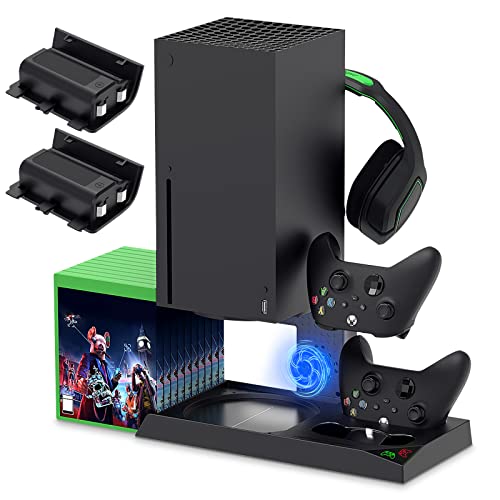
If you have an Xbox you need to get this cooling/charging stand for your console/controllers.
There is nothing worse than being ready for a long night of gaming only to realize your controllers are dead. With this stand that never has to happen again!
Why does Microsoft ban people?
While playing video games on Xbox, people often get banned due to their different malpractices and wrongdoings. Numerous people get banned by the Microsoft servers for not following their code of conduct and terms and conditions. Microsoft follows a stringent policy against those who continually violate their code of conduct and the rules regarding their behavior while playing Xbox online.
All of us need to maintain social empathy while performing any activity online. When it comes to online playing people opt for different tactics to play in the games and sometimes it can take a toll on others. Some gamers just want to win the game even if doing so means that they are bullying others.
They indulge in different ill-mannered behavior that includes trash-talking, racist comments or any other thing that relates to the hurting of people’s sentiments.
Apart from the above reason, if you are trying to hack or scam in any way at all, then it can also lead to the ban of the account. When it comes to banning, there are two different types of the bans that they can put on your account.
Types of bans
- Suspension
This is a temporary ban that is due to some of the malpractices in the course of playing Xbox games. If a person gets suspended from their Xbox account, it is normally not for very long. If you are not following the rules and regulations of the game, then Microsoft may ban you from playing. If you are violating the code of conduct for the first time then it may issue a suspension, but when it comes to the repetitive actions then they are not as lenient and will probably ban you.
Apart from this, the suspension of account also takes place when a player reports the other player for malpractice or any offense. Microsoft keeps a log on your account and will investigate the report. This investigation takes time and while they are doing their investigation, they might listen in on your conversations, and look over your account to see if you have been doing what you were accused of.
When a suspension is issued you will know about it immediately as you will get a notification on your Xbox or a prompt that notifies you about your suspension.
- Permanent ban
When it comes to a permanent ban, Microsoft doesn’t normally ban people for small offenses. It will either have to be because of repeated bad behavior or serious malpractices and wrongdoings committed by the players that ban them from playing Xbox online.
If a person gets banned permanently, they will receive a notification via email. These notifications will have a message that helps you to get an idea of the ban and how long it will last.
What will my notification say from Microsoft?
For those who get the notification, they will normally get it instantly as soon as they are suspended or banned. These are the following notifications that a person gets when they are banned by Microsoft for not following the policies or code of conduct.
“This console has been banned for violations of the Terms of Use. To protect the Xbox Live service and its members, Microsoft does not provide details about console bans. There is no recourse for Terms of Use violations.”
This is one of the notifications that tells about the ban of the account. Once a user sees this message it is pretty clear that they have been banned.
One of the other notifications many people get is as follows:
“Your console is banned. This console has been banned for Terms of Use violations. To protect the Xbox service and its members, Microsoft does not provide details about specific console bans. For more information about console bans, visit xbox.com”
This message also includes a ban on the people for violation of the code of conduct.
These are some of the notifications players get when they are banned but often people are unaware of getting these notifications. These source code notifications provide a prompt to tell people about their console getting banned.
If you don’t get a notification like this you could turn to forums or other places online to try and find out why you can’t access your online account but forums aren’t a credible way to get the desired information since anyone can post anything that they want on them.
What to do after you are sure you are banned?
The above notifications and suspension prompts provide an understanding of the ban only. Gamers are often unaware of the things they should do after knowing that their account or device is banned or suspended. The following are some of the steps that should be taken after you find out about the ban.
- Think about any of the malpractices or violations you may have committed while playing online.
- You can get assistance from the troubleshooting department that will help you know what your next steps are after the ban.
- You can also get assistance from the game forums that helps you to get an idea of the process after the ban and the possible reasons for that.
How can you remove the ban?
Getting an idea of the ban and being unable you play Xbox online games creates havoc among avid gamers. Of course anyone who is banned will want to know if there is anything that they can do to remove the ban or getting it shortened.
Some of the best things thta you can do to try and get the ban removed or shortened are:
- If you are just suspended, then wait for the investigation to be completed, once the investigation runs its course you will either get a permanent ban or the suspension will get removed. In both the cases, you just have to wait and see and honestly that is the best thing that you can do.
- If you are banned and got the above-mentioned notifications, then it is pretty safe to say that Microsoft has taken strict action against you for some violations that you committed. In that case, the length of the ban (permanent or temporary) depends upon the discretion of the Microsoft team. You may be banned permanently or just receive a mere suspension. In both cases, you are really unable to do anything besides contact Microsoft and try and plead your case. If pleading your case does nothing then all you can really do is wait it out if temporary or if permanent either never play online again or create a different account or get a new console (depending on the type of ban). If you do decide to buy a new console, here is the best place to get one that is a good price!
Conclusion
Now that you know what the bans you can receive are for, you can make sure you do not do those things and break the rules again. Also now that you know how long you have been banned or suspended for, you can decide if you want to just wait to play online, or if you want to buy a whole new console and play on that one.
No matter how you feel about Microsoft banning and suspending people, you can see that they are trying to keep the platform clean of cheaters and hackers as well as keep the environment fun for all ages to pay on.