
*This post may contain affiliate links. As an Amazon Associate we earn from qualifying purchases.
Are you a fan of Nintendo games but unsure if they’re all available on the Switch? Look no further! This article will dive into the world of Nintendo gaming on the Switch and answer the burning question: Can you play any Nintendo game on the Switch?
Although you can play many different classic Nintendo games from the NES & SNES consoles (and the N64 if you get the expansion pack) you cannot play all of Nintendo’s games on the Switch. You can also only play some of the NES, SNES, and N64 games and only if you pay for the Nintendo Switch Online subscription.
So some of Nintendo’s classic games can be played on the Nintendo Switch you cannot play all of Nintendo’s games on the Switch.
The Switch can play many different Nintendo games from those three classic Nintendo consoles, if you are wanting to play Nintendo games from any of their other consoles on your Switch you are currently out of luck. The Nintendo Switch is not backward compatible and so there is no way to play any other Nintendo games on your Switch besides those that are offered through their Switch Online service.
In the rest of this article, I will dive into how you can get those classic Nintendo games on your Switch as well as cover which NES & SNES games come with the Nintendo Switch Online membership.
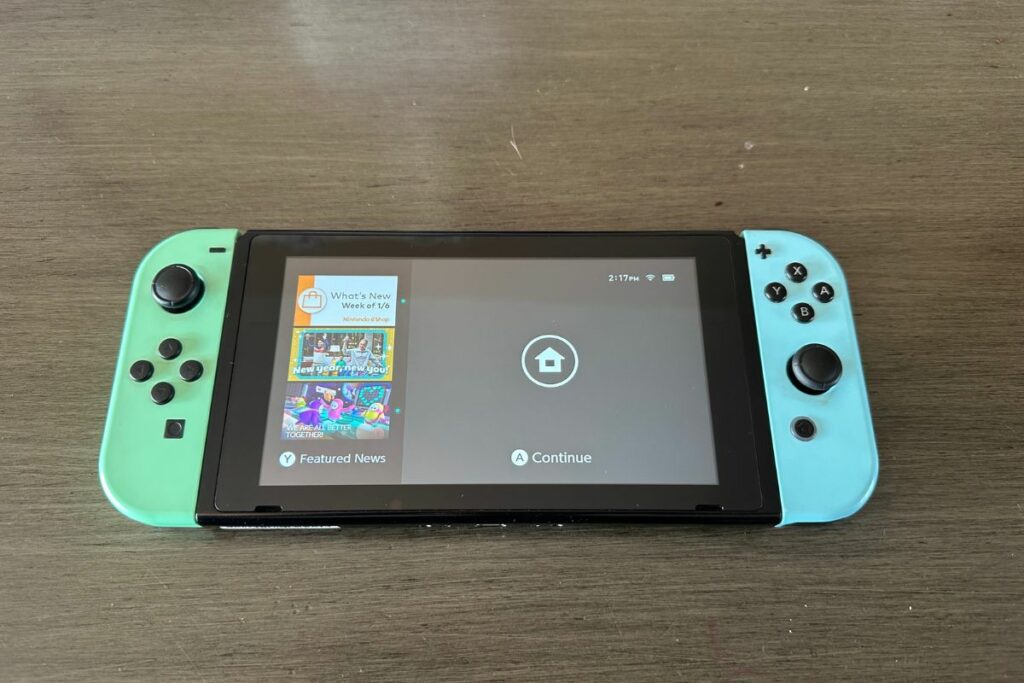

Nintendo Switch Online: The Ultimate Way To Play Online NES & SNES Games
Oh man, where do I start with Nintendo Switch Online? I have been playing on the Nintendo Switch console for a few years now and I must say, Nintendo Switch Online is one of the best things to happen to me.
I remember when I first got my Nintendo Switch and I discovered that I couldn’t play any games online without a membership. Man what a money grab!
But then I discovered that the Nintendo Switch Online membership not only included playing online with friends (which I still think should be free) but also a ton of classic NES and SNES games! Okay now that got me interested and I really felt it was worth getting at that point.
I mean, c’mon, for just $19.99 a year, I can play all my favorite games online with my friends AND access a library of classic games like Super Mario Bros., The Legend of Zelda and so much more from the consoles I grew up playing? Sign me up!
It’s like having a time machine in your pocket.
And let’s talk about the cloud saves. I can’t even count how many times I’ve lost my saved game because I accidentally deleted it or my console died. But with Nintendo Switch Online, my saved games are safely stored in the cloud so I never have to worry about losing my progress again.
The voice chat feature is also a game changer. No more trying to communicate with my friends through hand gestures and shouts. Now we can talk to each other like civilized people and plan our next strategy.
One of my favorite things about Nintendo Switch Online is the ability to play with my friends from all over the world. I’ve made some amazing friends through the online service and we’ve had some hilarious gaming sessions together.
It’s like a virtual gaming club where we can hang out and play games together.
In conclusion, Nintendo Switch Online has been a ton of fun and for under $2 a month, it’s really worth getting for virtually everyone. It’s given me the opportunity to play all my favorite games online with my friends, access a library of classic games, and so much more.
It’s definitely worth the price and I highly recommend it to anyone who loves to game on the Nintendo Switch console.
NES Games On The Switch
Oh NES games on the Nintendo Switch, what a trip down memory lane. I mean, who would have thought that I would be able to play Mario Bros. and The Legend of Zelda on my Switch? It’s like all my childhood dreams have come true.
I remember when I was a kid, I would spend hours playing Mario Bros. on my NES. And now, I can play it on my Nintendo Switch while I’m waiting in line at the grocery store (okay I don’t normally take it to the store but you get my point).
It’s like I’m a kid again, except now I have a much better gaming system.
And let’s talk about the convenience of having all these classic NES games in one place. I don’t have to go digging through my closet to find my old NES and games. Now I have all of my favorite NES games right on my Switch, ready to play at any time.
Playing these NES games on the Nintendo Switch is an absolute blast. I’ve been able to relive some of my favorite childhood memories and it’s just as fun now as it was then. I’ve even been able to introduce these classic games to my own kids and they’re just as addicted as I was.
Now unfortunately the Switch Online service doesn’t include all of the NES games but it does have a massive number of them included for free with the subscription. Currently, you get 63 classic NES games with the Nintendo Switch Online membership.
The exact NES games that you can play on your Switch are:
- ADVENTURES OF LOLO
- Balloon Fight™
- Baseball
- Blaster Master
- City Connection
- Clu Clu Land™
- Crystalis
- DAIVA STORY 6 IMPERIAL OF NIRSARTIA
- DIG DUG II™
- Donkey Kong
- Donkey Kong 3
- Donkey Kong Jr.™
- Double Dragon
- Double Dragon II: The Revenge
- Dr. Mario™
- EarthBound™ Beginnings
- Eliminator Boat Duel
- Excitebike™
- Fire ’n Ice
- Ghosts’n Goblins™
- Gradius
- Ice Climber™
- Ice Hockey
- JOURNEY TO SILIUS
- Kid Icarus
- Kirby’s Adventure
- Kung-Fu Heroes
- MAPPY-LAND
- Mario Bros.™
- Metroid
- Mighty Bomb Jack
- NES™ Open Tournament Golf
- Nightshade
- Ninja Gaiden
- Ninja JaJaMaru-kun
- Pinball
- Pro Wrestling
- Punch-Out!!™ Featuring Mr. Dream
- River City Ransom
- Rygar
- S.C.A.T.: Special Cybernetic Attack Team
- Shadow of the Ninja
- Soccer
- Solomon’s Key
- Star Soldier
- StarTropics™
- Super Dodge Ball
- Super Mario Bros.
- Super Mario Bros.: The Lost Levels
- Super Mario Bros 2
- Super Mario Bros. 3
- Tecmo Bowl
- Tennis
- The Immortal
- The Legend of Zelda
- TwinBee
- Vice: Project Doom
- Volleyball
- VS. Excitebike™
- Wario’s Woods™
- Wrecking Crew
- Yoshi™
- Zelda II: The Adventure of Link
Games From The SNES On The Switch
The Super Nintendo Entertainment System was my childhood and now I can play all my favorite games on my Switch. It’s like I’m reliving my childhood all over again.
I remember when I was a kid, I would spend hours playing Super Mario World and The Legend of Zelda: A Link to the Past. And now, I can play them on my Nintendo Switch while I’m on the go or on my big-screen TV while sitting on my couch (instead of crouching in front of the TV because of the short cords).
The convenience of having all these classic SNES games in one place is just amazing. Now I have all of my favorite SNES games right on my Switch, ready to play at any time.
Playing these SNES games on the Nintendo Switch is just as fun as it was when I was a kid. I’ve been able to relive some of my favorite childhood memories and it’s just as addicting now as it was then. And let’s be real, who wouldn’t want to play Mario World on the go?
As with the NES games you don’t get all of the SNES games with your Switch Online membership. However, with your Switch Online membership, you do get access to a collection of 55 classic SNES games.
Those SNES games you can play on your Switch console are:
- Bombuzal
- Breath Of Fire
- Breath of Fire II
- BRAWL BROTHERS
- Caveman Ninja (also known as Joe & Mac)
- Claymates
- Congo’s Caper
- Demon’s Crest
- Donkey Kong Country
- Donkey Kong Country 2: Diddy’s Kong-Quest
- Donkey Kong Country 3: Dixie Kong’s Double Trouble!
- DOOMSDAY WARRIOR
- EarthBound™
- Earthworm Jim™ 2
- Fighter’s History
- F-ZERO™
- Jelly Boy
- Joe & Mac 2: Lost in the Tropics
- Kirby Super Star™
- Kirby’s Avalanche™
- Kirby’s Dream Course™
- Kirby’s Dream Land™ 3
- Magical Drop2
- Mario’s Super Picross
- Natsume Championship Wrestling
- Operation Logic Bomb
- Panel de Pon
- Pilotwings™
- Pop’n TwinBee
- Prehistorik Man
- Psycho Dream
- Rival Turf!
- Spanky’s™ Quest
- Smash Tennis™
- Star Fox™
- Star Fox™ 2
- Stunt Race FX™
- Super Baseball Simulator 1,000
- SUPER E.D.F. EARTH DEFENSE FORCE
- Super Ghouls’n Ghosts™
- Super Punch-Out!!™
- Super Puyo Puyo 2
- Super Mario All-Stars
- Super Mario Kart™
- Super Mario World™
- Super Mario World™ 2: Yoshi’s Island
- Super Metroid™
- Super Soccer
- Super Tennis
- Super Valis IV
- The Ignition Factor
- The Legend of Zelda™: A Link to the Past
- The Peace Keepers
- Tuff E Nuff
- Wild Guns
Best Classic Games On The Switch
As an avid Nintendo player, I have been through all the ups and downs of the gaming world and I have to say, the Nintendo Switch is a blessing for us old-school players. The classic NES & SNES games on the Nintendo Switch are a real treat for players who lived through the golden age of gaming.
And let me tell you, these games are just as good as they were back in the day.
First on my list of the best classic games that you have to try on your Switch console is the classic Super Mario Bros.
Who doesn’t love Mario, right? The little plumber who’s been saving the princess for years, and he’s still going strong. The Super Mario Bros game on the Nintendo Switch is just as fun as I remember it.
I spent countless hours trying to beat that darn game, and I finally did!
Next up is the classic The Legend of Zelda: A Link to the Past. This game is a real classic and it’s a real joy to play it on the Nintendo Switch. The graphics are still amazing, and the gameplay is still just as smooth as it was back in the day.
I remember the first time I played this game, I was so excited that I couldn’t sleep that night.
Another classic game that is available on the Nintendo Switch is Super Mario World. This game is just as fun as I remember it.
I remember playing this game with my siblings and friends, and we would spend hours trying to beat it. The graphics are still amazing and the gameplay is still just as smooth.
If you’re into classic RPGs, then you should definitely check out EarthBound. This game is a real classic and it’s a real joy to play it on the Nintendo Switch.
If you’re into racing games, then you should definitely check out F-Zero. This game is a real classic and it’s a real joy to play it on the Nintendo Switch.
Another classic game that is available on the Nintendo Switch is Super Mario Kart from the SNES. This game is just as fun as I remember it. I remember playing this game with my siblings and friends, and we would spend hours trying to beat each other’s times.
In conclusion, the classic NES & SNES games on the Nintendo Switch are a real treat for us old-school players. These games are just as good as they were back in the day and they bring back so many memories.
I highly recommend these games to any players out there. So, grab your Nintendo Switch, and let’s get gaming!
How To Play An Online NES or SNES Game On The Nintendo Switch
Alright, so you want to play an online NES or SNES game on the Nintendo Switch, huh? Well, buckle up because I’m about to take you on a wild ride through the world of online gaming on the Nintendo Switch.
First things first, you’ll need a Nintendo Switch Online subscription. I mean, what kind of expert player are you if you don’t have one already? This subscription will give you access to all the classic NES and SNES games available on the Switch that I mentioned in the lists above.
Once you’ve got your subscription, all you need to do is open up the Nintendo Switch eShop and download the NES and SNES game apps and start browsing through the vast library of classic games.
Pick the game you want to play and get ready to take on the world.
One thing that you need to know is that you have to go online at least once every seven days to be able to continue to access the NES & SNES games and play them on your console. This is because Nintendo requires that so they can check and make sure that you still have an active Nintendo Switch Online Membership.
So if you are going on a long trip you will need to get online with your Switch console at least once every seven days to ensure that you don’t lose access to the SNES and NES games. The games won’t delete and you won’t lose your saved data after seven days but you just won’t be able to play them again until you go online.
Are Nintendo Switch Games (Like Mario Kart) Better Than Older Nintendo Games?
So, you wanna know if Nintendo Switch games are better than older Nintendo games? Well, sit back, grab a snack, and get ready for some expert-level gaming knowledge because I’m about to lay it all out for you.
First of all, let me just say, comparing old Nintendo games to new Nintendo Switch games is like comparing apples to oranges. They’re both delicious in their own way, but the Switch is just a whole new level of yummy.
I mean, have you played Mario Kart on the Switch? It’s like a dream come true. The graphics are out of this world, the gameplay is smooth as butter, and the online multiplayer options are just insane.
It’s like nothing I’ve ever experienced before.
And let’s not forget about the Switch’s portability. You can play your Switch games anywhere, anytime. On the bus, on the toilet, in bed, you name it. It’s like having an arcade in your pocket.
That’s something we could never do with most of the older Nintendo games (except for the ones on the Wii U).
Now, don’t get me wrong, I have a special place in my heart for older Nintendo games. I’ll never forget the days of playing Super Mario Bros. on my NES, but the Switch has taken it to a whole new level.
I remember the first time I played Mario Kart on the Switch. I was playing with my cousin and we were both blown away. We laughed, we shouted, and we even had a mini-tournament. It was a moment I’ll never forget.
The Switch has also brought back a lot of old classics just remade, like The Legend of Zelda: Breath of the Wild. The graphics, the gameplay, the storyline, it’s all just so much better on the Switch.
But here’s the thing, older Nintendo games still have a special place in my heart. They’re classic, they’re simple, and they’re just so darn fun. So, to answer the question, are Nintendo Switch games better than older Nintendo games?
It’s subjective. It’s like asking if Pepsi is better than Coke. Some people will say yes, some people will say no, but in the end, it’s all just a matter of personal preference.
In conclusion, Nintendo Switch games like Mario Kart are better in terms of graphics, gameplay, and online multiplayer options, but older Nintendo games still have a special place in our hearts. The Switch has taken gaming to a whole new level, but it’s all just a matter of personal preference.
In my opinion, I will tell you that both old and new Nintendo games are worth playing. So, grab a Switch, grab some friends, and get ready to have some fun.
Conclusion
Well folks, there you have it. A full rundown of the Nintendo Switch, Nintendo Switch Online, NES, and SNES games, and how to play them all online. I hope you all have a better understanding of the awesomeness that is the Nintendo Switch.
But just in case you still need a little more convincing, let me just say this: The Nintendo Switch is like a unicorn, a mythical creature that everyone wants to catch, but only a select few will ever experience its full potential.
So, if you want to be one of those lucky few, get yourself a Switch and start gaming like a pro.
So, in conclusion, if you’re looking for a gaming experience like no other, look no further than the Nintendo Switch. It’s like a magical, gaming wonderland that you’ll never want to leave. Happy gaming folks!