
*This post may contain affiliate links. As an Amazon Associate we earn from qualifying purchases.
The Nintendo Switch and Switch OLED are both gaming consoles produced by Nintendo, but they have some key differences that set them apart.
The Nintendo Switch is a hybrid console that can be played both at home and on the go. It has a tablet-like design with two detachable Joy-Con controllers on either side, allowing for handheld play as well as traditional console play with a TV. The Switch has a 6.2-inch LCD screen and runs on a custom Nvidia Tegra processor.
On the other hand, the Switch OLED is a more premium version of the original Switch. It features a larger 7.0-inch OLED screen, which offers richer colors and deeper blacks compared to the LCD screen on the regular Switch. The OLED screen also has a higher resolution of 720p, providing a clearer and more detailed picture.
Another notable difference between the two consoles is the battery life. The Switch OLED has a longer battery life of up to 7 hours, compared to the Switch’s battery life of 4.5 hours. This means that the Switch OLED can last longer during handheld play, making it more convenient for gamers on the go.
Additionally, the Switch OLED has a faster processor than the regular Switch. It uses a custom Nvidia Tegra X1+ processor, which provides improved performance and faster load times for games. This means that the Switch OLED can handle more demanding games and provide a smoother gaming experience overall.
In terms of design, the Switch OLED has a slightly sleeker and more premium look compared to the regular Switch. It has a matte finish on the back of the tablet, as well as a glossy black finish on the Joy-Con controllers. This gives the Switch OLED a more stylish and modern appearance.
However, the Switch OLED also comes with a higher price tag. It is sold at a higher price point than the regular Switch, which may not be suitable for all budgets.
Overall, the main differences between the Nintendo Switch and Switch OLED are in their screens, battery life, performance, and design. The Switch OLED offers a larger OLED screen, longer battery life, faster processor, and a more premium design, but at a higher cost compared to the regular Switch.
In the rest of this article, I will go into more detail comparing the Switch and Switch OLED models and what the main differences are between them as well as the many similarities. So let’s dive into some of the main things that you should consider when trying to decide between these two popular Nintendo consoles.
Want to take your Nintendo Switch to the next level? Then check out this Nintendo Switch accessory bundle by clicking here.

Do you love your Switch but want to stand out from everyone else with the same model? Then look no further than this custom Joy-Con grip.
This Joy-Con grip will make your Switch console look amazing and you can even choose the one that fits your style the best!
Switch Vs Switch OLED Model Specifications
When comparing the Switch and the Switch OLED it is important to know the specs of each console. So let’s take a quick look at the specs for each of these consoles.
Nintendo Switch Specs
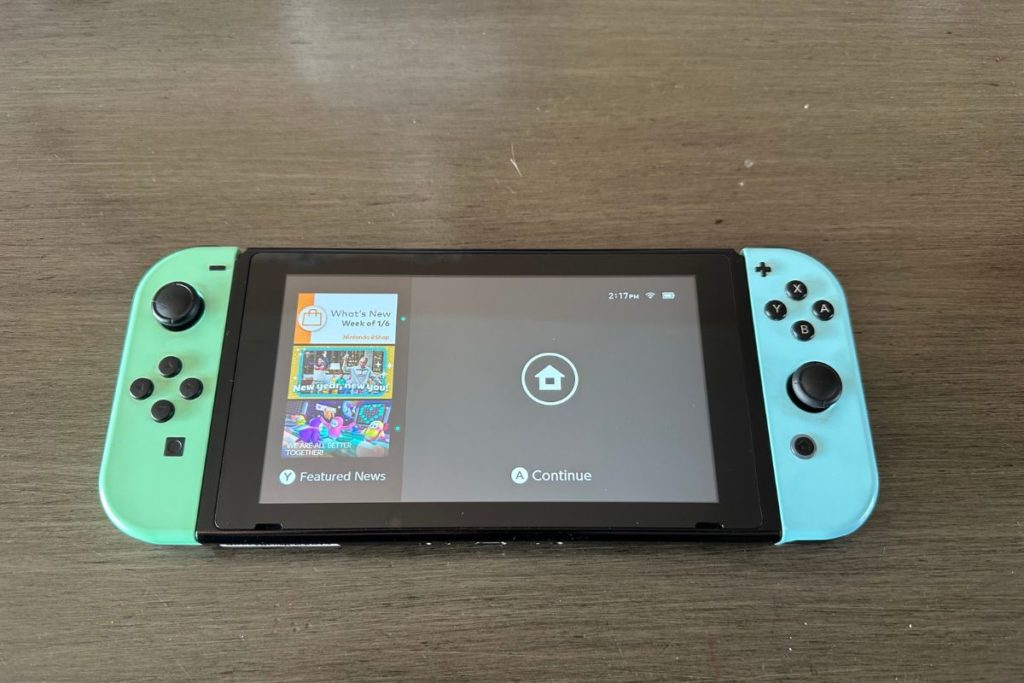
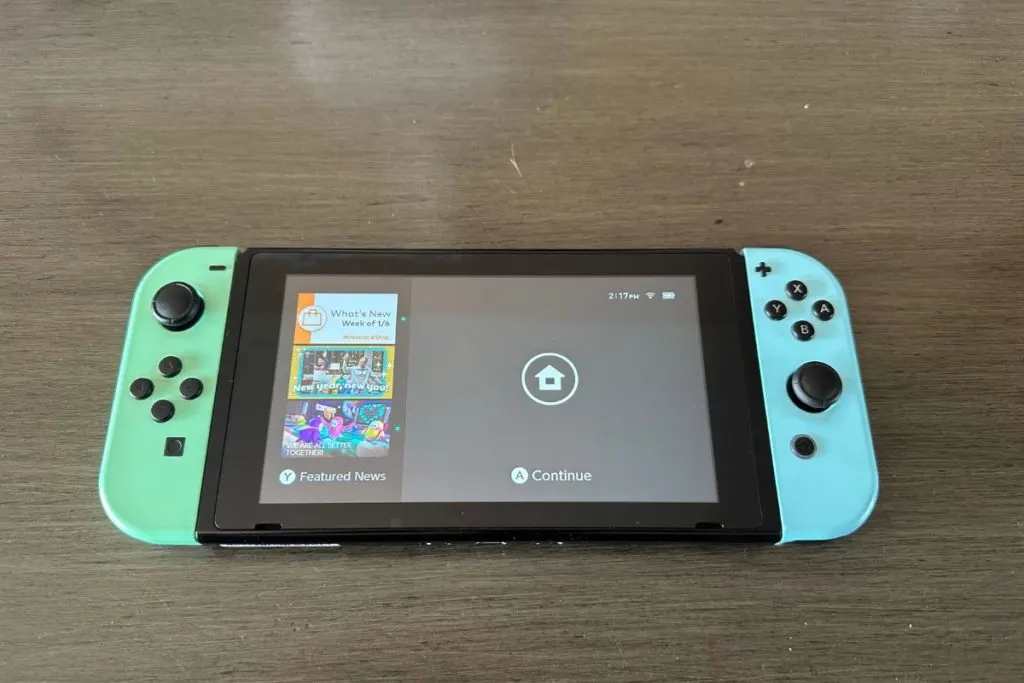
The Nintendo Switch is a versatile and powerful gaming console that offers a unique and immersive gaming experience. The console is approximately 4 inches high, 9.4 inches long, and 0.55 inches deep, with the ability to attach and detach the Joy-Con controllers for added versatility.
The Switch is also incredibly lightweight, weighing approximately .66 lbs without the Joy-Cons attached making it a great console to use in handheld mode.
The Switch features a multi-touch capacitive touch screen and a 6.2-inch LCD screen with a resolution of 1280 x 720. It is powered by an NVIDIA Custom Tegra processor, providing smooth and efficient gameplay. The console has 32 GB of internal storage, with the option to expand using microSDHC or microSDXC cards up to 2TB.
In terms of connectivity, the Switch has Wi-Fi and Bluetooth capabilities, allowing for easy sharing and multiplayer gaming. The console can output video up to 1080p via HDMI in TV mode, and up to 720p via its built-in screen in tabletop and handheld modes. It is also compatible with 5.1ch Linear PCM output and has stereo speakers for high-quality audio.
The Switch has a variety of buttons, including a power button and a volume button, as well as a USB Type-C port for charging or connecting to the Nintendo Switch dock. It also has a headphone/mic jack and game card and microSD card slots for added functionality. The Switch has sensors including an accelerometer, gyroscope, and brightness sensor, and is designed for use in environments with temperatures between 41-95 degrees F and humidity between 20-80%.
The Switch has a lithium-ion battery with a capacity of 4310mAh, providing approximately 4.5 – 9 hours of battery life. The battery life may vary depending on the games played and usage conditions. The Switch has low power consumption, with an estimated annual energy consumption of approximately 6 kWh. It takes approximately 3 hours to fully charge the Switch console battery.
Nintendo Switch OLED Specs
The Nintendo Switch OLED is a compact and versatile gaming console that brings your favorite games to life with its vibrant and sharp OLED display. Measuring just 4 inches high, 9.5 inches long, and 0.55 inches deep (with Joy-Con attached), this lightweight console weighs only 0.71 lbs (0.93 lbs with Joy-Con controllers attached), making it easy to take on the go.
The Switch OLED’s multi-touch capacitive touch screen measures 7.0 inches and boasts a resolution of 1280×720, providing stunning visuals for your games. The console is powered by an NVIDIA Custom Tegra processor, ensuring smooth and efficient gameplay. It has a storage capacity of 64 GB, which can be easily expanded using microSDHC or microSDXC cards up to 2TB (sold separately).
In terms of connectivity, the Switch OLED features Wi-Fi (IEEE 802.11 a/b/g/n/ac compliant) and Bluetooth 4.1, allowing you to connect to the internet and share your gaming experience with others. The video output of the console is up to 1080p via HDMI in TV mode and up to 720p via the built-in screen in Tabletop and Handheld modes. It also has audio output compatible with 5.1ch Linear PCM, and stereo speakers for an immersive gaming experience.
The Switch OLED comes with a USB Type-C connector for charging or connecting to the Nintendo Switch dock. It also has a headphone/mic jack and game card and microSD card slots for added convenience. The console is equipped with an accelerometer, gyroscope, and brightness sensors, and it can be used in environments with temperatures ranging from 41-95 degrees F and humidity levels of 20-80%.
The Switch OLED’s lithium-ion battery has a capacity of 4310mAh, providing approximately 4.5-9 hours of gaming on a single charge. The charging time is approximately 3 hours, and the console’s power consumption in TV mode ranges from 6W to 0.3W, depending on the usage. In Handheld and Tabletop modes, the power consumption ranges from 4W to 0.01W. The estimated annual energy consumption of the Switch OLED is 6 kWh.
Pricing
When comparing the Nintendo Switch and Switch OLED one of the things that you are likely to notice first is the prices and the difference in pricing when you go to buy either of these two models.
Nintendo Switch Pricing
The standard Nintendo Switch model is priced at $299 and includes the console, two Joy-Con controllers, a Joy-Con grip, a Switch dock, an HDMI cable, and an AC adapter. This model allows players to enjoy the Switch in handheld, tabletop, and TV modes, providing a versatile gaming experience.
There are also several bundle options available for the Switch, which include the console along with additional accessories and games. For example, there is a bundle that includes the Switch, a carrying case, and a digital copy of the popular game “Mario Kart 8 Deluxe” for a price of around $359.99. There are also bundles available that include popular games such as “Super Mario Odyssey” and “The Legend of Zelda: Breath of the Wild”.
Nintendo Switch OLED Model Pricing
The Nintendo Switch OLED model is slightly more expensive than the original Switch console coming in at a current price of $349. The Switch OLED model comes with a few upgrades such as a larger screen (which I will go into later) which is why it has an increased price of $50 more than the standard Switch.
The Nintendo Switch OLED comes with the console, two detachable Joy-Con controllers, a Joy-Con grip, a Switch dock, an HDMI cable, and a power cord.
The Switch OLED does not currently have any bundles that include Switch games like the original model does however since the OLED version is newer and in higher demand.
Design
When looking at the Switch versus Switch OLED consoles you should also consider that there are a few design differences between each of these Nintendo consoles. Although both of these consoles look excellent the refresh that the OLED model provides (one of which is the bezels) is certainly a step up vs the original Switch.
Nintendo Switch Design
The main console unit for the original Switch is a tablet-like device with a 6.2-inch touchscreen, two Joy-Con controllers attached to either side and a kickstand on the back for tabletop mode. The Joy-Con controllers can be detached and used wirelessly, allowing for multiplayer gaming on the go.
The Switch also comes with a docking station that can be used to connect the tablet to a television, transforming it into a traditional home console.
One of the standout features of the Switch’s design is its versatility. The detachable Joy-Cons allow for a wide range of gameplay options, including one-handed gaming, two-handed gaming with a single Joy-Con in each hand, and traditional gaming with the Joy-Cons attached to the grip accessory (that is included with your Switch console purchase). Of course, you can purchase a Switch Pro controller (or other generic controllers) if you prefer that design over the traditional Joy-Cons.
The Switch’s HD Rumble technology also adds a new level of immersion to games, allowing for precise haptic feedback.
In terms of aesthetics, the Switch has a sleek and modern design. The tablet is encased in a durable, textured plastic that feels comfortable to hold. The Joy-Cons are available in a variety of colors, including neon blue and neon red, as well as more traditional black and gray. The Switch’s user interface is clean and intuitive, making it easy for users to navigate and access their games and settings.
Nintendo Switch OLED Design
The Nintendo Switch OLED model features a sleek and compact design that allows for easy portability and convenience. The main body of the console consists of two Joy-Con controllers that can be attached to the sides of the console for handheld mode, or detached and used wirelessly for multiplayer gaming.
The Joy-Con controllers also have motion control capabilities and HD rumble technology for added immersion.
The Switch’s 7-inch OLED screen provides vibrant and crisp visuals, with a resolution of 1280×720 in handheld mode and 1920×1080 when docked. The screen also has a multitouch function, allowing for intuitive and responsive gameplay.
The console itself is lightweight and has a sleek, matte finish with a black-and-white color scheme or the more traditional red and blue with black. The dock, which is used for connecting the Switch to a TV, is also minimalist in design with a small footprint.
One unique aspect of the Switch’s design is its ability to transform into different configurations. In addition to handheld and docked mode, the Switch can also be placed on a flat surface and used with the detachable Joy-Cons for tabletop gaming. This versatility allows for a variety of gaming experiences and accommodates different playstyles.
Overall, the design of the Nintendo Switch OLED model prioritizes portability, versatility, and immersive gameplay experiences. Its compact and sleek design, along with its advanced technology and multi-configuration capabilities, make it a standout in the gaming industry.
Display/Screen
One of the biggest differences between the new Switch OLED model and the original Switch console is the screen sizes. Of course, with the OLED console, you will have a larger screen (as mentioned above) but that isn’t where the differences end.
The 7-inch OLED display just quite simply looks a lot better than the LCD panel of the original Nintendo Switch. Both the Switch and Switch OLED have the same resolution (1080p when docked and 720p in handheld mode) however the larger OLED screen with its smaller bezel and brighter colors makes playing on the handheld OLED model considerably better.
Nintendo Switch Display
The Nintendo Switch console boasts a vibrant, high-resolution display that truly sets it apart from other gaming systems on the market. Measuring 6.2 inches diagonally, the screen is large enough to provide an immersive gaming experience, while still being portable and easy to take on the go. The display boasts a resolution of 720p, allowing for sharp and clear visuals even during fast-paced gameplay.
One of the standout features of the Switch’s display is its ability to transform from a handheld screen to a home console experience. By simply attaching the Joy-Con controllers to the sides of the screen, players can easily switch between the handheld and console modes, allowing for seamless gaming no matter where they are. This versatile design is a major selling point of the Switch and allows for a level of flexibility that other consoles simply cannot match.
In addition to its versatility, the Switch’s display also boasts impressive viewing angles and color accuracy. The screen uses an IPS panel, which allows for wide viewing angles and vibrant colors that pop off the screen. This technology ensures that players can enjoy the same high-quality visuals no matter how they are using the console, whether it be in handheld mode, docked, or tabletop mode.
Nintendo Switch OLED Screen
The Nintendo Switch OLED console’s display is truly a work of art. Its design is sleek, modern, and incredibly immersive.
One of the standout features of the display is its 7-inch OLED screen panel. This allows for incredibly deep blacks, rich colors, and high contrast ratios. This makes games look incredibly vibrant and lifelike, and allows for a more immersive experience overall.
The display also features a native resolution of 720p, which is perfect for on-the-go gaming. It’s not as high as some other consoles, but it’s more than enough for the type of games that are typically played on the Switch. Plus, the OLED technology helps to make up for any lack of resolution, making everything look sharp and detailed.
The Switch’s display is also designed to be portable. It can be easily detached from the main console and used as a handheld device, allowing for gaming on the go. The screen itself is also designed to be durable, with a protective coating that helps to prevent scratches and other damage.
Overall, the design of the Nintendo Switch OLED console’s display is both practical and beautiful. It provides a truly immersive gaming experience. It’s a testament to Nintendo’s commitment to innovation and quality and is sure to be a hit with gamers of all ages.
Battery Life
The next thing that I want to look at is the battery life of the Switch and the Switch OLED consoles. One thing that you should keep in mind is that the older Switch models will have a much shorter battery life than the current models.
As the original Nintendo Switch console ages and with use the battery life will begin to diminish. The older Switch consoles (that were made a few years ago) will also have a shorter battery life than the new Switch or Switch OLED consoles even if those Switches are still brand new.
Both the new Nintendo Switch and Nintendo Switch OLED have the same battery life and battery size. The new Nintendo Switch and Switch OLED consoles have a 4310mAh Lithium-ion battery with a battery life of 4.5-9 hours (depending on what you are using your console to do.
If you are playing online (or watching videos) with your Switch or Nintendo Switch OLED console or playing a more power-hungry game your battery life will be on the shorter end of the spectrum while playing a game that isn’t as demanding will allow you to have closer to the 9-hour battery life.
Switch Games
One of the important things when considering purchasing a video game console is what games will work and play on that console. When comparing the Switch and Nintendo Switch OLED consoles many people wonder if the games are different for these two consoles.
The physical copies of the Switch games are the same whether you purchase an original Switch console or the Nintendo Switch OLED. All of the handheld games are identical on both of these Switch consoles as are the games when you have the consoles docked.
Nintendo did not make any different games that will only work on the Nintendo Switch OLED and not on the original Switch. All of the Switch games are designed to work on all of the Switch consoles (including the Nintendo Switch Lite).
So if you upgrade to the Switch OLED console all of the games that you purchased for your original Switch will still work exactly the same (although they will look far better with the OLED screen).
Should You Get The Switch or Switch OLED?
So I have gone into pretty decent detail talking about some of the differences and similarities between these two consoles but what exactly does that mean for you? Should you purchase a Switch or Switch OLED console?
Whether the Switch or Switch OLED console is the best for you really depends on a few different factors including:
- Your budget
- How you plan to use the console
- Whether you want/need the latest consoles
Since the Switch and Switch OLED both have the same games available you don’t have to worry about missing out on any of your favorite games if you choose one Nintendo console over the other. Both the Switch and Switch OLED also work in both handheld and docked modes so you can play both consoles on the go or connected to a TV or monitor if you wish.
Let’s take a quick look at the reasons I mentioned why you might choose the Switch or the Switch OLED over the other options.
1. Your Budget
As I mentioned earlier the Switch OLED is currently $50 more expensive than the normal Switch console. Although $50 isn’t a ton of money when you are talking about a gaming console it certainly does make a difference.
If you are only able to afford the $299 price of the original Switch while staying within your budget then choosing that console is your best option. Personally, I feel like the $50 additional cost for the Switch OLED is worthwhile but only you know how much you can afford to spend on a new console.
2. How You Plan To Use The Switch/Switch OLED
The next thing that you should think about when choosing between the Switch and Switch OLED consoles is how you intend to use them. If you often use the console on the go then getting the Switch OLED is certainly worth it as you will notice the larger and better screen every time that you use it.
However, if you mostly intend to use your Switch while it is docked and connected to a TV then having a better screen won’t affect you that much since you will be playing on your TV the majority of the time.
I personally use my Switch while it is docked at least 75% of the time but if you travel often or don’t have access to using a TV regularly (for whatever reason) then having the better screen of the Switch OLED will make a big difference in your gaming experience. Even though I use my Switch when it is docked mostly I still feel the larger screen of the OLED is worth it since it is only about 15% more expensive than the smaller original Switch.
3. Whether You Want The Latest Console
The last reason why you might choose the Switch OLED over the original Switch console is if you want the latest and greatest console. Just because you may or may not need a bigger or better screen on your Switch doesn’t mean you shouldn’t get one.
When it comes to buying video game consoles most of the time it isn’t about what we need but rather what we want.
- Do you want a larger and better screen?
- Do you want to have the best possible Nintendo console that is currently available?
- Do you want to always own the latest and greatest consoles?
If you answered yes to any of these questions then getting the Switch OLED might be the best choice for you no matter what. Whether you are getting a Nintendo console or one made by Xbox or PlayStation we often don’t need to upgrade to the newest ones unless we want to get the latest games.
However, with the Switch OLED, all of the games for it will also work on the normal Switch. So you don’t have to upgrade to the latest and greatest to play them. But do you want to? Do you want to show all of your friends the better screen or that you can easily see details of the games when playing on the go that they can’t see on the original Switch?
If so then getting the Switch OLED console is a great choice even if you don’t “need it”.
If you are also wanting to learn about the difference between the Switch and Switch Lite consoles you should check out the other article that I have written about it comparing them here.