
*This post may contain affiliate links. As an Amazon Associate we earn from qualifying purchases.
The Nintendo Switch and Switch Lite are two of the most popular gaming systems on the market today. Both offer gamers a great gaming experience with their unique features, but which one is right for you?
In this article, I will dive more into the Nintendo Switch Vs Switch Lite and help you decide which one is best for your gaming needs. It will look at their differences in:
- Price
- Size & Weight
- Power
- Battery Life
- Screen Size
- Portability
- Controller Options
- TV Mode/Docking
I will also give you which one I personally prefer and why I feel like it is the best Switch model for most people who are in the market for a new Nintendo model. If you are interested in comparing the Nintendo Switch OLED model with a regular Switch I have written an article about that as well.
I will do my best in this article to make sure you have all the information you need to make an informed decision between the Switch and Switch Lite to help you get the most out of your gaming experience.
Before we gett too deep into the weeds comparing these two consoles I do want to cover a bit about the Switch games. Switch games on the original Switch and on the Lite are identical. You don’t have to buy any special games to play on either of the consoles.
So if you are buying some Switch games for gifts you don’t have to worry about which Switch console they have. As long as they have a Switch then all of the Switch games will work on the console just fine.
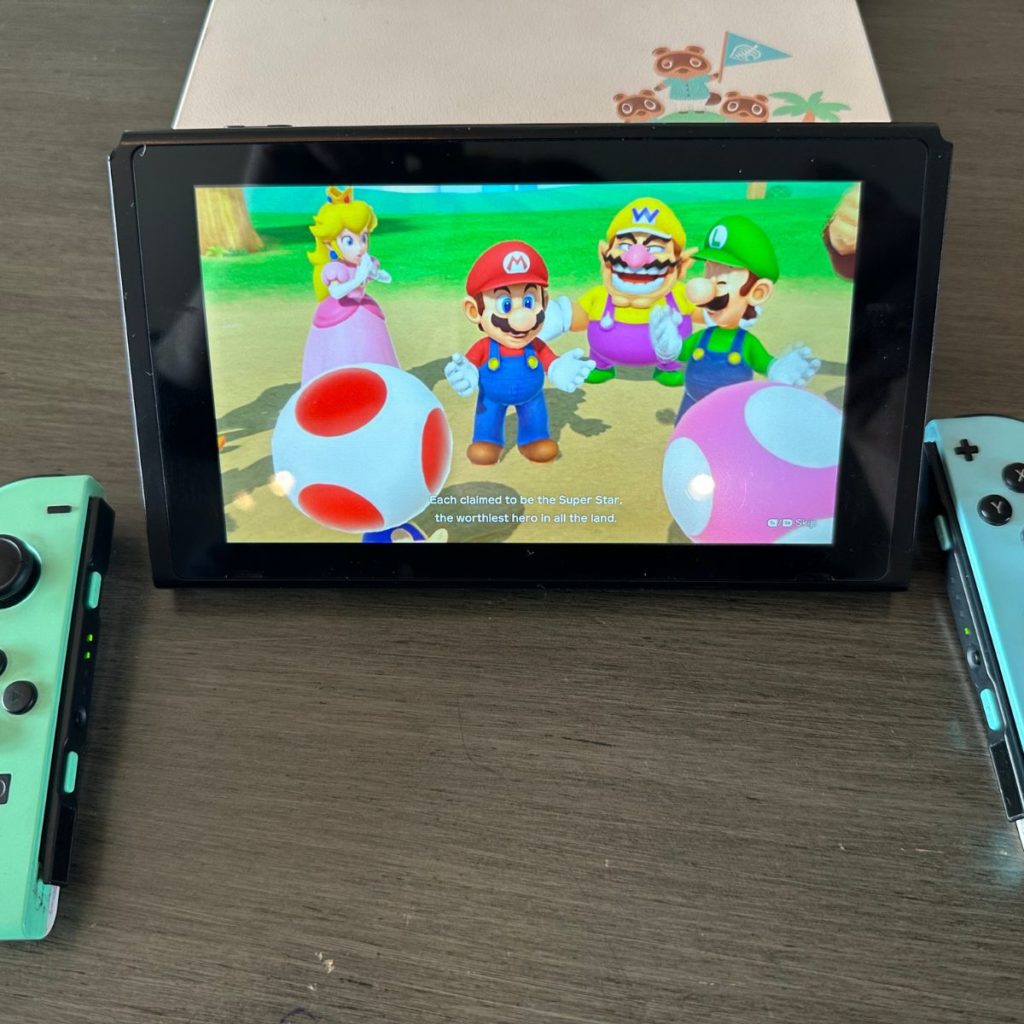
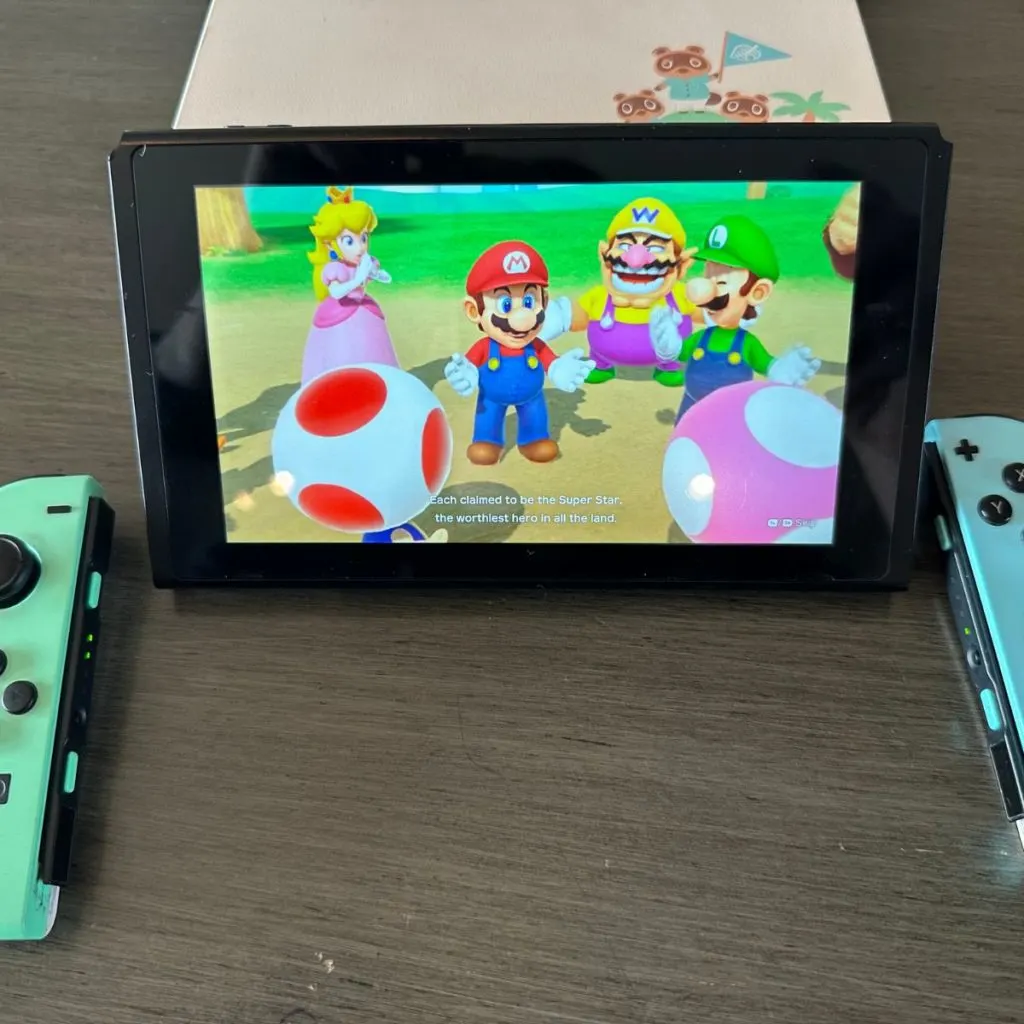
Now some games do require you to have Joy-Con controllers which only the base Switch and OLED models come with out of the box. So if you have a Switch Lite you will have to buy Joy-Cons for those couple of games (Mario Party is the most popular game that requires Joy-Cons).
Want to take your Nintendo Switch to the next level? Then check out this Nintendo Switch accessory bundle by clicking here.

Do you love your Switch but want to stand out from everyone else with the same model? Then look no further than this custom Joy-Con grip.
This Joy-Con grip will make your Switch console look amazing and you can even choose the one that fits your style the best!
Price Difference Between Nintendo Switch & Switch Lite
The Nintendo Switch and the Nintendo Switch Lite are two consoles from the same family but offer different features, experiences, and prices. The original Switch is the more expensive of the two, coming in at around $300. The Switch Lite is cheaper, coming in around $200 (which saves you $100 on the console).
Since the Switch Lite is 30%+ cheaper it is a popular option for many people however, with this decrease in the price you are also missing out on some important features. The biggest thing that you will notice is missing when you purchase a Switch Lite is the fact that it doesn’t come with a dock to connect it to your TV.
And with good reason. The Switch Lite actually doesn’t have docking capabilities.
Another reason why the Switch Lite is $100 cheaper than the normal Switch is that it does not have detachable controllers. The Switch’s Joy-Cons can be detached for handheld play or used separately or on the Joy-Con charging grip.
The Switch Lite does not have detachable Joy-Con controllers with the console. So if you want to play with multiple people you will have to go out and buy a pair of Joy-Cons for your Switch Lite.
In terms of which console is a better value, it really depends on what you are looking for. If you are looking for a console to play on the go, the Switch Lite is the better value. However, if you are looking for a home game console that can also be used on the go, the Switch is the better value.
Both consoles offer a great gaming experience and are great value for money.
Size and Weight Differences Between Nintendo Switch & Switch Lite
The next thing that I want to look at when comparing these two Nintendo consoles is the size difference.
The Nintendo Switch Lite is smaller and lighter than the original Nintendo Switch. It measures 8.2 inches long, 4 inches wide, and 0.55 inches thick, and it weighs just .61 pounds. The original Nintendo Switch is much bigger, measuring 4.1 inches tall, 9.4 inches long, and 0.55 inches thick. It also weighs 0.88 pounds.
The size and weight differences between the two consoles can have a big impact on how you use them. The Switch is larger and heavier, so it’s better suited for use on a table (via the kickstand) or another flat surface (or docked and connected to a TV).
The lighter Switch Lite is a good choice for handheld gameplay. It’s easier to hold for extended periods of time, and it’s more portable for taking on the go.
Ultimately, it’s up to you to decide which console size and weight are best for you. If you’re looking for a home console that will be used on the go rarely then the regular Switch is a much better choice. If you need or want a Nintendo console for portable use then the lighter Switch Lite is a much better portable game system than the original Switch.
Power & Capabilities Of Nintendo Switch & Switch Lite
The next factor that you should consider is how powerful each of these two consoles is. Both the Switch and Switch Lite can easily handle all of the possible games that you can throw at them but how do they stack up in regard to power?
The Nintendo Switch is the more powerful console of the two, but that doesn’t necessarily mean it’s the best choice for you. The Switch Lite is a great option for those who want to play on the go, but don’t need the power of the Switch.
The Nintendo Switch has more powerful hardware, including an Nvidia Tegra X1 processor, 4GB of RAM, and 32GB of onboard storage. This allows the Switch to run games at a higher resolution and frame rate than the Switch Lite.
The Switch Lite, on the other hand, has a weaker processor, 2GB of RAM, and 32GB of onboard storage. While this makes it less powerful than the Switch, it still offers great performance for a handheld device.
Ultimately, it comes down to what type of gaming experience you’re looking for. If you want a powerful console to play on your TV, the Switch is the way to go. But if you’re looking for a console with a better handheld mode for gaming on the go, the Switch Lite will definitely do the job and is still powerful enough to handle any Switch game that you want to play.
Battery Life Of Nintendo Switch & Switch Lite
The battery life of these two consoles also differs. The Nintendo Switch Lite has a battery life of 3-7 hours, depending on the game you’re playing. The original Nintendo Switch has a battery life of 4.5-9 hours. This means that the Nintendo Switch is a better option if you’re looking for a console with a battery that can last longer.
The difference in battery life between the Switch and the Switch Lite is quite notable. The standard Nintendo Switch has an estimated battery life of four and a half to nine hours, depending on what you are playing.
The Switch Lite, on the other hand, has an estimated battery life of three to seven hours. This means that the Switch has an extra hour and a half to two hours of battery life, on average, over the Switch Lite.
The exact battery life of either console will depend on what game you are playing and what settings you have your console on. Games that require more graphical power will drain the battery faster than games that are less intensive.
Additionally, having the brightness settings and other features set to higher levels will also reduce battery life.
The difference in battery life between the Switch and the Switch Lite should be taken into account if you plan on playing your console on the go. If you need a longer battery life, the Switch is the better choice. The extra hour or two of battery life could come in handy if you plan on playing your console away from a power source for longer periods of time.
Overall, the regular Switch has a longer battery life than the Switch Lite, but this should not be the only factor you consider when deciding which console to purchase as both consoles have plenty of battery to play for extended periods of time.
Switch Screen Size Of Nintendo Switch & Switch Lite
When it comes to deciding between a Nintendo Switch and a Switch Lite, size matters.
The original Switch has a 6.2 inch, 1280 x 720 pixel LCD display, while the Switch Lite has a slightly smaller 5.5 inch, 1280 x 720 pixel LCD display. So if you’re looking for a bit more screen real estate, the original Switch is the way to go.
The larger size of the original Switch also makes it more comfortable to play in handheld or tabletop mode, since the Joy-Cons can be detached and the console can act as a mini-tablet. The Switch Lite, on the other hand, is a single unit and the Joy-Cons are not removable.
This makes the Switch Lite better for gaming on the go, but not as comfortable for long gaming sessions.
Ultimately, when it comes to deciding between the Switch and Switch Lite screen sizes, it really comes down to personal preference and how you intend to use the console. If you want a larger screen, a more comfortable handheld gaming experience, and the ability to detach the Joy-Cons, the original Switch is the way to go.
If you want something smaller, more portable, and don’t mind the lack of detachable Joy-Cons, the Switch Lite might be the better option despite its slightly smaller screen size.
Portability Of The Nintendo Switch & Switch Lite
When it comes to portability, it’s hard to beat either the Nintendo Switch or Switch Lite. Both consoles offer a great way to take your gaming on the go, but they do have some differences that make one more portable than the other.
The Nintendo Switch is a great option for gamers who want the ultimate in portability. It’s a hybrid console that can be used both as a handheld or at home on the TV. This makes it perfect for gamers who want to take their gaming on the go, but also have the option to enjoy their games on the big screen.
The normal Switch also has removable Joy-Con controllers, so you can easily bring your favorite games with you wherever you go.
The Switch Lite, however, is even more portable than the Switch. It’s a dedicated handheld console, so there is no need for a TV to enjoy your games. The Switch Lite is also much smaller than the Switch and has integrated controllers, so you don’t have to bring the Joy-Cons with you.
This makes it perfect for gamers who are always on the move and don’t want to be weighed down by anything else.
Overall, both the Switch and Switch Lite offer great portability, but the Switch Lite is definitely more portable. It’s perfect for gamers who want the convenience of a dedicated handheld console and don’t want to be weighed down by extra accessories.
Whether you’re a gamer on the go or just want something for quick gaming sessions, the Switch Lite is definitely worth considering.
Switch Controller Options On The Nintendo Switch & Switch Lite
The Nintendo Switch and Switch Lite are two popular gaming consoles with different features, including controllers. The Switch console comes with two Joy-Con controllers that are designed to work together (using the Joy-Con grip) or separately (they can even be used for multiplayer).
The normal Joy-Cons that come with the regular Switch can be used as two separate mini-controllers, or they can be attached to a grip to become a traditional controller. The right Joy-Con also contains a motion sensor, which can be used for motion-controlled games.
The Switch Lite doesn’t have detachable Joy-Con controllers. Instead, it has integrated buttons and controls that are built into the console itself. This makes the Switch Lite more compact and portable, but it also means that you won’t be able to use the motion sensor or detach the controllers for use as separate mini-controllers.
If you’re looking for a more traditional controller experience, then the Switch console is the way to go.
The Joy-Cons offer a full range of motion control options and the ability to attach them to a grip for a more traditional gaming experience. The motion sensor also adds a unique element of fun to certain games.
Plus, the Joy-Cons can be used as two separate mini-controllers, allowing two people to play games together.
The Switch Lite is better suited for those who are looking for a more portable gaming experience. The built-in controls are great for on-the-go gaming, but they don’t offer the same range of motion control options as the Joy-Cons.
Overall, the Switch console is the better choice if you want to get the most out of your gaming experience. The Joy-Cons offer more control options, the motion sensor adds another layer of fun, and the ability to detach them for use as mini-controllers is a great feature.
The Switch Lite is a great portable gaming console, but for a more traditional controller experience, the Switch console is just better.
The Switch TV Mode/ Docking For Nintendo Switch & Switch Lite
One of the most important differences between the Switch and Switch Lite is the fact that the Switch can be docked, while the Switch Lite cannot. The docking feature of the Switch allows it to be connected to any TV that you have giving you a larger screen for gaming and a more immersive experience.
This is an incredibly convenient feature for those who want to get the most out of their Switch, as it allows them to play on their big screen without having to carry the device around. It also makes multiplayer games (like Mario Kart) far better with the standard Switch since everyone will be able to easily see the screen.
The Switch Lite, on the other hand, is unable to be docked. This is due to the fact that it is a smaller, more portable version of the Switch. It has no docking port, meaning that it cannot be connected to an HDTV or other display.
This can be a big downside for some (myself included), as they may want the ability to play their games on a larger screen. The lack of a docking feature is a deal breaker for many, as it means sacrificing the ability to play on a bigger display.
After all, no one wants to gather their friends around and play Super Smash Bros on a tiny 5.5 inches screen!
However, it’s important to remember that the Switch Lite is still a great gaming console in its own right, and for those who are more interested in portability than display size (or don’t ever play at their home with their friends), the Switch Lite may be the better choice.
If you’re looking for a console that can be docked and that you can play on a larger display, then the Switch is the way to go. But if you’re more interested in portability and you don’t mind playing on the smaller screen of the Switch Lite, then the Switch Lite may be the better option for you.
The Winner Of Nintendo Switch VS Switch Lite (Which Switch Wins?)
When it comes to gaming, both Nintendo Switch Models are excellent game systems that offer unique features and experiences.
But if you’re looking for the best of the best, the Switch is the clear winner in my book (which is why it is the main one that my family and I use).
To start, the Switch is the more powerful console of the two. It has a better processor and graphics, allowing you to experience games at a higher resolution and with smoother gameplay. Whether you’re playing the latest blockbuster title or a classic Nintendo classic, the Switch will provide a richer, more immersive experience that you won’t get with the Switch Lite.
The Switch also has a big advantage when it comes to local multiplayer. I love playing Mario Kart and Mario Party with my two older children. With the Switch dock, we can just pop the console in and easily see what is happening on our wall-mounted flat-screen TV.
We don’t have to buy multiple Switch Lite consoles to play together or anything like that since the regular Switch easily connects to a TV.
Using the simple Switch dock, you can connect your Switch to your TV and enjoy your games on the big screen. This is great if you’re looking to play games with family and friends, or if you just want a more immersive experience.
Finally, the Switch has a bit of an edge in terms of the playability of the games. Although both the Switch and Switch Lite have access to a large library of exclusive titles, including games like The Legend of Zelda: Breath of the Wild, Super Mario Odyssey, and Animal Crossing: New Horizons, playing them on a big screen TV just allows for a much better gaming experience.
I have found that trying to play many of these games on the smaller Switch Lite screen just takes a lot of the fun out of them and can even become frustrating when some of the text is smaller and more difficult to read on the Switch Lite screen.
I can personally attest to the superiority of the Switch over the Switch Lite. I’ve owned both systems and have experienced the difference firsthand.
For example, I just recently got Super Smash Bros. Ultimate for my Switch. With the Switch, I was able to play with my friends on the big screen in the living room. The experience was much more enjoyable than playing on the Switch Lite, where we had to try and huddle around a small screen, and seeing each character was virtually impossible.
Overall, the Switch is the superior console when compared to the Switch Lite. It has more power, more features, and playing the large library of games is much better overall on the Switch than the Switch Lite in my opinion. If you’re looking for the best gaming experience, the Switch is the way to go.
Should You Upgrade To The Switch OLED Model?
So, you’re thinking about upgrading to the Switch OLED model, huh? Well, let me tell you, buddy, it’s a big decision. There’s a lot to consider before you drop your hard-earned cash on a new console.
First of all, let’s talk about the OLED screen. It’s supposed to be all fancy and high-tech, with better colors and contrasts and all that jazz. But let’s be real here, do you really need all that?
Are you really going to notice the difference between the OLED and the regular LCD screen? I mean, sure, it might look a little nicer, but is it really worth the extra dough? That’s up to you, my friend, but in my opinion, it really isn’t.
Another thing to consider is the price. The Switch OLED model ain’t cheap. You’re looking at a pretty penny for this bad boy as it’s currently $349. So, before you pull the trigger, ask yourself, “Do I really need this? Can I afford this? Is it worth it?”
If the answer to any of those questions is no, then maybe it’s best to stick with your trusty old Switch.
Of course, there are some perks to upgrading. For one, you’ll be the cool kid on the block with the fancy new console. And let’s be honest, who doesn’t want to be the cool kid?
But, in all seriousness, the OLED model is supposed to have better battery life, so that’s a plus. But again, is it worth the extra cash? Only you can decide.
In conclusion, upgrading to the Switch OLED model is a big decision. There’s a lot to consider, and it’s ultimately up to you.
If you’re a hardcore gamer who needs the best of the best, then go for it. But if you’re just a casual player looking for some fun, then maybe stick with your old Switch. Just remember, money doesn’t grow on trees, and you’ll have to work hard to earn it back.
Conclusion
The Nintendo Switch and Nintendo Switch Lite are both excellent consoles, but they offer different experiences. The Nintendo Switch Lite is a more affordable option and it’s more portable, but it does not support TV mode and it has a smaller battery life.
The original Nintendo Switch is more expensive and it’s bulkier, but it does support TV mode and it has a longer battery life. Ultimately, you should compare the two consoles to decide which one is best for you but for me and my family… the normal Switch is the console that works the best for us.