
*This post may contain affiliate links. As an Amazon Associate we earn from qualifying purchases.
Nintendo is a company that is well known for its video game characters and consoles. It has released many different consoles and video games over the years with iconic characters such as Yoshi, Mario, Luigi, Zelda, and many more!
The most recent console that Nintendo released was the Nintendo Switch.
The Switch has sold over 50 million units to date but some of those units have since been banned because of violations of Nintendo’s terms of service or code of conduct. When a Nintendo Switch is banned that simply means the console is unable to be used to access online content anymore.
If you find yourself having your Switch banned or are looking to buy a Switch that says it is banned then read on to learn more about what exactly that ban means to you.
What can you do with a banned Switch?
When a Switch gets banned you lose access to all online gaming as well as the eShop. You can use your Switch for normal gaming on the console but downloading games, updating the Switch, and online gaming won’t work at all.
Basically, when a Switch is banned it becomes like consoles used to be a few decades ago where you played your games on your console or with friends at your house.
For most people, a banned Switch is not something that they will want to buy or keep after it is banned since playing online or downloading content is a popular thing to do for many people.
Another issue that you could run into with a banned Switch is that it won’t be able to be updated. Some newer games require the Switch to be updated so those games won’t work on your console if it has been banned.
To learn more about what you can do with a banned Nintendo Switch either keep reading or watch the video below.
Want to take your Nintendo Switch to the next level? Then check out this Nintendo Switch accessory bundle by clicking here.

Do you love your Switch but want to stand out from everyone else with the same model? Then look no further than this custom Joy-Con grip.
This Joy-Con grip will make your Switch console look amazing and you can even choose the one that fits your style the best!
What Happens If Your Switch Gets Banned?
If your Nintendo Switch has been banned what actually happens? What are the repercussions of getting your Switch banned?
When your Nintendo Switch is banned it means that you cannot do the following things:
- Play Nintendo Switch Online
- Download games from the eShop
- Download updates for your Switch or games
- Access the internet with your Switch
Essentially when your Switch is banned it loses all of its online capabilities. You can still play games locally on your Switch using the game cartridges or even play Switch games that you have previously downloaded. But you will miss out on playing these and other games online and won’t be able to get any DLC or download any games onto a banned Switch.
Will Nintendo Let Me Create Another Account?
If someone has a banned Switch the first thing they normally want to know is if there is any way to fix it. If it is your console itself that is banned then there is absolutely no way to get it unbanned outside of contacting Nintendo’s support and hoping that they made a mistake with the ban.
Since mistakes like that are rarely made a console ban is normally permanent.
Even if you just bought the console and the bannable offense wasn’t done by you Nintendo still won’t unban the console since if they did that there would be nothing stopping someone from claiming that they just bought the console even though they were the person who got it banned.
However, if it is just your Nintendo account that is banned, then you can certainly create a new account and use it on your Switch. When you create a new account you will lose all of the games, subscriptions, etc. that were on the banned account but at least you will still be able to use your console’s online service.
If you have a banned account but not a banned console then you should certainly take that as a warning that you are on the way to a banned console unless you change what you are doing.
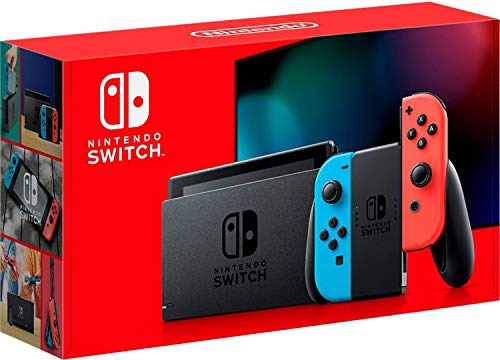
Reasons For Nintendo To Ban Your Account Or Console
There are many different reasons why Nintendo bans accounts and consoles. Often when an account or console is banned they won’t give you a specific reason why the ban happened and they will just refer you to their terms of service and say that you broke them.
However, there are some common reasons that Nintendo has mentioned that can cause an account or console ban. Some of those reasons are.
- Purchasing duplicated or pirated video games (typically through using an emulator)
- Pirating of games (normally downloaded games)
- Hacking into the games or console (using Switch homebrew to jailbreak the device)
- Installing pirated games (whether downloaded or physical games)
- Using fraudulent codes
- Hacking other user’s accounts
- Phishing, theft, spamming, etc.
- Credit card fraud (Filing a chargeback for purchases made will normally result in a suspended account until the debt is paid)
- Use of adult content or obscene content (either sharing adult content or obscene content on your account)
As mentioned there are other reasons that you could get temporarily banned or suspended but normally it takes one of the above offenses to get your account or console banned.
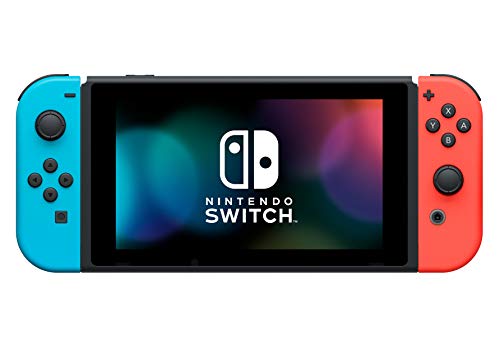
Change In Nintendo’s Banning Policies
Recently, when Nintendo discovered that its codes were being sold online for a cheap price, it started to ban the user who bought those codes.
Most of the time those codes were purchased fraudulently with stolen credit cards so Nintendo started doing that to make the demand for the codes dry up to help prevent the thieves from making any money that way.
When users got caught using those banned codes they would often find themselves with a banned console or account. Many users tried contacting the customer care services of Nintendo but quickly found out that they were out of luck.
Once the ban was in place for using stolen content Nintendo refused to remove the bans from the consoles or accounts.
Nintendo is always looking for ways to remove piracy and fraud from its network and user base so even if you didn’t know that there was something wrong Nintendo could still ban you because of you using pirated software or stolen codes or gift cards.
If something seems to be way too good of a deal then it most likely is!
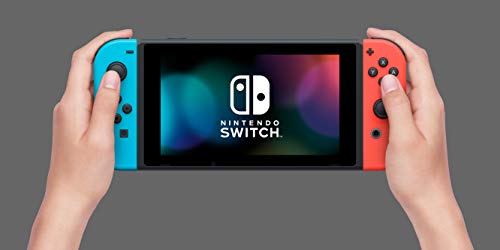
Customer’s Experiences With Nintendo Bans
There were a lot of players who were frustrated and angry with Nintendo after it banned their accounts and Nintendo Switch consoles. Many people had a conversation with the company and the company agreed that it was banning their accounts because of the recent fraud purchases but could not tell them what exactly had happened.
Once Nintendo received too many complaints, it updated its policy, and some of the players who contacted Nintendo after the update of the policy successfully got their accounts unbanned.
However, that was only for those purchases made before people were aware of the issue. Now that the issue with purchasing online codes or gift cards has been made known it is not very likely that you could use these fraudulent codes or cards without getting banned.
Nintendo of course was banning all of the sellers who were selling fraudulent codes or gift cards but the problem is that many people would hide their identity and would just keep making new accounts to continue the scam.
There are many scams like this that are run using stolen credit card information so to avoid getting scammed by someone you should avoid buying codes or gift cards from anyone besides reputable dealers.
Even buying gift cards or codes on sites like eBay is not a good idea.

Can You Still Use A Banned Nintendo Switch?
The Nintendo Switch is the on-the-go mobile gaming system that can be also used as a home console system. This device is the only one of its kind to be successful as you can just put it on the dock at home and it will work with your TV.
While many gaming devices have tried to do this or something similar, the Switch has been the only successful one that has been released. This is because when they engineered the Switch they made it work flawlessly and not have any issues.
The real issue has come when people decided that they would break the rules set by Nintendo. While not everyone is a rule breaker, there are many people (especially online) who want to be the best even by cheating.
To fix this issue and to slow down complaints of cheaters, Nintendo began to ban cheaters’ accounts and even ban Nintendo Switches. If you have purchased a banned Nintendo Switch you probably want to know if you can still use it.
You can still use a banned Nintendo Switch but the functionality will be limited. You will only be able to use it to play games offline as the device is banned from connecting to the Nintendo Network and any other online functionality.
It is not as fun to play games offline as it is to play with different people online. The computer-generated opponents are never as hard as playing against someone online which makes it not as fun.
While a banned Switch can still be played offline, it is simply not as fun, and you will never be able to play online with your friends again. This is why most people do not like having a banned Switch, and would rather pay extra for a new Switch than to take a chance on buying a used Switch that might be banned.
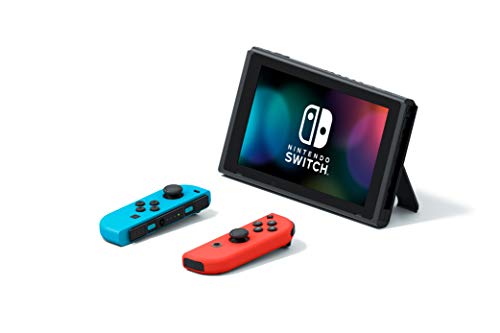
What Does It Mean To Be Banned On The Nintendo Switch?
The Switch has been used widely across the entire world and is still being used today to play games on the go and at home. If you have been playing your Switch online and you have broken the rules, you may have realized that Nintendo does not mess around.
It is possible that since you have broken the rules you have been banned from playing your Switch online. Even if it is a temporary ban, you still want to know exactly what it means and what you can do about it.
A ban from Nintendo means that your account or Switch has broken the rules and you are no longer allowed on the Nintendo online network. This means that you will no longer have access to online play, be able to update the Switch, or access the Eshop.
You will be able to play games offline if they are already downloaded, but you cannot download any new games. You will also not be able to play any of your current games online since you do not have access to the Nintendo Network.
This can really ruin your gaming setup since most people play online all the time and do not play offline by themselves that often. If it is a temporary ban, you will gain access back after a short period of time.
If you only have a temporary suspension, you will want to make sure that when you are reinstated that you do not break the rules again. If you do, you will be banned for longer, or possibly get a permanent hardware ban.

Is It Worth It To Hack Your Switch?
Just because you have the capability to do something does not mean that you should do it. This is especially true with gaming systems like the Switch.
Many people have access to and know how to hack their Switch. Hackers no longer need to be experts or computer geniuses.
It is not that hard to hack your Switch, and you do get some good perks by hacking it. The question is, is it worth it to hack your Switch to gain the perks of a hacked Switch?
It is not worth hacking your Nintendo Switch for any reason. This is because if you hack your Switch you will be caught by Nintendo and they will permanently ban your Switch. This means you will not ever be able to use it online ever again.
Nintendo is good about detecting custom firmware, and will immediately give you a total ban on your console if it is detected. This is because they want to make sure that their online platform is fair for everyone and that people who hack are not allowed on their platform.
The only way it might be worth hacking your Switch is if your Switch has already been banned by Nintendo. If this is true, they cannot ban you again, which eliminates the risk.
If you hack your banned Switch, this will still not give you access to the Nintendo Network, but it will get you access to some pretty good perks. This is why most people will not hack their Switch unless it has already been banned.
Which Nintendo Switches Can Be Hacked?
If you decide that you want to hack your Switch, you may be wondering what the best way to do it is. Is it better to use your current one, or should you buy a used one?
Maybe you want to keep playing so you decide to buy a used one. Are there different Switches that can and cannot be hacked?
A Nintendo Switch that has HAC-001 on the back and not HAC-001-01 can be hacked. If it does not have HAC-001 on the back, it cannot be hacked.
Even though most Switches are HAC-001, all of the new ones that come out are not and are not able to be hacked. This is because Nintendo has patched the ability to hack their systems with all of their new consoles.
If you are going to buy a used Switch, you will want to check to see if you can hack it, as buying a Switch to hack that is unhackable would not do you any good.
The best place to buy an older Nintendo Switch that you can hack would be either Facebook Marketplace or eBay. Most stores will have the newer model and it will not be able to be hacked.
Conclusion
Once a Nintendo Switch has been banned there is really only one thing that you can do with it and that is play games locally by yourself or with friends in the same room.
There is a way to play games online with your friends outside of the Nintendo network but that can be difficult to set up if you are not knowledgeable about technology.
To learn how to play online when your Switch has been banned you will want to check out this article.
Nintendo bans accounts and consoles for a variety of reasons but console bans are normally reserved for the most severe violations of their terms of service such as piracy, theft, hacking, etc.
To avoid getting your Switch banned you just need to follow the code of conduct rules put out by Nintendo and don’t try and save money by buying codes or gift cards for cheap online.