
*This post may contain affiliate links. As an Amazon Associate we earn from qualifying purchases.
Have you ever played on the PlayStation and loved playing PlayStation Move? Maybe you recently noticed that no one has it anymore and you are looking for a copy of it. Well, in this article you will find all of the answers to every question you have about the PlayStation Move.
So why did the PlayStation Move fail?
Although PlayStation does not want to admit it, the PlayStation Move failed for quite a few reasons including the device was full of bugs and from a purely aesthetic look, it was bulky and weird. Not only did it have these issues, but it also was not anywhere near as good as the other devices available in the market at the same time.
If you want to know more about the PlayStation Move, you will want to keep reading this article as we will go into further details about why it failed and what exactly the PlayStation Move could and couldn’t do. If you don’t like to read though, you can simply watch this video that will tell you everything you want to know about the PlayStation move.
If you love PlayStation you need to check out this amazing game room light decor. It looks just like the buttons on the PlayStation controller and the light reacts to the music that you are playing as well! You can check it out by clicking here.
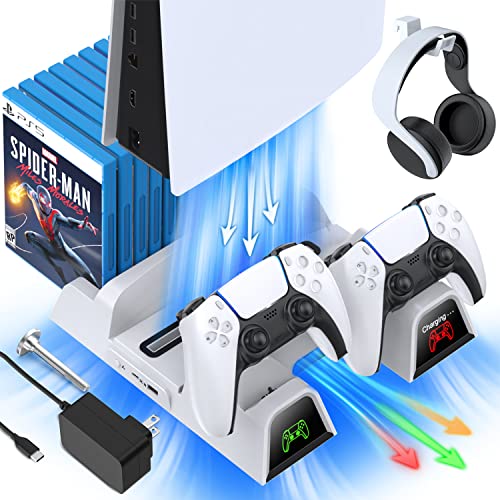
If you have a PlayStation console you should also have one of these stands. It makes it incredibly easy to organize your console and games as well as charge your controllers at the same time.
Plus it has a cooling fan to make sure your console doesn’t overheat when you have your weekend gaming marathons!
What is the PlayStation Move?
The PlayStation Move is a game handheld PlayStation device that is connected with the console to play motion-sensing games. There is no separate use of it but it acts as an add-on device with other equipment. Many people want to find out the reason for the failure of the PlayStation Move, which we will outline below.
Features of the PlayStation Move
The PlayStation Move is a motion-sensing handheld device used to play motion controlling games. It used the advanced sensing and motion controlling technique which the light in the PlayStation Camera detects and the same motion is repeated in the game.
The Controller’s handle had a few buttons on its top that can be used to perform different operations in the game. It also had the vibration to give a more realistic feel.
These controllers require the charging ports to charge. They used rechargeable batteries that had to be replaced after 7 hours of battery usage.
Reasons the PlayStation Move Failed
Working as an ad-on device PlayStation Move has failed to reach the expected outcomes. It is because of a lot of issues. The major issue regarding this perspective is the design issue.
The PlayStation Move is an ugly looking fat handheld device. Playing, while carrying this around is hard, especially when its front LED light bulb is on. This has been a major problem reported by most of the people who owned this device.
When you see the market comparison of the PlayStation Move, you will notice that there are much more interactive equipment and camera devices that require no motion handheld device along with the console. You will simply need to plug in the camera with the console and your motion will be automatically detected without using any handheld device.
This was a major problem for PlayStation and ended up hurting them in the long run. Because of this, the competitive companies of PlayStation did a lot better than the PlayStation Move.
Although some people think this is where PlayStation bad luck runs out, the list just keeps going on. There were a lot of other issues that played their role in the failure as well. The PlayStation Move was first released as a separate device with a PlayStation Eye that is connected to the PlayStation 3.
The problem came with the release of the PlayStation 4. The PlayStation Move, PlayStation Camera, and PlayStation VR all added together and tried to create an interactive virtual reality environment, but never worked like they should have. They were always full of glitches and when they tried to connect with the VR, there were more problems that PlayStation hadn’t even realized.
One of the major issues in the PlayStation Move is generally regarded as the tracking issue. It occurs when the PlayStation Camera detects the light of the PlayStation VR and PlayStation controllers instead of the Move motion controllers. This whole issue creates a complete mess in the VR world which ultimately results in a game failure.
There are multiple solutions regarding this issue posted on different websites but they are not as promising as they seem. Most of the time people just simply give up as PlayStation did and get rid of the move and just play traditional games on the PlayStation.
Another problem was that Sony came into the market extremely late. Sony, following the success of the Nintendo motion controlling device, tried to enter the market. The problem was that it was so late that the popularity of the motion controlling and movement devices had already begun to decrease. This resulted in the sales of the PlayStation ove being far less that Sony was expecting.
Although the PlayStation Move was way ahead of its time in terms of technology and accurate motion-detecting the problems that caused the failure was very easy to see. The two big reasons for the failure were the bad launch time in the market and very few games that supported this technology.
PlayStation released the Move when people were moving away from the motion-sensing devices to other types of equipment. The trend of this type of gaming was long gone and therefore it did not reach a peak in the sales market.
Also, there were only a few select games that used this piece of tech. With this high precise technology, there were very few PlayStation 3 games that supported this kind of motion sensing. So even when people spent the money on the PlayStation Move, they only had a few games to choose from.
If it was used with the PlayStation VR there were even fewer games than other consoles. Although the PlayStation Move was good in theory, once it was released there were just not enough sales as well as enough games to keep the people who purchased the Move coming back to buy more.
Even though they don’t like to admit it, even Sony has accepted the PlayStation Move as one of their biggest fails of all time.
Terrible games for PlayStation Move:
Motion controlling games are fun but when you see them in the long run, the accuracy and precision matter a lot. Although the hardware of the PlayStation Move was ahead of its time, the games were very bad and not that good.
Another issue was that not all sports and action games were included when you purchased the Move. You would have to purchase them separately. The user enjoyed these games at first because of the whole motion control concept but after some time, all of the problems just began to frustrate all the users.
If you are looking for the best PlayStation Move games because you still have one, below are the best games for the PlayStation Move.
- Sports Champions
- Start the Party!
- SOCOM 4 US Navy
- Killzone 3
- PlayStation Move Heroes
- EyePet
- The Shoot
- Tiger Woods PGA Tour 11
If you want to purchase any of these games, you can find them for sale here.
Conclusion
No matter if you owned a PlayStation Move, or you are looking to get one, you may want to look at other options as most people who owned one either threw the device away, or gave it to goodwill as all the hassle and problems it gave them made it simply not worth it.