
*This post may contain affiliate links. As an Amazon Associate we earn from qualifying purchases.
While owning a Nintendo Switch is extremely fun, there are many downsides to the gaming console. Even though it can be extremely fun to play, many people have had issues with the docking station not working, as well as the controllers not working properly.
Obviously, no one wants to purchase a gaming device that does not work properly and has issues when it is being used. Thankfully Nintendo has corrected these issues that have come up very quickly and have stood with the customer throughout any problems they have had.
One of the biggest, most recent complaints that Nintendo Switch users are talking about is with the controllers. There are many people complaining that the Nintendo Switch controllers break easily.
In this article, I will go over exactly why they may break and what you can do to prevent your controllers from getting broken. You will definitely want to keep reading this article so you can learn how to save your Switch controllers from being broken.
Nintendo Switch controllers are actually surprisingly durable and can survive being dropped, thrown, etc. often without even getting more than a scratch on them. However, although they can handle misuse Joy-Cons still have common issues with the sticks such as drifting.
Many people who own a Nintendo Switch are wondering why Nintendo made the Joy-Con sticks so fragile and cheap when they knew they would be used on the go. The entire Nintendo Switch system is based around being an on-the-go device but if this main part of your controllers is extremely fragile, they will quickly break making your Switch device unplayable.
Many people believe that Nintendo was just saving money and did not realize that it would cause them this much trouble when the Joy-Cons began having drift issues. After all, if they knew that they would have to replace a bunch of them for free they would have just paid a little bit more, in the beginning, to have them made better to eliminate the controller drift possibilities in the first place.
Sometimes things do not go as planned though but it is nice to know that Nintendo is standing behind its work and is fixing the drift problems one controller at a time. Nintendo normally does a good job of standing behind its products and even if your Joy-Cons are out of warranty they are still offering free Joy-Con repairs if you experience the issue with your Joy-Cons drifting.
Beyond the drifting issues, the Joy-Cons (and normal Switch controllers) are incredibly durable with the buttons, sensors, and other hardware not breaking easily at all. Some people have reported issues with grime or fuzz getting into the charger ports of the controllers but that is easy enough to handle by using a contact cleaner or rubbing alcohol.
You can also easily remove any fuzz or contaminants from the charging port but using tweezers. You can then use compressed air to blow out the remaining debris.
As long as you keep your Switch controllers safe from liquids you shouldn’t have to worry about the Switch, Switch OLED, or Nintendo Switch Lite controllers breaking easily. So you can enjoy your gaming experience without worry.
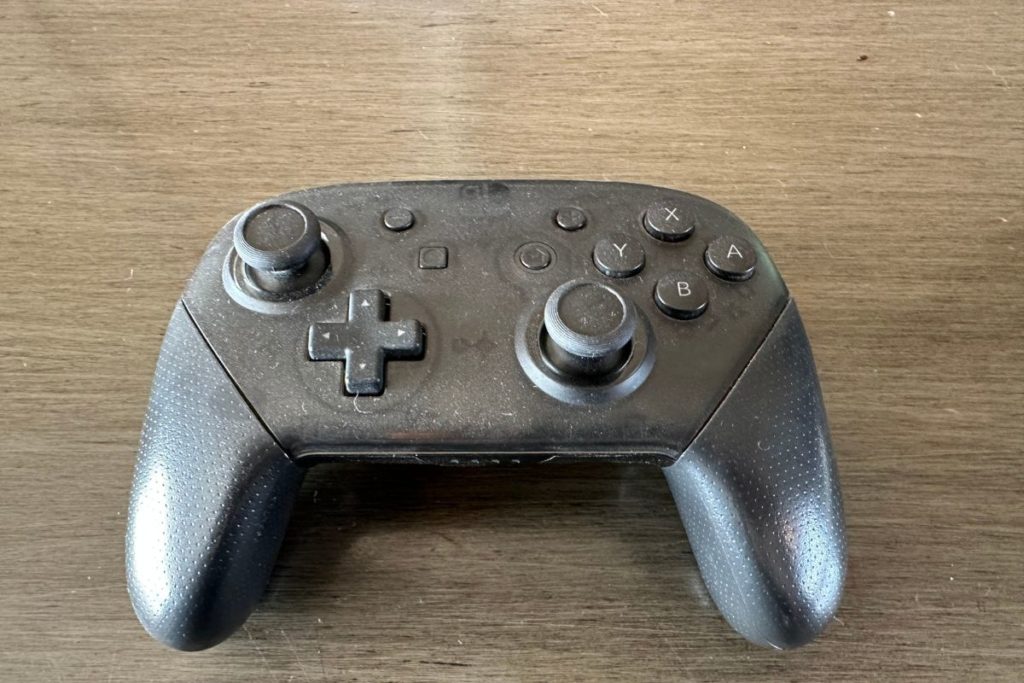
Want to see exactly how durable the different Nintendo Switch controllers are (including the Switch Pro controller)? Then you have to check out this video where I tested dropping Switch controllers ONTO CONCRETE!
Want to take your Nintendo Switch to the next level? Then check out this Nintendo Switch accessory bundle by clicking here.

Do you love your Switch but want to stand out from everyone else with the same model? Then look no further than this custom Joy-Con grip.
This Joy-Con grip will make your Switch console look amazing and you can even choose the one that fits your style the best!
How Long Do Joy-Cons Controllers Last Before Breaking?
Because many people have had issues with the Joy-Cons breaking recently you may be wondering how long it will last before you can expect to have issues with it. This is a very important question as you do not want to purchase something that is going to break a few days after you buy it.
Joy-Cons can last anywhere from a few days to a few years before they will break depending upon how harsh you are when you use them as well as if they have ever been dropped. If your Joy-Cons have never been dropped and you do not get upset and throw your Joy-Cons across the room they will last considerably longer than if you find yourself rage-quitting every time you lose.
Even with these recent problems with the Joy-Cons breaking, there are still many people that are purchasing Nintendo products as they are still extremely popular. Anyone who owns a Nintendo Switch knows that Nintendo is very good about standing behind its products if there is an issue or a problem that arises.
This has been seen most recently with the number of Joy-Cons that have had issues with the analog stick breaking or causing problems when you are trying to steer. Thankfully, Nintendo has been fixing the problem and standing behind its products.
How To Fix Joy-Con Controllers
First things first, let’s assess the situation. Are your Joy-Con controllers acting up? Is it drifting, not responding, or just generally being a pain in the ass? Well, don’t worry my dear gamer friend, because I’m here to help you fix that little bugger.
Step one, try giving your Joy-Con a good old-fashioned cleaning. I know, I know, it sounds crazy, but trust me, sometimes all it takes is a little dust and grime to cause problems. Give it a good wipe-down with a microfiber cloth and see if that fixes the issue. If not, move on to step two.
Step two, check for any physical damage. Did you drop your controller and now it’s not working properly? Did your cat decide to use it as a scratching post?
Sometimes, a little physical damage can cause problems, and if that’s the case, it may be time to invest in new controllers. But, before you go spending all your hard earned cash, try step three.
Step three, give your controller a good reset. This may seem like a no-brainer, but sometimes all it takes is a little reboot to fix the issue. Hold down the power button on your Switch for a few seconds, and then release it. Your controller should turn off and then turn back on. Give it a test run and see if that fixes the problem.
If all else fails, you may just need to bite the bullet and buy a new controller. But, before you do that, try these steps and hopefully, you’ll be back to gaming in no time. And remember, always keep your controllers away from cats. They’re not known for their delicate touch.
Joy-Con Repair (How To Fix Joy-Con Drift)
Alright folks, let’s talk about how to fix that pesky Joy-Con drift. You know, that annoying little thing where your Joy-Con thinks you’re moving the joystick when you’re not, making your character in the game run around like a maniac. It’s like your controller has a mind of its own, am I right?
First things first, let’s start with the basics. Make sure your Joy-Con is properly charged and connected to your Switch. I know, I know, it sounds like common sense, but sometimes we all need a little reminder. If that doesn’t work, try recalibrating the Joy-Con by going into the system settings and selecting “Controllers and Sensors.” Trust me, it’ll make you feel like a tech genius.
Now, if those two steps didn’t do the trick, it’s time to dig a little deeper. You can try cleaning the joystick with a tiny brush or toothpick, making sure to get into all the nooks and crannies. Or, if you’re feeling brave, you can open up the Joy-Con and give it a good cleaning. Just don’t blame me if you break it, okay?
Finally, if all else fails, it might be time to admit defeat and contact Nintendo for a replacement. I know, it’s a tough pill to swallow, but sometimes it’s just easier to let the professionals handle it. Plus, they’ll probably give you a shiny new Joy-Con that won’t drift away on you.
How Can I Protect My Switch So It Doesn’t Get Damaged?
Obviously, if you have a Nintendo Switch you want to make sure that it will not get damaged when you are using it. The problem is that most cases for your Nintendo Switch completely cover it which makes it unusable when it is protected.
This leads many people to wonder if they can protect their Switch while they are playing it or if they are stuck just being extremely cautious when they are using it.
The best way to protect your Nintendo Switch while you are playing it is to put a protective cover on the device. Even though there are many different cases to choose from, the best way to know which one protects your Switch the best is by reading all of the reviews.
There are many different protective cases in sleeves that you can use on your Nintendo Switch, but this one is sure to protect it while you are still able to use it and play games on it. Even though most people have a protective case to put it in when they are traveling not everyone has a protective case that can be left on while it is being used.
This is one thing that sets the Mumba Blade Series case apart from all the other Nintendo Switch cases. This case will protect your Nintendo Switch from bumps, drops, scratches, dust, and even fingerprints!
Will A Nintendo Switch Break If Dropped?
The Nintendo Switch is a handheld gaming console that is fairly durable. While it can withstand general wear and tear, it is not indestructible and will break or be damaged if dropped.
While the console is designed to be portable, it is important to handle it with care and not to drop it. If the Nintendo Switch is dropped, it could potentially cause damage to the internal components, the LCD screen, and even the Joy-Con controllers.
It is also possible that the Nintendo Switch could break into multiple pieces, depending on the surface it is dropped on and the height from which it is dropped.
Are Nintendo Switches Hard To Break?
Nintendo Switches are highly durable gaming consoles and are not easily broken. The console is made of solid plastic which makes it strong and resistant to general wear and tear.
Additionally, the Switch’s Joy-Con controllers are also designed to be resistant to minor drops and impacts. The Switch’s screen is also made of a plastic material which makes it more durable and less prone to scratches and breakage.
The Switch’s hardware components are also tightly packed together in such a way that it is difficult for them to become damaged from regular use.
All in all, Nintendo Switches are pretty hard to break and can withstand a lot of everyday use before needing to be replaced.
How To Stop A Switch Controller From Drifting?
When your Switch controller is drifting the first thing that you should do is check the controller’s analog stick for any debris that might be causing the drift. Gently clean the area around the stick with a soft cloth and/or cotton swab to remove any dirt or dust.
Secondly, make sure the controller is up to date. If the controller is not running the most recent software, update it using the manufacturer’s instructions.
Thirdly, calibrate the controller. Turn on the console, then press the menu button on the controller and select “Calibrate”. Follow the on-screen instructions and press the triggers and sticks in the directions indicated.
Fourthly, try using a different controller. If the problem persists, it may be the controller itself that is causing the drift. Switching to a different controller can help determine if this is the case.
Finally, you can try resetting the controller by pressing the reset button on the back of the controller for around 10-15 seconds. This should fix the issue. If not, then the controller may need to be replaced.
Conclusion
Nintendo is not known for having many issues with their gaming systems recently, but one major issue they have been having being with their Switch controllers breaking easily. The Nintendo Switch controllers were constructed out of cheap plastic material and with the slightest drops or bumps, the analog stick on the controllers has been breaking or not working properly.
Thankfully Nintendo has been repairing the broken controllers even if they are out of warranty. Although they are currently still doing that, we are unsure exactly how long they will continue to repair them or replace them for free.
Since we know that the Joy-Cons are extremely fragile many people want to know how long they will last before they end up breaking. If you are not harsh with your controller and you take care of your gaming system as a whole you will quickly find out that the Joy-Con controllers will last for many years without any issues.
If you find yourself rage-quitting a lot though and tossing your controller across the room, your controller may not last very long and may even break within a week of purchasing it. This is why it is very important to make sure you are taking care of your Nintendo Switch controllers and not being crazy with them.
If you want to protect your Nintendo Switch and your Joy-Con controllers while you’re playing on the go there are many different options that you can purchase in order to protect your device.
These cases will protect your Nintendo Switch and your Joy-Con controllers while you are playing games on it. The best part is that it does not need to come off for the Nintendo Switch to be docked properly.
So if you want to protect your Nintendo Switch and not risk damaging your Joy-Cons the next time you are using them, you should go and purchase a protective case now!