
*This post may contain affiliate links. As an Amazon Associate we earn from qualifying purchases.
Do you own a Sega Saturn and just realized that there is a cartridge slot as well as the normal disc drive? Have you wondered what that slot is for? Maybe you are just now looking to buy a Sega Saturn and realized there is still what looks like a cartridge slot even though the console plays CDs.
Well in this article we are going to explain what that slot is used for, and why it is there.
So why does the Sega Saturn have a cartridge slot?
The Sega Saturn has a separate cartridge slot along with the usual game drive to expand the RAM capacity and game data. The Saturn offered an internal RAM of 2 MB, but for some bigger games, users would use this slot to increase the RAM.
If you still have questions or want to know more about the slot you will want to keep reading! If you want to get a WIRELESS controller for your Saturn you can find one here.
You can also watch this video to learn more about the Sega Saturn!
Are you a huge Sega fan? Then you have to check out the amazing Sonic and Sega gear that you can get. Whether you want a Sonic wallet, a Sega sweatshirt, or a classic hat there are plenty of choices to choose from. You can find them all by clicking here.
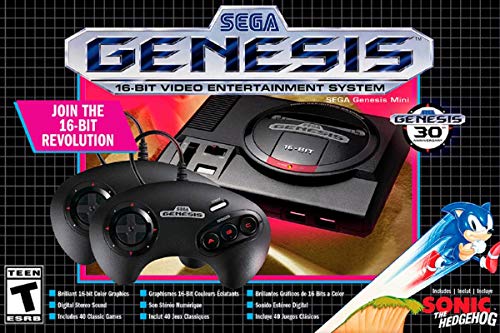
If you love Sega then you will want to check out this Sega Genesis Mini console. It comes with two controllers and even comes preloaded with 42 Games!
Enjoy these classic Sega Genesis games without having to purchase a single game cartridge!
What is the Sega Saturn?
The Sega Saturn is a 5th generation video gaming console developed by Sega. It was released in 1994 in the U.S. by Sega.
It was released after the incredible success of the Sega Genesis, so a lot was expected out of it, both from the console and from the games as well.
Saturn Cartridge Slot
The Sega Saturn was an improvement over the existing console that offered no external storage capacity features. With the help of this external storage capacity, the game save data could be stored externally on the storage unit.
It also provided game enhancement features for its users. It was recommended for the people who preferred to optimize their big games so they could be run smoothly, and without any malfunctions.
An improvement over the Sega Genesis
Sega’s previous model was the Sega Genesis, which proved to be a commercial success for Sega. Although it had no feature for an additional add-on or external cartridge drive, it worked pretty well because the games at that time were very simple. Over time the game quality improved, so consoles with higher storage capacity were needed.
That is where the Sega Saturn came into play on the market. The Saturn, in contrast to its prior version, offered an external memory cartridge slot so that additional game data, save data, and sophisticated storage space could be added.
Saturn Advanced Features
Most of the games around that time were still very simple, but there were a few games that required separate storage. The original Sega Saturn package did not offer the external cartridge included, so it had to be bought separately. After a little while, it began to come with games as well as all the new Sega Saturn consoles that were sold.
Multiple external vendors also developed and sold this hardware for permanent storage space, and it usually came with large content games. The Sega Saturns advanced aspect was that the data was continuously saving on the cartridge for larger games. So, whenever the Sega’s power cord got unplugged, or the power went out all the data would still be available on this external storage cartridge.
This feature was one of the most amazing things that gamers loved about the Saturn.
Storage Capacity of the Cartridges
Since these cartridges came with different games, their memory was adjusted according to the game specifications and supporting requirements. However, most of the external slot cartridges that came with games were 4 MB in space.
This space was double the size of the built-in internal storage on the Saturn. People mostly used these for the high-quality games such as Street Fighter, X-Men, Capcom D & D titles, etc.
Other consoles followed this same pattern at the time where multiple types of adaptors were created to increase the storage capacity of a console.
Futuristic Approach
This approach was considered a futuristic approach by many people since it had many enhancement capabilities. The problem was that these slots were mostly used for games instead of increasing the RAM running speed on other consoles so that did confuse many people.
Versions of the External Cartridge
Sega Saturn offered two versions of this external cartridge. Those were:
- 1 MB external cartridge
- 4 MB external cartridge
The 1 MB external cartridge was able to enhance the gaming speed and performance at a maximum of 1.5 times more than the original rate. On the other hand, the 4 MB external storage cartridge was able to speed up the performance and quality at a maximum of four times more than the original RAM speed that the Sega Saturn offered.
Because the 4 MB cartridge was a lot better than the 1MB one, it was considerably more expensive.
Although this external cartridge slot was an official release, it was only originally intended for the consoles in Japan. This meant that it could not be used for the Sega Saturns outside of Japan.
This became a big problem when there were games made in the U.S. that were bigger and needed the external storage cartridge to run properly. To run these cartridges, an outer bypass was inserted into the same storage slot.
This bypass would allow more than one cartridge to be inserted into the console at the same time.
Saturn Games that Required the External Cartridge
Capcom and SNK became the external publishers for these cartridges. They used to develop these cartridges for each game with unique game posters of equal size printed on it, so it looked official.
Many games required extra storage space. While some ran on the 1 MB extra space others required 4 MB extra space. The list of games that required these cards are:
- X-Men vs. Street Fighter
- Groove on Fight
- King of Fighters: The Best Collection
- Real Bout Garou Densetsu Best Collection
- Samurai Spirits: Zankurou Musouken
- Marvel Super Heroes
This external storage cartridge is a must for any gamer who wants to get the maximum output from the Sega Saturn console. The main reason why this console was never the big seller for Sega was that it had these issues.
Although there were many successful Japanese games made for the console, the games never reached a lot of success as they could not be played anywhere but in Japan.
Conclusion
Now that you know why the Sega Saturn has a cartridge slot you can accurately help your friends when they have questions about the Saturn.
You can also explain to them everything else you learned in this article, from what size cartridge was needed for different games, to what specific games needed the cartridge.
Even with these issues the Sega Saturn was a gaming console that quite a few people still ended up buying. Since there were only a few select games that required the expanded storage cartridges, it was not that big of a deal to the majority of gamers.
Because most gamers just avoided those games that required the cartridges, they still have good memories associated with the Sega Saturn instead of all the issues that some people had with the console.