
*This post may contain affiliate links. As an Amazon Associate we earn from qualifying purchases.
Have you ever tried to play on a Nintendo Switch, but you were not sure if it needed WiFi to work or not? Maybe you are looking at getting a Switch, but you don’t have WiFi and you want to know if it will still work.
Well, in this article we will go over everything you need to know about the Nintendo Switch and if it will work without WiFi or not.
The Nintendo Switch does not need WiFi to play games unless the games are online games. You will need to have internet access to set up the console and also to download any games from the Nintendo Eshop but if you are just playing Switch game cartridges that can be done without needing to use WiFi.
However, just because you can play most Switch games without WiFi doesn’t mean that having internet for your Switch is a bad thing.
Actually being able to connect the Switch to the internet is extremely helpful since it allows you to play online multiplayer games (assuming you have the Switch Online service) and also allows your Switch to update automatically and you to download games from the Eshop (often at a discount over buying the cartridges).
So although having the internet is not a requirement for the Switch (beyond the original set up process) it is super useful to have and will make playing on it more enjoyable.
However, just because it is nice to have WiFi doesn’t mean that you absolutely have to have internet access for your Switch, If you have the physical cartridges or have already downloaded the games to your Switch you can absolutely play most games (assume they aren’t online games) without needing internet access.
That is one thing that makes the Switch such a great console since you can use it at home or on the go and no WiFi is needed. That means you can play with it while on the road, on the plane, or just about anywhere!
If you want to know more about playing the Nintendo Switch without WiFi, you will want to keep reading the rest of this article.
You can also check out this video if you are like me and you do not like to read.
Want to take your Nintendo Switch to the next level? Then check out this Nintendo Switch accessory bundle by clicking here.

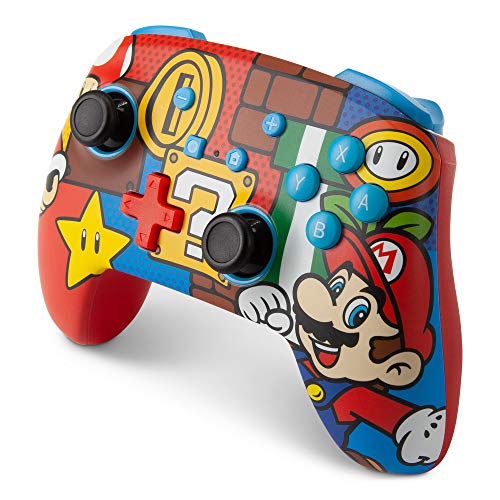
Do you love your Switch but want to stand out from everyone else with the same model? Then look no further than this custom Joy-Con grip.
This Joy-Con grip will make your Switch console look amazing and you can even choose the one that fits your style the best!
Can You Connect Two Nintendo Switches Together Without WiFi?
If you and a friend both have Nintendo Switches and want to play together but don’t have access to WiFi can you connect the two consoles and still play together?
You can easily connect two Switch consoles and play together without needing to have WiFi/internet as long as the consoles are within close proximity to each other. That is of course assuming that the game that you are trying to play supports local multiplayer.
How you connect the Switches to play the games locally varies from game to game but in general, you will just have to have multiple Switches and multiple copies of the game (one for each Switch).
You will then just go to wireless play (or local multiplayer) and set it up/join. A full step-by-step tutorial can be found on iMore.
How Much Data Does A Nintendo Switch Use?
If you have a limited Internet connection or you have your Switch connected to your mobile hotspot you might be wondering how much data playing online with your Switch will use. Does it matter what you are doing with your Switch? Will the amount of data that you use change?
When gaming online with your Switch you will use approximately 50MB of data per hour of online gaming. Exactly how much data you will use will vary slightly depending on which game you are playing online.
When downloading a game from the eShop you will use approximately however much data the size of the game is. So if the game is 5GB you will use a bit more than 5GB of internet data to download the game (because of packet loss).
If you are on a restricted internet package (whether at home or via a mobile hotspot) it’s a good idea to not download games on that connection. Ideally, you will want to download games when you have unlimited internet access and then only play the game online while on that metered connection.
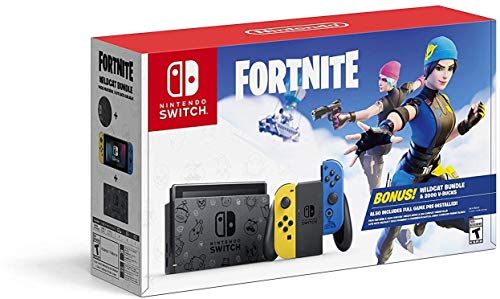
Does The Nintendo Switch Need WiFi To Play Fortnite?
If you have Fortnite downloaded on your Nintendo Switch you might be wondering if it will work if you don’t have WiFi/internet or not.
Unfortunately, Fortnite is a completely online multiplayer game that requires you to be online with your console to be able to play it. This is because Fortnite is actually a real-time game against players around the world and not just prebuilt levels with AI enemies to try and beat.
You cannot play Fortnite (or other similar online games) without having internet access on your Switch.
This means you will also need to have purchased the Switch Online service to be able to access and play these completely online games as well.
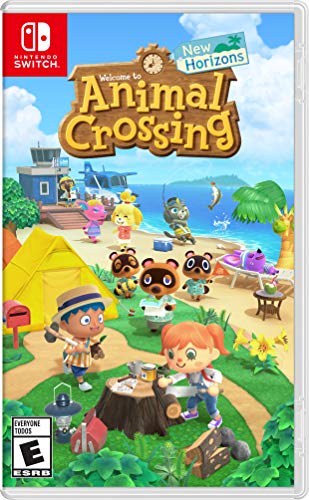
Can You Play Animal Crossing Without Internet/WiFi?
If you are looking to buy one of the most popular games on the Nintendo Switch then you have likely considered buying Animal Crossing but does that game require you to have the internet to play it or will it work just fine without it?
You can definitely play Animal Crossing without using the internet however you will not be able to access all of the features without WiFi. You will not be able to visit your friend’s islands and they won’t be able to visit yours without you having internet on your Switch.
Many people play Animal Crossing solely to enjoy visiting islands so not being able to do so without the internet is a pretty big downside but you can still have the majority of the fun and gameplay without needing the internet.
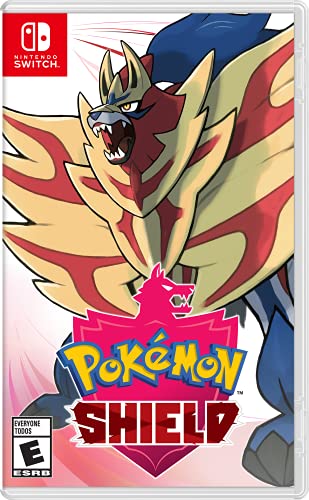
Can You Play Pokemon Sword & Shield Without Internet/WiFi?
If you love the Pokemon series then you will want to get Pokemon Shield for your Switch. One thing that many people are unsure of in regards to Pokemon Shield is if you need to have the internet for it to be fun/work.
Pokemon Sword & Shield works fine without the internet and you can access virtually all of the features of the game without WiFi as well. However, without the internet, you will miss out on trading, WiFi battles, and other fun features as well.
So although you can play it without needing internet access you will miss out on some of the features of the game meaning you will also miss out on a bit of the fun involved in those features.
Ultimately, only you can decide if it’s worth buying if you don’t have internet access at all where you will mainly be playing this game at.
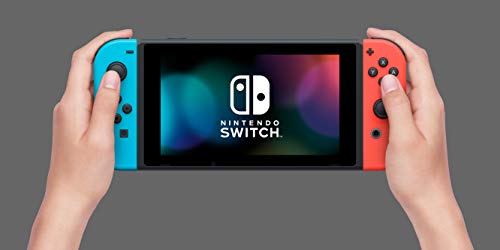
Can You Play Among Us On The Switch Without Wifi?
Among Us is an incredibly popular game that can be played on many different consoles including the Nintendo Switch. If you have Among Us on the Switch can you play it without Wifi?
Unfortunately Among Us needs an internet connection to be played whether you are using the Switch or any other console. Since Among Us is a game that is played online with players from around the world you will need Wifi to be able to play it.
Among Us will not load or play without your Switch (or other consoles) being connected to the internet. Without having internet access you cannot play Among Us.
Can You Play Mario Kart On Nintendo Switch Without Internet?
Mario Kart is an amazing game that I have enjoyed playing since it was first released on the Super Nintendo. And playing Mario Kart on the Switch is loads of fun too!
But do you have to have the internet to play Mario Kart on the Switch?
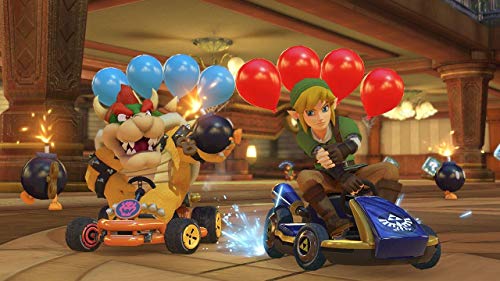
You do NOT need to have the internet to play Mario Kart on the Switch. However, if you want to race against people around the world via Nintendo Switch Online then the internet is required for that.
You can play single-player or local multiplayer on the Mario Kart game without needing to have the internet on your Switch. So you can enjoy playing the Mario Kart game anywhere and everywhere whether you have internet access at that location or not.
Can You Buy Internet For The Nintendo Switch?
If you enjoy playing online games you might be wondering if there is a way to buy internet for your Nintendo Switch as you would for a phone or tablet through a wireless carrier. But is that possible?
The Nintendo Switch does not have any internet capabilities built into it besides being able to connect to WiFi. So unfortunately there is no way to buy internet just for your Switch.
If you don’t have the internet at home you could purchase a wireless hotspot from your cell phone provider for an additional monthly fee but be careful as often they have internet limits (and playing online can burn through data at a fast rate). You can also use most cell phones as a hot spot but again that is normally limited by your wireless carrier.
If you mostly use your Switch at home you are often better off getting internet at your house rather than trying to use a hotspot to connect your Switch to the internet. And unfortunately, there is no way to connect your Switch to the internet beyond using WiFi.
Do You Need Internet To Connect The Nintendo Switch To TV?
If you don’t have the internet at your house you might be wondering if you have to have it to connect your Switch to your TV. After all, if you can play your Switch games on the big screen that is far better than playing on the tiny Switch screen.
But is that possible without the internet?
You DO NOT need the internet to connect your Switch to the TV. All you need is your Switch dock (or third-party dongle) to connect the Switch and you are able to play video games on your big screen!
The internet is not required to be able to connect your Switch or Switch OLED to the TV. All you have to do is put it on the dock, plug your dock into the power outlet, connect the HDMI cord from the dock to the TV, and you are ready to play your Switch on your TV.
Now of course you can’t play online on your TV without having the Switch connected to the internet but you can play any downloaded games or Switch game cartridges that you have purchased on your TV without being connected to the internet.
Do You Need WiFI To Play Downloaded Games On The Nintendo Switch?
Let’s say that you have downloaded some games onto your Switch via the Nintendo eShop but now you are somewhere where you don’t have internet access. Can you still play those downloaded games without being connected to WiFi?
You do not need WiFi to play downloaded games on your Switch as long as they are not online games. If you purchased a full game and downloaded it to your Switch it will still work properly even if you are not connected to the internet.
For example, I have downloaded all of the Lego games to my Switch that my kids love to play. I purchased and downloaded the full games so my kids have been able to play them on road trips, in an airplane, etc. all without the internet.
However, I have also downloaded Fall Guys for the Switch that I enjoy playing. But since it is an online game (you play against other people online) I CANNOT play that game without being connected to the internet since the game is only designed to be played online.
So if you buy a game from the Nintendo eShop you can play it offline as long as it is a full game and not one that is designed to be online play only (like Fortnite, Among Us, Fall Guys, etc.).
Can You Play Multiplayer On Nintendo Switch, Switch Lite, Or Switch OLED Without Internet?
I have already covered a lot of games that you can and cannot play without the internet on your Switch but what about playing multiplayer with your Switch? Can you play multiplayer without the internet?
You can play local multiplayer on your Switch, Switch Lite, or Switch OLED without needing to be connected to the internet. However, you CANNOT play online multiplayer versus people around the world without being connected to the internet.
So say for example you want to play Mario Party against some friends but you don’t have internet where you are at. You can still play with them as long as you are all playing on that Switch device. However, if you and your friends are all in different parts of the world you will not be able to play a multiplayer game together unless you are all connected to the internet.
Can You Watch Youtube or Hulu On The Nintendo Switch Without Wifi?
The Nintendo Switch only has a couple of apps that you can use to watch movies. Currently, the only streaming apps on the Switch are Hulu & Youtube. If you are planning on having your Switch somewhere where you don’t have access to the internet can you still watch movies or TV shows on those apps without needing Wifi?
Unfortunately, you can not watch any movies or TV shows on the Switch without being connected to the internet. Neither the Hulu nor Youtube apps allow you to download movies onto your Switch so the only way you can watch those apps is if you are on the internet.
Although it would be nice to be able to watch movies or TV shows via those streaming apps when you are offline unfortunately that capability is not built into those apps on the Nintendo Switch.
What Will You Not Be Able To Do Without WiFi On Your Switch?
Without an internet connection, you won’t have access to certain features of some games like online multiplayer modes for Mario Kart Eight Deluxe, ARMS, Splatoon 2, Among Us, and any completely online games like Fortnite.
You should be able to use most games offline without any issues, particularly because on the Nintendo Switch most of its signature games are single-player.
While offline, you will not have access to the new updates for the games and console either. Some other things you won’t have or be able to do without WiFi are:
- Some games are purely online, so avoid buying/playing those games if you don’t have the internet. Some games like Splatoon 2 are technically not one of those, but the single-player mode is definitely lacking as the main focus of this game is multiplayer with single-player on the side.
- Some games offer good DLC, which you will miss out on if you are offline all of the time. Splatoon 2 is one of them.
- You either need to have the game downloaded if you have purchased it digitally or buy the game physically. If you plan on getting many digital games you will want to purchase an SD card as the Switch doesn’t have enough storage to hold many downloaded games.
How Do I Hide My Nintendo Online Status?
When playing online with the Switch, sometimes you just want to play alone and not be bothered. The issue with this is that when you are online, your status that you are online will be visible to your friends.
Is there a way to even hide this so you can play online and not be bothered right now by messages and friends wanting you to play a specific game?
You can hide your Nintendo online status by going to settings, changing settings, and clicking the allow friends to see your online status. This will turn it off and not let your friends see that you are playing online.
This is a great option to make sure while you are playing your game that you are not interrupted, or getting bombarded with messages from your friends. Being able to play with your friends online is a bunch of fun, and a useful tool, sometimes you just want to play a game alone and not with anyone else.
When your friends cannot see that you are online, you can still see which friends of yours are online though. This allows you to play with one specific friend by messaging them and not all of your other friends knowing that you are online.

What Can Your Friends See On The Switch?
In today’s world, privacy is very important. You do not want to give out your address or personal phone number to random people on the internet. This has made people wonder what exactly friends you play games with on the Switch can see when you are online.
People worry that your friends online can see a lot about you. This is a big concern as sometimes you can play games and become friends with people who you do not actually know.
Your friends on the Switch can by default see when you are online as well as a list of the most recent games you have played. Thankfully you can turn these features off by simply going to your profile settings.
You do not necessarily want all of your friends on the Switch to know when you are online, or every single game you have been playing recently. Allowing your Switch friends to see this can easily set up thieves to know when you are home based on when you are playing online.
If you are not the only one that uses your Switch in the family, it can also make it look like you are playing a fluffy unicorn game or kid’s games on the Switch when it was your little siblings. To turn this off, all you have to do is go to your profile and turn it off under your profile settings.
What Happens When You Block Someone On A Switch?
When playing online, sometimes your friends or people you are playing with can become extremely annoying. This is especially true if they are winning a particular game and just rubbing it in your face.
Sometimes you may even become so frustrated with someone that you end up blocking them on the Switch. Most of the time it is just another player you met online and not one of your own friends.
When you block someone on the Switch, you will not receive any messages from them, and you will not see them in games that support Switch online.
Many times people will end up blocking other people that are just rude or mean to them, or who they think is cheating. People will also sometimes report a player who they think is cheating and then block them so they never play against them again.
Blocking someone is a very useful tool because no one wants to play against someone who is cheating. Blocking them will not hurt the other person, it simply makes it to that you will never play against them ever again.
When you do block another person, they will not receive a notification that they were blocked, and they can even still try and send you messages or friend requests. You obviously will not get these messages or friend requests though as they are blocked.
What Are The Most Popular Games That Work Without WIFI On The Switch?
The Nintendo Switch is extremely popular because you can use it as a home gaming console, but also an on-the-go handheld device. The Switch is unlike any other gaming device ever made.
Many different gaming companies have tried to make a device that would be popular on the go, but no one has ever made a console that was popular for gaming at home and on the go until now.
The problem is that if you are playing on the go, you might not always have WIFI available. Even if you don’t have WIFI, you will still want to play games on the Switch. This is why people want to know the most popular games to play without WIFI.
The most popular games for the Switch that will work without WIFI are
- Celest
- Dragon Quest XI S
- Cadence Of Hyrule
- Super Mario Party
- Undertale
- Super Smash Bro. Ultimate
- Tokyo Mirage Sessions #FE Encore
- Fire Emblem: Three Houses
- Super Mario Odyssey
- Pokémon Sword And Shield
- Link’s Awakening
- Luigi’s Mansion 3
- The Legend Of Zelda: Breath Of The Wild
- Xenoblade Chronicles: Definitive Edition
- Paper Mario
While these are just the top 15 games, most Switch games allow you to play offline as the device is built to be used on the go.
It would not make sense to create an on-the-go gaming system, but then not have any games work when the device is being used on the go. Thankfully Nintendo thought this through and most of the games can be played online as well as offline.
The last thing someone would want is to try and play a brand new Switch game, and find out that it only works if they are connected to WIFI.

What Are The Ten Best Nintendo Switch Games That Require No Internet Connection?
The Nintendo Switch is a system that allows players to easily play their matches on the go. Most games featured on the network aren’t going to require an internet connection to be enjoyed.
Below are the best games on the Switch that you don’t need any internet or wi-fi access to play. Most of these will have an excellent single-player experience which is why they work so well to play without wi-fi. Since single-player games don’t require internet (most of the time) then these are all excellent choices.
The Legend of Zelda: Breath of the Wild
The game is fantastic, and anything that could be said about this game is going to make me sound like a broken record, but it is all true. The Zelda franchise quite simply is stunning in terms of both visuals and sound.
The great soundtrack compliments a vibrant world. With a dynamic storytelling style and a fun combat system, there is no reason not to love Breath of the Wild.
Pokémon Sword and Shield
You can mainline the game, shiny hunt, play the postgame, and more all without an internet connection. An internet connection will enhance the experience, but it is in no way essential to the game.
Super Mario Odyssey
The game features an array of vibrant sandbox kingdoms for Mario to explore. This allows him to take control of his enemies and other characters that would usually be NPCs.
You can spend 100 hours in the game quickly because there is a ton to do in every single kingdom.
Fire Emblem: Three Houses
Fire Emblem: Three Houses allow you to complete every single battle at your own pace. Explore the monastery and enjoy your support conversations with other units, all without any online connection.
Super Smash Bros. Ultimate
Super Smash Bros. has the most online content out of the entire list, but it isn’t at all required to enjoy the game. You can play through a solo adventure mode in the form of the World of Light and beyond that have access to all Smash modes offline.
Under Tale
Under Tale is an entirely offline experience that needs to be played by every human. The story-based game is an RPG with some massive twists that completely change how it is you think about the genre.
Super Mario Party
The party modes, minigames, and all the other ones that people have come to love are all played predominantly offline. There are a few minigames that can be played online, but other than that, the game is a 100% offline experience.
Cadence of Hyrule
The Legend of Zelda Crypt of the Necromancer titled Cadence of Hyrule is a fantastic game that cannot be played online in any way. The game is excellent without any online content.
Dragon Quest XI S
The Switch version of the game is, without a doubt, the conclusive version of the game presenting many enhancements over the original topic. This is a fantastic game to try out, and the Switch is easily the best place to play it.
Celeste
The platformer requires a lot of patience and skill, as making it through the game is no way an easy task. Beyond the great gameplay, the title features an inward story and a considerable art style. There is a lot to love about Celeste, and it’s all completely offline.’
![Nintendo Switch Online 12-Month Individual Membership [Digital Code]](https://m.media-amazon.com/images/I/5164QaX3omL._SL500_.jpg "Nintendo Switch Online 12-Month Individual Membership [Digital Code]")
Nintendo Switch Online Subscription
A Nintendo Switch Online membership comes with two subscription types: individual and family. A family subscription covers up to eight users while an individual one covers just one user
For a one-year individual subscription, it goes for $20. Also, you can buy plans for only a few months and for cheaper (although the price per month is higher).
One-month and three-month subscriptions go for $4 and $8, respectively so it’s cost-efficient to purchase a year out of the gate if you plan on playing your Switch games online.
For a family subscription, one year goes for $35. To enjoy the benefit of this bulk subscription, you need to link to a family group. You can compose a family group on the Nintendo account website.
You and your seven friends/family members can get access to all of the online Switch features for less than $5 apiece.
The two subscriptions are available for purchase on the Nintendo Switch EShop. Nintendo Switch Online is accessible via the orange navigational menu when you first open the storefront.
Unless you opt out on the shop menu, your subscription renews automatically.
![Nintendo Switch Online 12-Month Individual Membership [Digital Code]](https://m.media-amazon.com/images/I/61ChvPxL3dL._SL500_.jpg "Nintendo Switch Online 12-Month Individual Membership [Digital Code]")
Nintendo Switch Online Is Required For Online Multiplayer
A connection to Nintendo Switch Online is also required for multiplayer over the internet. Those without a subscription can still use the Switch’s local wireless play feature between two Switch consoles, with up to three players on each console.
You Are Required To Use The Nintendo Switch Online Smartphone App To Message
If you want to talk to your friends while playing online games, you need the Nintendo Switch Online app, which is available for both iOS and Android.
Conclusion
The Nintendo Switch does not require WiFi or an internet connection for it to work. You can play your physical games without ever connecting to the internet as has been discussed above.
There are some scenarios where the internet is a must, for example, for multiplayer or for purely online games like Fortnite.
You can enjoy your Nintendo Switch games without WiFi, but with all of the bonuses and extra things that come with online gaming, it seems like a no-brainer to play with WiFi if you have it available and don’t mind spending a little bit of money for the Switch Online subscription.
Even if you do not have WiFi at your house, there are normally places you can go that offer free WiFi.