
*This post may contain affiliate links. As an Amazon Associate we earn from qualifying purchases.
Well, hello there fellow Switch enthusiasts! As a seasoned gamer who has been on the Switch train since day one, I’m here to tell you all about the topic on everyone’s mind – playing the Nintendo Switch while it’s charging.
I mean, who doesn’t love the idea of never having to stop gaming, right? And let me tell you, there’s nothing more annoying than having to pause your Mario Kart race to plug in the darn thing.
So, can you play Nintendo Switch while charging?
You can safely play your Switch while it charges without having to worry about damaging your Switch or Switch battery. The Nintendo Switch will make sure it doesn’t overcharge (so there are no worries there).
The only thing you have to be sure of is that you don’t overheat the Switch console while playing. Although the Switch can be used while charging and overheating isn’t an issue under normal circumstances if you are playing outside or have the Switch in the sun then overheating will be an issue.
But before we dive deeper into all the juicy details, let’s get a few things straight. The Nintendo Switch, for those who have been living under a rock, is a hybrid gaming console that lets you play on your TV or on the go.
And for us gamers, that will be like having the best of both worlds! I remember when I first got my hands on the Switch and I was like, “Finally, I can play Breath of the Wild while on the toilet.” It was a dream come true. (okay that might be an exaggeration but you get my drift).
And now, the idea of being able to play while charging is just the icing on the cake. I mean, who wants to waste their time waiting for their battery to charge? Not me! I’d rather be using that time to beat my high score on Tetris 99 or complete another chapter in my favorite RPG.
And let me tell you, it’s always a race against time with the Switch’s battery life. One minute, you’re cruising through Hyrule and the next, you’re stuck staring at the charging screen. Ugh, it’s a real bummer.
But that’s why we’re here to talk about how to keep the gaming going, even while the battery is charging!
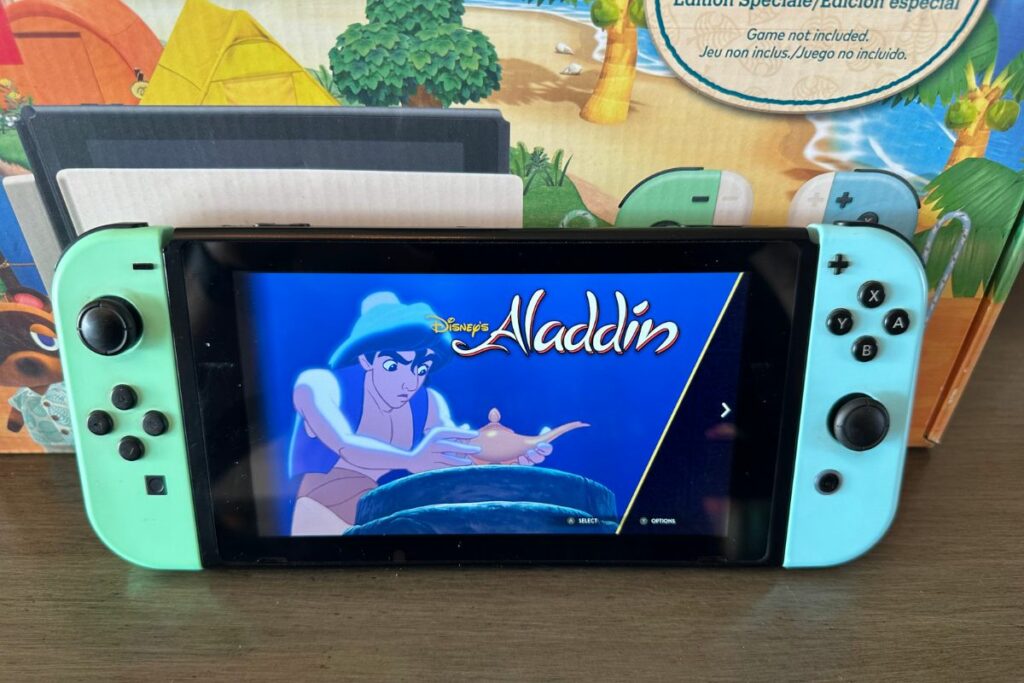

Understanding the Nintendo Switch
Now that we’ve established the importance of being able to play the original Nintendo Switch while it’s charging, let’s dive into the device itself.
First things first, the Switch is not your average gaming console. It’s like the love child of a laptop and a handheld gaming device. And let me tell you, this baby can do it all.
Let’s start with the basics. The Switch console is a hybrid gaming console, which means it can be played on your TV or on the go.
It has two Joy-Con controllers that can be detached from the device and used for multiplayer gaming. And get this, you can even use the Joy-Cons as motion controllers for games like Just Dance and 1-2-Switch.
I mean, talk about versatility!
Now, when it comes to specs, the Switch is no slouch. It has a 6.2-inch touchscreen display, a battery life that ranges from 4.5 to 9 hours depending on the usage, and a custom NVIDIA Tegra processor.
And let me tell you, the graphics on this thing are top-notch. I’ve never been so impressed with a handheld gaming device before.
But enough about the specs, let’s talk about what really matters – the games! The Switch has a massive library of games, ranging from classic Mario and Zelda titles to indie darlings like Celeste and Hollow Knight. And with the Switch Online service, you can even play with friends online.
I remember the first time I played Mario Kart 8 Deluxe with my friends online, it was absolute chaos. And let me tell you, it was one of the most fun gaming experiences I’ve ever had.
The Switch truly has something for everyone.
Charging the Nintendo Switch
So, let’s get down to the nitty-gritty – charging the Nintendo Switch battery. Now, I know what you’re thinking, “How hard can it be to plug in a charging cord?” But let me tell you, there’s a little bit more to it than that.
First of all, you have to make sure you’re using the right cord. Don’t try to use your old iPhone charger or you’ll end up with a brick instead of a gaming console. The Switch uses a USB-C charging cord, so make sure you have the right one handy.
And for the love of all things gaming, don’t lose the cord! I still have nightmares about the time I lost my charging cord and had to play Animal Crossing with a low battery icon slowly reminding me I didn’t have long to play. It was a disaster.
Now that you have the right cord, it’s time to plug it in. The Switch has a charging port on the bottom of the device, so just plug it in and let it do its thing.
And while we’re on the subject of charging, let’s talk about charging docks. These little beauties are a lifesaver! Just pop your Switch into the dock and it’ll start charging immediately. Plus, you can still play your games on the big screen while it’s charging.
I mean, talk about a win-win situation!
But seriously, charging the Nintendo Switch is as easy as pie. Just make sure you have the right cord or a charging dock and you’re good to go. And remember, don’t lose that cord!
The Ability to Play On The Nintendo Switch While On The Charger
And now, the moment you’ve all been waiting for – the ability to play while charging the Nintendo Switch! This feature is a game-changer, folks.
I mean, no longer do you have to put your game on pause because your battery is running low. No more “just five more minutes” because you need to charge your device. With the Switch, you can keep playing and charging at the same time!
Now, let’s talk about how it works. First of all, you need to have the device plugged in. This might seem obvious, but I’ve seen some folks try to play without the cord connected, and let’s just say, it didn’t end well.
Once the device is plugged in, you can keep playing to your heart’s content.
But, as with all things in life, there’s a catch. While you can play while charging, the charging speed may not be as fast as you’d like. I mean, you can’t have your cake and eat it too, right?
But hey, it’s a small price to pay for being able to keep playing.
In conclusion, the ability to play while charging the Nintendo Switch is a game-changer. No more putting your game on pause because of a low battery, and no more “just five more minutes” because you need to charge your device.
Just plug it in (or connect it to a power bank) and keep playing! And if the charging speed isn’t as fast as you’d like, well, it’s a small price to pay for never having to put down your game.
Workarounds for Playing The Switch Console While On The Charger
So, what happens if you don’t have access to a regular power outlet when playing on your Nintendo Switch? Fear not, my fellow gamers, for there are workarounds!
First on the list, the trusty portable battery pack. These little guys are lifesavers when it comes to charging the Switch on the go. Just plug the Switch into the battery pack and keep playing.
I’ve taken mine on flights and road trips and never once have I had to put down my game because of a low battery.
And then there’s the option of purchasing a longer charging cord. This might not seem like a big deal, but trust me, it is. I have a 10-foot charging cord and let me tell you, it has changed my life.
I can play my Switch from the comfort of my bed without having to be tethered to the wall. It’s a game-changer, folks.
In conclusion, if you can’t play while charging the Nintendo Switch, don’t worry. There are workarounds. Portable battery packs and longer charging cords are both great options. And if all else fails, just remember, there’s always the option of playing on your TV with the Switch docked.
Benefits of Playing The Nintendo Switch While Charging
Okay, now let’s talk about why playing while charging the Nintendo Switch is such a big deal. I mean, sure, it’s convenient, but what are the real benefits? Well, let me break it down for you.
First of all, playing while charging extends your playtime. No more panicking when your battery drops to 20% and realizing you still have hours of gameplay left.
Just plug in and keep playing. It’s like a never-ending supply of gaming fuel.
And second, it allows for uninterrupted gaming sessions. You don’t have to pause your game every hour to let your Switch charge. You can just keep playing and forget about the battery life altogether. It’s a beautiful thing.
I remember when I was on a roll in The Legend of Zelda: Breath of the Wild and had to stop because my battery was low. I was so close to saving Hyrule, but nope, I had to wait for my Switch to charge. Talk about a buzzkill.
So, as you can see, playing while charging has its perks. It extends playtime and allows for uninterrupted gaming sessions. And who doesn’t love being able to play their favorite games for hours on end without having to worry about battery life?
It’s the little things in life, folks.
Risks of Playing The Nintendo Switch While Charging
Alright, let’s talk about the dark side of playing while charging the Nintendo Switch. I know, I know, it sounds like a dream come true, but there are a few risks involved that we need to address.
First of all, overheating is a real concern. I mean, you’ve got the Switch charging while you’re playing, and it’s pumping out all that sweet, sweet power to keep your game going.
It can get a little toasty, if you know what I mean.
Second, charging ports can get damaged. You’ve got the charging cable plugged in, and you’re moving the Switch around as you play. That can put a lot of stress on the charging port, which can lead to damage over time.
And third, there’s the risk of electrical damage. I mean, you’re plugging the Switch into an electrical outlet while you play.
What if you accidentally spill your drink on the charging cable? Or if there’s a power surge? It’s not a good look, folks.
So, as you can see, playing while charging the Nintendo Switch does have its risks. Overheating, damaging charging ports, and electrical damage are all concerns that need to be taken seriously.
But hey, that’s the price you pay for being able to play without worrying about battery life, right?
Battery Precautions for Play While Charging
Okay, so now we’re getting into the nitty-gritty of how to play while charging the Nintendo Switch safely. And I’m going to be honest, it’s not just about plugging it in and playing.
There are some precautions you need to take if you want to keep your Nintendo Switch and yourself safe.
First, you need to make sure you’re using the right charging cable and adapter. Don’t go cheap on this one, folks.
You want to make sure you’re using the official Nintendo Switch charging cable and adapter. Trust me, it’s worth the extra money to avoid damaging your Switch.
Second, keep your Switch in a well-ventilated area. I know, you’re probably thinking, “But I’m playing in my lap, why does it matter?” Well, it matters because heat dissipation is important.
You want to make sure that your Switch doesn’t overheat while you’re playing. So, make sure it’s on a flat surface, away from anything that could block the air vents.
Third, keep an eye on the charging indicator. This one is pretty simple, but it’s important. You want to make sure that your Switch is actually charging while you’re playing.
Keep an eye on the battery indicator and make sure it’s increasing. If it’s not, there might be something wrong with your charging cable or AC adapter.
Now, let’s talk about charging ports. Make sure you’re not putting too much stress on the charging port while you’re playing. This means not moving the Switch around too much, and avoiding twisting or bending the charging cable while it’s plugged in.
And, if you’re using a dock to play while charging, make sure you’re using the right dock. Not all docks are created equal, and using the wrong dock can lead to damage.
So, make sure you’re using the official Nintendo Switch dock, or a reputable third-party dock that’s compatible with the Switch.
Another thing to keep in mind is electrical safety. Make sure you’re not using your Switch near water, and avoid using it in damp or humid areas.
Also, make sure you’re not using it near any heat sources, like a heater or an oven.
And, if you’re using a power strip to charge your Switch, make sure it’s a surge-protected power strip. This will help protect your Switch from electrical damage in case of a power surge.
Finally, make sure you’re not playing for too long while charging. I know, I know, it’s tempting to play for hours on end, but it’s not safe. The Switch needs time to cool down and to avoid overheating.
So, make sure you’re taking breaks and allowing your Switch to rest.
So, there you have it, folks. The precautions you need to take to play while charging the Nintendo Switch safely. It may seem like a lot, but trust me, it’s worth it to keep your Switch and yourself safe.
Now, get out there and start gaming!
Nintendo Switch Battery Life
Ah, the Nintendo Switch battery life, the bane of every gamer’s existence. It’s like the ultimate prank Nintendo pulled on us, giving us an amazing gaming experience but with a battery life that barely lasts long enough to finish a full playthrough of “Breath of the Wild.”
But don’t worry, I’ve got a few tips and tricks to make sure you never have to put down your Joy-Cons in the middle of a boss battle.
First and foremost, invest in a good charging cord. I mean, come on, you’re already shelling out hundreds of dollars for the console, what’s a few extra bucks to make sure you never have to deal with a dead battery?
And while you’re at it, pick up a couple of extra Joy-Cons too, because let’s be real, they last about as long as the console’s battery.
Now, when it comes to actually conserving battery life, there are a few tricks you can use.
Firstly, use the “Sleep Mode” when you’re taking a break, instead of leaving your Nintendo Switch turned on. It uses significantly less power and will save you some juice when you need it.
Secondly, lower the screen brightness, and turn off any features you’re not using, like rumble or motion controls. It might not seem like a lot, but every little bit helps when it comes to the Nintendo Switch battery life.
One of my personal favorite ways to extend the battery life is to invest in a portable battery pack. I mean, seriously, it’s like a gift from the gaming gods. You can play your Switch for hours on end, without ever having to worry about finding an outlet.
And there’s nothing more frustrating than getting stuck in a cutscene because your battery died. With a portable battery pack, you can game on the go, anywhere, anytime.
In conclusion, the Nintendo Switch’s battery life might seem like a pain, but with a few simple tricks and investments, you’ll never have to put down your Joy-Cons again.
So go forth and game, my friends, without ever worrying about a dying battery. Just remember, the real enemy here isn’t Ganon or Bowser, it’s the battery life.
Final Thoughts On Switch Charging
Alright folks, it’s time to wrap up this article about playing the Nintendo Switch while charging.
First of all, let’s talk about the key takeaway: can you play the Nintendo Switch while charging? The short answer is yes, you can! But there are some important things to consider, like charging time, charging speed, and the potential risks.
Now, let’s talk about the benefits of playing while charging. Not only does it allow you to keep gaming, even when your battery is low, but it also means you don’t have to stop in the middle of a boss battle to plug in your console.
That’s just a no-go for a serious gamer like myself.
And let’s not forget about the workarounds we discussed, like using a charging grip, or a stand with built-in charging. These options allow you to play and charge at the same time, without having to sacrifice your gaming experience.
Genius, right?
But, as we also discussed, there are some risks to consider when playing while charging. Overcharging, overheating, and even damage to the battery can all occur if you’re not careful.
That’s why it’s important to follow the precautions we covered, like using official Nintendo charging equipment and monitoring your battery level.
So, in conclusion, playing the Nintendo Switch while charging is possible, but it’s important to do it safely and responsibly. As long as you’re mindful of the potential risks and take the necessary precautions, you can keep gaming without interruption. And that, my friends, is what it’s all about.
In the words of a wise gamer, “The game must go on.”