
*This post may contain affiliate links. As an Amazon Associate we earn from qualifying purchases.
Hello, fellow Switch enthusiasts! Are you tired of your gaming sessions being cut short by a dead battery, or your Switch’s screen getting all scratched up from constantly being thrown into your bag?
That’s where finding some of the best accessories for your Switch comes into play. These are the best Nintendo Switch accessories that will help you take your games (and gaming) to the next level.
Choosing any accessory on this list will help you make the best of your console but if you get more than one accessory that is when your Switch experience will really start to head off the charts.
So that’s why I’m going to share with you the best accessories for the Switch (or Switch OLED) that will take your gaming to the next level and protect your beloved console as well.
These accessories also make great gifts for that friend or family member that is so into the Switch that they love the gear and gadgets for it as well.


1. A Nintendo Protective case
First and foremost, let’s talk about the most important Switch accessory: protective cases. I know, I know, it’s such a drag to have to put something as sleek and sexy as the Switch (or Switch OLED) into a bulky case. But trust me, it’s a necessary evil.
Accidents happen (especially if you have kids like I do), and you never know when your Switch might take a tumble or get bumped around. Plus, let’s be real, the Switch (and Switch OLED) aren’t exactly cheap, so it’s worth it to invest in some extra gear to ensure it stays in tip-top shape.
There are a few different types of Switch protective cases to choose from.
If you want something sturdy and hard, you can go for a hard case (like this one). These are usually made of plastic or silicone and offer solid protection. Just be warned, they can add some extra bulk to your Switch (and Switch OLED).
If you’re looking for something a bit more low-profile, you might want to go for a soft case for your Switch. These are usually made of a softer material like neoprene and offer good protection without adding too much bulk.
Just be aware that they may not offer as much protection as a hard case. And for the aquatic adventurers out there, there are even water-resistant cases available to keep your Switch safe from spills and splashes.
No matter which case you choose to purchase you will want to find one that can cradle your controller to protect it but that also won’t make actually using your controller difficult. Some Switch protective cases won’t fit exactly right on the controller which can not only be annoying but can mess up your gaming.
So only get a protective case for your Joy-Con controller if it actually protects it while also using you to use the controller normally! Otherwise, you won’t be able to truly game like a pro.
2. Extra Nintendo controllers
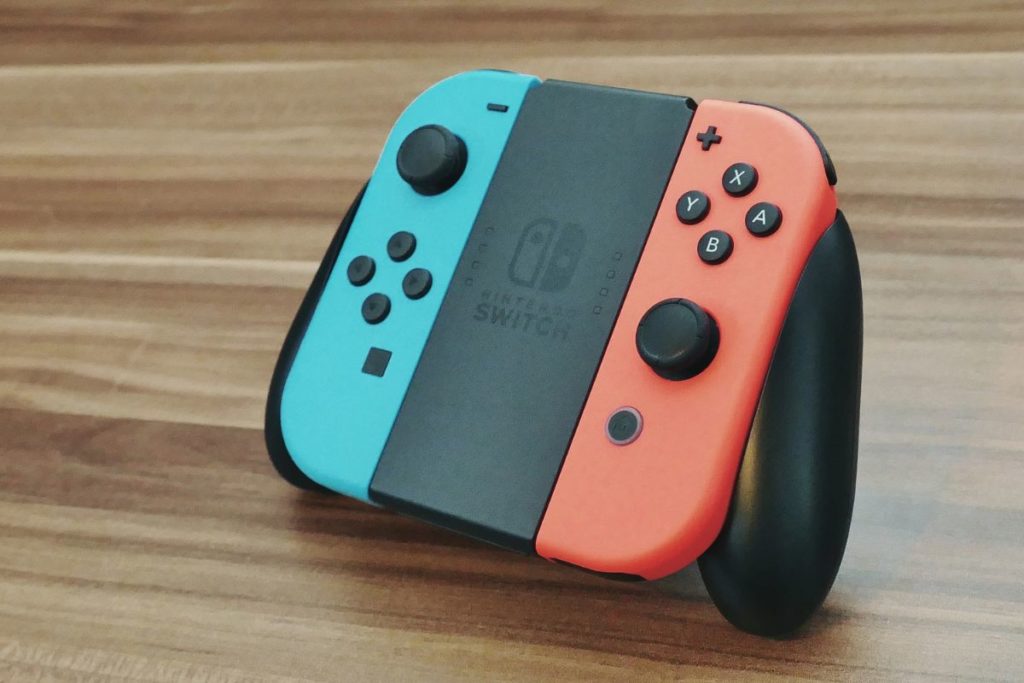
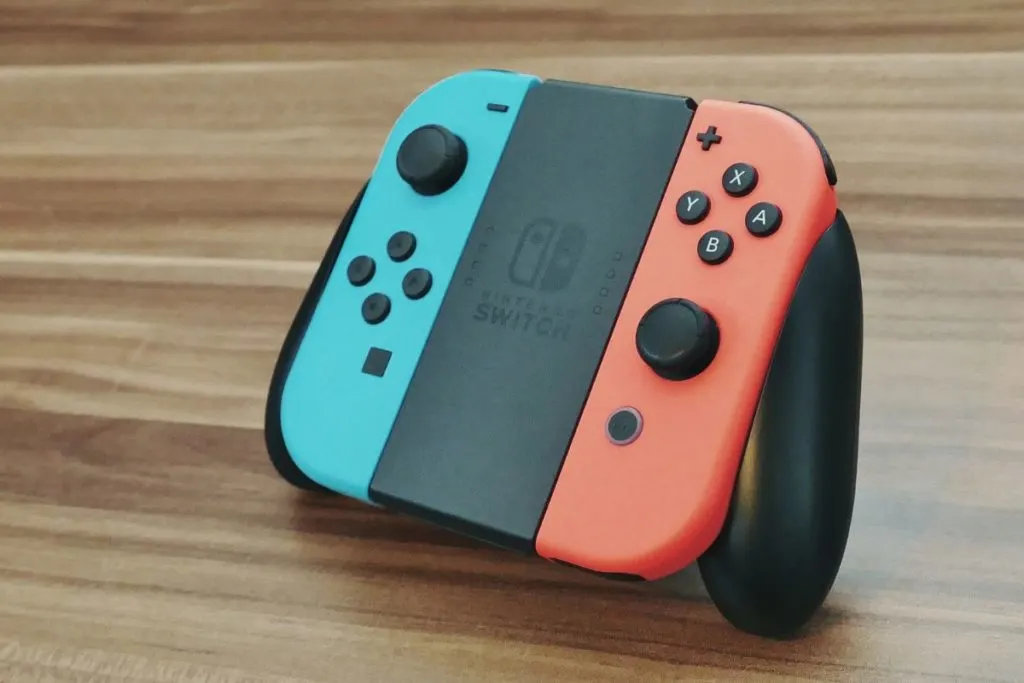
Next up, let’s talk about controllers. The Nintendo Switch comes with two Joy-Cons, which are great for when you’re playing in handheld mode or with a friend in tabletop mode.
But what about when you want to get a multiplayer session going on the big screen? That’s where extra controllers come in handy.
You can either go with official Nintendo controllers or third-party options. Both have their pros and cons.
Official controllers are more expensive (sometimes a lot more expensive), but they’re also of higher quality and will likely last longer. Third-party controllers are cheaper, but the build quality may not be as good.
It’s really up to you and your budget to decide which route to go.
3. MicroSD card For Your Nintendo Switch
Now, let’s talk about storage.
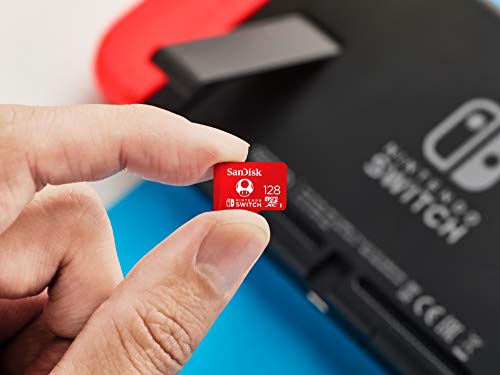
The Nintendo Switch has a decent amount of internal storage, but it can fill up quickly if you’re a digital hoarder like me. That’s where a MicroSD card comes in handy.
A MicroSD card allows you to expand the storage of your Nintendo Switch and load it up with all the games and data your little heart desires. Just be sure to get a card that’s fast enough to keep up with the Nintendo Switch, otherwise, you might experience some slowdown.
Size is also important to consider (yes, size really does matter). Do you just want your SD card to hold a few extra games, or do you want something that can hold your entire digital library?
And then there’s the matter of brand. Some people swear by certain brands, while others couldn’t care less. Personally, I just go for whatever is the most affordable at the time.
![[3 Pack] Screen Protector Tempered Glass for Nintendo Switch, iVoler Transparent HD Clear Anti-Scratch Screen Protector Compatible Nintendo Switch](https://m.media-amazon.com/images/I/51Y4KfqAJMS._SL500_.jpg "[3 Pack] Screen Protector Tempered Glass for Nintendo Switch, iVoler Transparent HD Clear Anti-Scratch Screen Protector Compatible Nintendo Switch")
4. Screen protector For Your Nintendo Switch
Next, let’s talk about screen protectors. It almost feels like a sacrilege to put something as beautiful as the Nintendo Switch’s screen behind a layer of plastic. But hear me out.
Screen protectors can do wonders for preventing scratches and scuffs on your Nintendo Switch’s screen. They can also improve visibility in certain lighting conditions.
There are a few different types of screen protectors to choose from. Tempered glass screen protectors are made of, you guessed it, tempered glass and offer the best protection and clarity.
Plastic film screen protectors are a bit cheaper and don’t offer as much protection, but they’re also easier to apply.

5. Charging grip For your Nintendo Switch
Moving on, let’s talk about charging grips. These handy little accessories allow you to play your Nintendo Switch while it’s charging, which is great for those long gaming sessions.
There are a few options to choose from, including the official Nintendo charging grip and third-party options. The official grip is a bit pricier, but it’s also of higher quality and will likely last longer.
Third-party grips are a great option if you are on a budget. Just be sure to do your research before purchasing a third-party grip to ensure you’re getting a good one.
6. Portable charger For Your Nintendo Switch
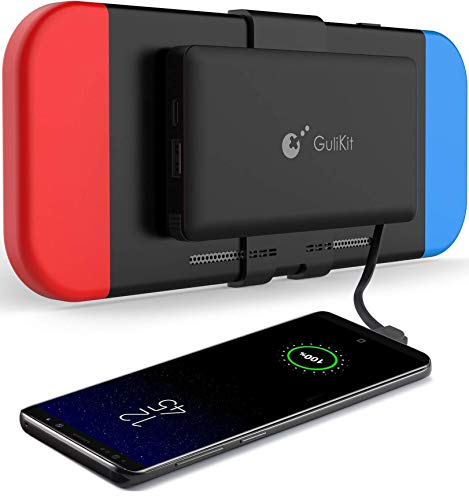
Finally, let’s talk about portable chargers. These are must-have accessories for Nintendo Switch owners who are always on the go.
A good portable charger can extend the battery life of your Nintendo Switch substantially and keep you gaming even when you’re not near a power outlet.
There are a few factors to consider when purchasing a portable charger. Capacity is important, as you want one that can fully charge your Nintendo Switch at least once. Size is also a factor, as you don’t want a charger that’s too bulky to carry around.
And of course, compatibility is important, as you want a charger that can actually charge your Nintendo Switch.
7. Switch Pro Controller (Is It A Good Accessory?)
Oh boy, where do I start with the Nintendo Switch pro controller? First off, let me just say that the Pro controller is the real deal. It’s like a regular Nintendo Switch controller had a baby with a fancy sports car and this is what came out.
The Pro controller is sleek, it’s stylish, and it’s got all the buttons and triggers you could ever want.
But let’s not forget about the real star of the show here: the Pro controller’s buttons. They’re like little clouds of joy that you press down on. And the Pro controller’s triggers! Don’t even get me started on the triggers.
They’re like the cherry on top of a sundae, except instead of a cherry it’s a trigger and instead of a sundae it’s a controller.
But let’s not forget about the elephant in the room: the price. Yeah, it ain’t cheap. But let me tell you, it’s worth every penny.
You know why? Because you’re not just buying a controller, you’re buying an experience. An experience of gaming bliss, if you will. Plus, think of all the money you’ll save on therapy because you won’t need it after playing with this controller.
In conclusion, if you’re looking for a controller that’s going to elevate your gaming experience to new heights, look no further than the Nintendo Switch Pro controller. Just make sure you’ve got a little extra cash lying around because it ain’t cheap.
But trust me, it’s worth it.
8. Nintendo Switch Dock
Okay, so let me tell you about the Switch dock. It’s basically the gateway to gaming heaven, or at least that’s what Nintendo wants you to believe.
It’s this little plastic box that you plug your Switch into and voila! Suddenly, via the Switch dock, you’re playing your favorite games on the big screen. Sounds pretty cool, right?
But let me tell you, the Switch dock is not without its flaws. For starters, it’s a little on the bulky side. I mean, it’s not like it’s going to take up a ton of space or anything, but it’s definitely not small.
And honestly, the Switch dock is not the most attractive piece of hardware out there. It’s pretty much just a plain white box with a Nintendo logo on it. Nothing to write home about, if you ask me.
And don’t even get me started on the price. Oh boy, Nintendo sure knows how to charge an arm and a leg for their accessories. I mean, come on, it’s just a plastic box with a few ports in it. But hey, I guess if you really want to play your Switch on the big screen, you gotta pay the price.
But in all seriousness, the Switch dock is a pretty essential piece of hardware if you want to play your Switch on the big screen. Sure, it’s not the most glamorous piece of technology, and it may be a little on the pricey side, but it gets the job done. And honestly, isn’t that all that really matters?
Well, that and having a good time playing all your favorite games, of course.
Who Needs Nintendo Switch Accessories?
First things first, let’s talk about who should NOT be buying Nintendo Switch accessories. If you’re a casual gamer who only plays Mario Kart on family game nights, you don’t need to waste your money on fancy accessories.
Stick to the basics and save your cash for more important things, like pizza and more new games!
Now, for the gamers who SHOULD be buying Nintendo Switch accessories. If you’re someone who’s constantly on the go and wants to take their gaming to the next level, a carrying case and portable charger are a must-have.
Trust me, you don’t want to be caught without a charged controller in the middle of a boss battle.
But it’s not just the on-the-go gamers who should invest in accessories. If you’re a hardcore gamer who spends hours upon hours on your Nintendo Switch, a comfortable grip and extra controllers are a must. Trust me, your hands will thank you for it.
And let’s be real, no one wants to fight over controller sharing during a Mario Party session.
Do You Need These Nintendo Switch Accessories for the Switch Lite?
Are you the proud owner of a shiny new Nintendo Switch Lite? Congrats, you made a wise investment. But let me ask you this: do you really need to buy any accessories for it? I’ve shared some of the best Nintendo Switch gear that you should get but do you really need all of these things for the newer Switch model?
The short answer is no, you don’t need these accessories. But, let’s be real here, who doesn’t love to accessorize?
First of all, let’s talk about the obvious accessory: the carrying case. Now, I know what you’re thinking, “But I have pockets, why do I need a case?” Well, let me tell you, pockets are not always reliable.
Plus, what if you want to take your Switch Lite to a friend’s house or on a trip? A carrying case is the way to go. It’s like a laptop case for your Switch Lite, and it’s totally worth it.
Next up, let’s talk about the best screen protector accessories. Now, I know what you’re thinking, “But the Switch Lite’s screen is already scratch-resistant!” And you’re right, it is. But, let’s be real here, no one wants a scratch on their brand-new device.
Plus, a screen protector can also help prevent glare, making it easier to play in bright lighting. It’s a small investment for peace of mind.
Finally, let’s talk about the Joy-Con controllers. Now, I know what you’re thinking, “But the Switch Lite has built-in controllers!” And you’re right, it does. But, let’s be real here, sometimes it’s just more fun to play with friends and family.
Plus, the Joy-Con controllers can also be used for other games on the Switch that the Switch Lite can’t play. It’s a small investment for a lot of fun.
In conclusion, do you need to buy accessories for your Nintendo Switch Lite? No, not necessarily. But, let’s be real here, they make your gaming experience much better. A carrying case, screen protector, and Joy-Con controllers are all accessories worth considering if you want to make the most out of your Switch Lite experience.
What Is the Best Nintendo Switch Accessory to Buy?
Well, folks, let me tell you, there are a ton of accessories out there. That can make trying to decide the best Nintendo Switch accessory pretty tough. From fancy carrying cases to extra Joy-Con grips, the options are endless.
But let me tell you, there is only one accessory that truly stands out above the rest and that is the Joy-Con Charging Grip.
I know, I know, you’re probably thinking “But wait, isn’t the Joy-Con grip that comes with the Switch good enough?” And to that I say, ha! No. Just no.
The Joy-Con Charging Grip not only makes your gaming experience more comfortable by giving you a more traditional controller feel, but it also charges your Joy-Cons while you play. Genius, right? No more mid-gaming panic attacks because your Joy-Cons are about to die.
But wait, there’s more! The Joy-Con Charging Grip also has a built-in LED indicator so you can easily see when your Joy-Cons are fully charged. Plus, it’s affordable and easy to use. Just plug it in and let it do its magic.
In conclusion, if you’re a serious Switch gamer, the Joy-Con Charging Grip is a no-brainer for the best choice. It’s like the ultimate sidekick for your gaming adventures. It’s like peanut butter and jelly, or Batman and Robin, – it just works.
So, go ahead and treat yourself to a Joy-Con charging grip. And you won’t want to ever game without this best Nintendo Switch accessory ever again.
Do I really need a protective case for my Nintendo Switch?
While a protective case isn’t a necessary accessory for every Nintendo Switch owner, it’s definitely the best option if you’re someone who is rough on your electronics or if you frequently take your Nintendo Switch on the go.
A protective case can help prevent accidental damage and extend the lifespan of your Nintendo Switch.
Can I use any type of MicroSD card with my Nintendo Switch?
It’s important to use a MicroSD card that is compatible with the Nintendo Switch. All major SD card brands will be compatible with the Nintendo Switch but some generic SD cards might not be the best.
The Switch supports cards up to 2 TB in size and recommends using cards with a speed class of 10 or higher. Be sure to check the manufacturer’s website to ensure the card you are purchasing is compatible with the Switch.
Is it difficult to apply a screen protector to the Nintendo Switch?
The difficulty of applying a screen protector will depend on the type you choose and your own level of dexterity. Tempered glass screen protectors can be a bit trickier to apply due to their rigidity, but as long as you take your time and follow the instructions, you should be able to get it done without any issues.
Plastic film screen protectors are the best when it comes to ease of application, but they will not offer as much protection as tempered glass.
Can I use third-party charging grip accessories with my Nintendo Switch?
Yes, you can use third-party charging grips with your Nintendo Switch. Just be sure to do your research and purchase one from a reputable manufacturer to ensure it is the best quality and compatible with your Nintendo Switch.
How to know which portable charger to choose for a Nintendo Switch?
When selecting the best portable charger for your Nintendo Switch, it’s important to consider its capacity, size, and compatibility. You want a charger that has a high enough capacity to fully charge your Nintendo Switch at least once, a size that is portable and easy to carry and on that is compatible with the Nintendo Switch.
It’s also a good idea to read reviews and do some research on the charger before purchasing to ensure it is of good quality.
Final Thoughts On Nintendo Switch’s Accessories
These are the 8 best Nintendo Switch accessories for the Switch in my humble opinion.
A protective case will keep your Nintendo Switch safe from bumps and scratches, extra controllers are great for multiplayer gaming, a MicroSD card will allow you to expand your storage and store all your games and data, a screen protector will prevent scratches and improve visibility, a charging grip will allow you to play your Switch while it’s charging, and a portable charger will extend the battery life of your Switch while on the go.
Trust me, investing in these accessories will take your Nintendo Switch gaming experience to the next level.