
*This post may contain affiliate links. As an Amazon Associate we earn from qualifying purchases.
If you have a Nintendo Switch, you know how enjoyable it can be to play. You can be sitting in front of your TV playing an exciting game of Mario Kart 8 dropping shells and throwing bananas and then take it with you and continue playing your games on this portable device.
If you want to play with friends who are in different places than you or download tons of fun games, you may have heard of Nintendo Switch online. This does cost for membership but actually has some pretty great benefits. So, what are the benefits of Nintendo Switch online and what do you get?
The benefits of having a Nintendo Switch online membership are access to tons of classic Nintendo games, playing with friends over the internet (online multiplayer), and automatic cloud backup (cloud saves) for all games that support this feature.
With a Nintendo Switch Online membership, you get access to many more games, more features, and also more fun! This membership comes with access to classic NES and SNES games along with N64 and Sega Genesis games like Sonic the Hedgehog (with the Switch Online expansion pack).
Of course, with the Switch Online membership for your Nintendo account, you can also play all of your normal Switch games online as well as the classic Nintendo games as well.
This means you can play with friends via the Internet on the subscription service. So, even though you aren’t in the same room, you can still play one another in multiplayer games online through your console.
The Nintendo Switch Online subscription also has cloud backup which saves your progress. So if you stop playing and come back later, it will save your game data and you can continue where you left off.
Another benefit of online play is the Nintendo Switch Online smartphone app which has voice chat as well as special game-enhancing features. You even get special offers with Nintendo Switch online. As you can see there are several benefits from playing Nintendo Switch online that you don’t get with just regular gameplay on the console.
Want to take your Nintendo Switch to the next level? Then check out this Nintendo Switch accessory bundle by clicking here.

Do you love your Switch but want to stand out from everyone else with the same model? Then look no further than this custom Joy-Con grip.
This Joy-Con grip will make your Switch console look amazing and you can even choose the one that fits your style the best!
What Benefits Do You Get With An Online Switch Membership?
With a Nintendo Switch Online membership, you do get special perks. It’s worth having if you are going to be using it a lot and is at an affordable price. So, what do you get with a Nintendo Switch Online membership?
With a Nintendo Switch Online membership, you get tons of perks. By paying a fee (you have options of paying monthly or annually) you have access to hundreds of classic Nintendo games, online gameplay, and cloud data saving.
Nintendo has two different membership types, individual and family. They also offer the Nintendo Switch Online expansion pack membership which allows you to download and play N64 games and Sega Genesis games and get extra DLC.
The benefits of the standard Nintendo Switch Online membership are the same as the expansion pack except you get N64 and Sega Genesis games (and the DLC).
Below are listed the price and information about each:
Nintendo Switch Online Individual Membership
1 Month – $3.99
3 Months – $7.99
12 Months – $19.99
Plus Expansion Pack for 12 months – $49.99
Nintendo Switch Online Family Membership
12 Months – $34.99
Plus Expansion Pack – $79.99
As you can see, the longer the subscription the more you save. So, if you are going to be using online play a lot, it is worth it to get a year-long subscription for Nintendo Switch Online members.
If you have more than one player, the family membership is a great option. To purchase these memberships you can visit Nintendo’s website or the Nintendo eShop on your console.
With the Nintendo Switch Online subscription service, you get a lot of benefits. You have access to tons of games including classic games from NES (Nintendo Entertainment System) and Super NES.
You can also play online with friends without having to be in the same room. This membership also allows your games to be saved to the cloud so you can return at any time and continue where you left off so you don’t lose any of your progress.
If you want special offers, Nintendo Switch Online has this too. The subscri[ption is worth it if you are going to be playing a lot. You get so many benefits from a Nintendo Switch online membership.
Do You Get Free NES & SNES Games With A Nintendo Switch Online Membership?
Everyone likes free things, and if you own a Switch you most likely want to try several of the Nintendo Switch games it has to offer. With an online Nintendo membership, you are able to download and play tons of games with friends or the many classic games.
Of course, everyone wants to know if you get any free games with the Nintendo online membership.
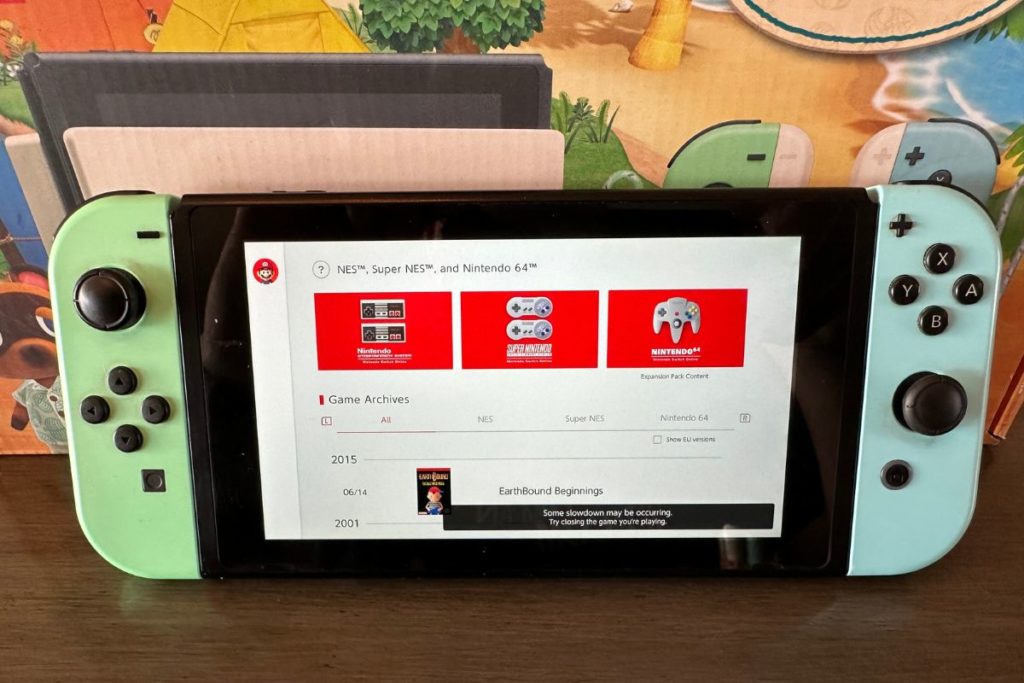
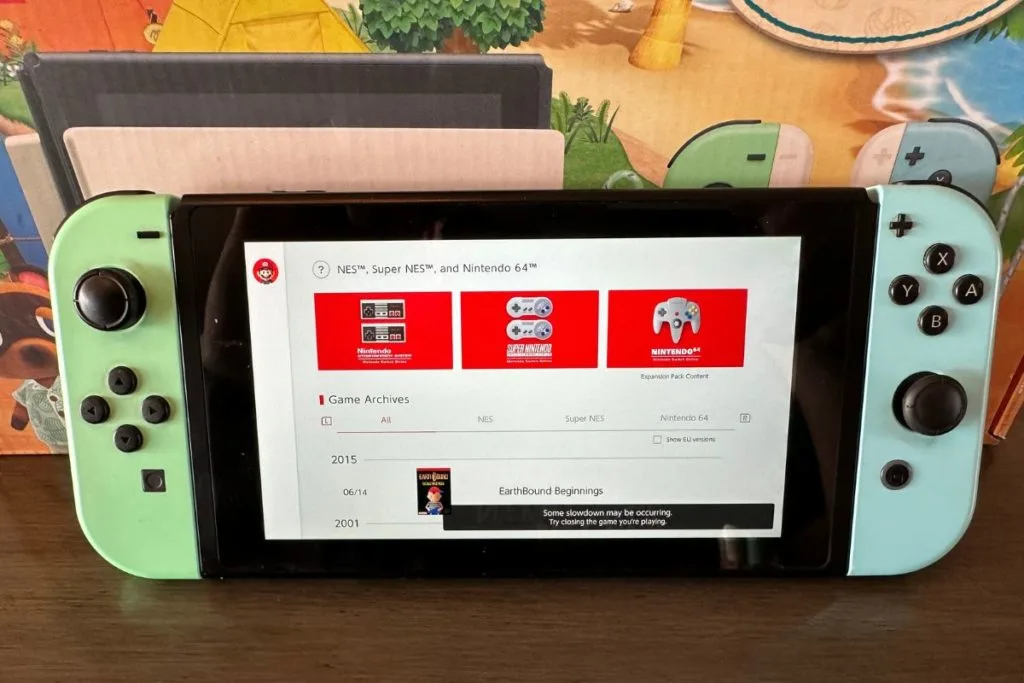
The Nintendo Switch Online membership includes access to tons of free games including classic games from NES and Super NES. With the expansion pack, you get even more games from the Nintendo 64 and the SEGA Genesis.
So, not only can you play your games with friends online but you can download free games as well through the Nintendo Switch online service. Classics like Super Mario Bros., Donkey Kong, and The Legend of Zelda among many more are free with an online subscription.
As I said before, Nintendo Switch Online subscribers get access to NES, SNES, N64, and Sega Genesis retro games (with the expansion pack) via their account. So, yes, you get free games and content with Nintendo Switch online that you can enjoy playing solo or with friends even when you are in different places.
Free Games You Get With The Nintendo Switch Online Membership
With a regular Nintendo Switch Online subscription, you get access to many free NES and SNES games. You have access to all of these retro Nintendo games for free (with your regular subscription).
Free NES Games With Nintendo Switch Online Membership
- ADVENTURES OF LOLO
- Balloon Fight™
- Baseball
- Blaster Master
- City Connection
- Clu Clu Land™
- Crystalis
- DAIVA STORY 6 IMPERIAL OF NIRSARTIA
- DIG DUG II™
- Donkey Kong
- Donkey Kong 3
- Donkey Kong Jr.™
- Double Dragon
- Double Dragon II: The Revenge
- Dr. Mario™
- EarthBound™ Beginnings
- Eliminator Boat Duel
- Excitebike™
- Fire ’n Ice
- Ghosts’n Goblins™
- Gradius
- Ice Climber™
- Ice Hockey
- JOURNEY TO SILIUS
- Kid Icarus
- Kirby’s Adventure
- Kung-Fu Heroes
- MAPPY-LAND
- Mario Bros.™
- Metroid
- Mighty Bomb Jack
- NES™ Open Tournament Golf
- Nightshade
- Ninja Gaiden
- Ninja JaJaMaru-kun
- Pinball
- Pro Wrestling
- Punch-Out!!™ Featuring Mr. Dream
- River City Ransom
- Rygar
- S.C.A.T.: Special Cybernetic Attack Team
- Shadow of the Ninja
- Soccer
- Solomon’s Key
- Star Soldier
- StarTropics™
- Super Dodge Ball
- Super Mario Bros.
- Super Mario Bros.: The Lost Levels
- Super Mario Bros 2
- Super Mario Bros. 3
- Tecmo Bowl
- Tennis
- The Immortal
- The Legend of Zelda
- TwinBee
- Vice: Project Doom
- Volleyball
- VS. Excitebike™
- Wario’s Woods™
- Wrecking Crew
- Yoshi™
- Zelda II: The Adventure of Link
Free SNES Games With Nintendo Switch Online Membership
- Bombuzal
- Breath Of Fire
- Breath of Fire II
- BRAWL BROTHERS
- Caveman Ninja (also known as Joe & Mac)
- Claymates
- Congo’s Caper
- Demon’s Crest
- Donkey Kong Country
- Donkey Kong Country 2: Diddy’s Kong-Quest
- Donkey Kong Country 3: Dixie Kong’s Double Trouble!
- DOOMSDAY WARRIOR
- EarthBound™
- Earthworm Jim™ 2
- Fighter’s History
- F-ZERO™
- Jelly Boy
- Joe & Mac 2: Lost in the Tropics
- Kirby Super Star™
- Kirby’s Avalanche™
- Kirby’s Dream Course™
- Kirby’s Dream Land™ 3
- Magical Drop2
- Mario’s Super Picross
- Natsume Championship Wrestling
- Operation Logic Bomb
- Panel de Pon
- Pilotwings™
- Pop’n TwinBee
- Prehistorik Man
- Psycho Dream
- Rival Turf!
- Spanky’s™ Quest
- Smash Tennis™
- Star Fox™
- Star Fox™ 2
- Stunt Race FX™
- Super Baseball Simulator 1,000
- SUPER E.D.F. EARTH DEFENSE FORCE
- Super Ghouls’n Ghosts™
- Super Punch-Out!!™
- Super Puyo Puyo 2
- Super Mario All-Stars
- Super Mario Kart™
- Super Mario World™
- Super Mario World™ 2: Yoshi’s Island
- Super Metroid™
- Super Soccer
- Super Tennis
- Super Valis IV
- The Ignition Factor
- The Legend of Zelda™: A Link to the Past
- The Peace Keepers
- Tuff E Nuff
- Wild Guns
Free Games You Get With The Nintendo Switch Online Membership Expansion Pack
On top of access to the free NES and SNES games mentioned in the section above with the normal Switch Online account membership with the expansion pack you also get access to the following N64 and Sega Genesis games for free.
Free N64 Games With Nintendo Switch Expansion Pack
- Banjo Kazooie™
- Dr. Mario 64
- F-Zero X
- Kirby 64™: The Crystal Shards
- Mario Golf
- Mario Kart 64
- Mario Party™
- Mario Party™ 2
- Mario Tennis
- Paper Mario
- Pilotwings™ 64
- Pokémon™ Puzzle League
- Pokémon Snap™
- Sin & Punishment
- Star Fox 64
- Super Mario 64
- The Legend of Zelda™: Majora’s Mask™
- The Legend of Zelda™: Ocarina of Time™
- Wave Race™ 64
- WIN BACK: COVERT OPERATIONS
- Yoshi’s Story
Free Sega Genesis games With Nintendo Switch Expansion Pack\
- Alien Soldier
- ALISIA DRAGOON
- Altered Beast
- Beyond Oasis
- Castlevania: BLOODLINES
- Comix Zone
- Contra: Hard Corps
- Dr. Robotnik’s Mean Bean Machine
- Dynamite Headdy
- Earthworm Jim
- Ecco the Dolphin
- Golden Axe
- Gunstar Heroes
- Light Crusader
- MEGA MAN: THE WILY WARS
- M.U.S.H.A.
- Phantasy Star IV
- Ristar
- Shining Force
- Shining Force II
- Shinobi III: Return of the Ninja Master
- Sonic The Hedgehog 2
- Sonic The Hedgehog Spinball
- Space Harrier II
- Streets of Rage 2
- STRIDER
- Super Fantasy Zone
- Sword of Vermillon
- Target Earth
- Thunder Force II
- ToeJam & Earl
- Zero Wing
What Is The Advantage Of Playing Games Online?
The main advantage of Nintendo Switch Online is that it allows players to access online multiplayer features for a wide range of games. This means that players can compete against each other in online matches, which can provide a more challenging and exciting experience than playing against the computer.
Nintendo’s online service also offers access to a library of classic Nintendo games (from the NES, SNES, N64, & Sega Genesis), which can be played on the Switch using the service’s cloud-based save data storage.
Is It Worth Buying Nintendo Online?
Whether or not buying Nintendo Online is worth it ultimately depends on the individual and their personal preferences. For some, the added features and benefits of Nintendo Online may be well worth the cost.
For starters, Nintendo Online offers access to online multiplayer for many popular games, such as Super Smash Bros. Ultimate and Mario Kart 8 Deluxe. This allows players to connect with friends and compete against others from around the world, adding an extra layer of excitement and competition to their gaming experience.
Nintendo Online offers a growing library of classic NES, SNES, N64, and Sega Genesis games (N64 and Sega Genesis games require the expansion pack) that can be played online, providing access to some of the most iconic titles in gaming history. This is a great option for those who want to revisit their childhood favorites or discover new classics.
Another perk of Nintendo Online is the ability to save game data to the cloud, allowing players to access their saved games on any device with an internet connection. This is especially useful for those who frequently switch between different consoles or play on the go.
On the other hand, some may argue that the cost of Nintendo Online may not be worth it for those who do not frequently play online multiplayer games or do not have an interest in the classic game library.
Whether or not buying Nintendo Online is worth it depends on the individual and their specific gaming preferences. For those who enjoy online multiplayer and access to classic games, it may be a worthwhile investment. However, for those who do not frequently play online or do not have an interest in the added features, the cost may not justify the benefits.
What Do I Need Switch Online For?
Switch Online is the subscription-based online service for the Nintendo Switch console. It allows players to access online multiplayer games, save data cloud backup, and a collection of classic games through the NES, SNES, N64, and Sega Genesis Online apps.
One of the main reasons to get Switch Online is for online multiplayer gaming. Many popular games, such as Super Smash Bros. Ultimate, Mario Kart 8 Deluxe, etc. require a Switch Online subscription to play online with friends.
Without using the Switch Online service, players would be limited to playing these games only in local multiplayer.
Another benefit of Switch Online is the ability to back up game save data to the cloud. This is especially useful for players who have multiple Switch consoles or want to protect their progress in case their console is lost, damaged, or stolen. With cloud backup, players can easily transfer their saved game data to a new console and continue playing where they left off.
In conclusion, Switch Online is essential for players who want to access online multiplayer, protect their game save data, and enjoy a collection of classic games. It adds a new dimension to the Switch gaming experience and is well worth the subscription cost.
Final Thoughts
There are many benefits to having a Nintendo Switch online membership. You get access to hundreds of games, Cloud data backup and saving, and online play as well as special features in a smartphone app and special offers.
Free games like classic NES and Super NES games, (Nintendo 64, and SEGA Genesis games are available with the Expansion Pack) are available to download when purchasing a membership to Switch online. There are a few different monthly (1 month, 3 months, 12 months) options but they are affordable starting out at $4 a month.
You can also choose from individual or family memberships depending on how many users there are. The longer the subscription, the more you will save on the cost. This online membership subscription doesn’t cost very much, but if you use it, it is worth it.
The Nintendo Switch is a popular and fun gaming console that easily transformed from portable to TV play. If you need some more games and futures then you will want to try the online subscription. You get some pretty awesome benefits with the Nintendo Switch online membership.