
*This post may contain affiliate links. As an Amazon Associate we earn from qualifying purchases.
Have you ever been playing your PlayStation and you wondered about playing your games on their Xbox? Maybe you heard that there was a hack to play PlayStation games on an Xbox. Well, no matter what question you have, we will answer them in this article.
So will PlayStation games work on an Xbox?
Unfortunately, PlayStation games will not work on the Xbox and Xbox games won’t work on a Playstation. This is because the operating systems do not match up. The discs for the PlayStation games will fit into the Xbox and Xbox discs will fit into the Playstation but the console will not recognize the disc as it was not formatted for that console.
If you want to know more about the PlayStation games and why they will not work on the Xbox, you will want to keep reading. You can also watch this short video that will give you a hack on how to make your friends think that you can play PlayStation 4 Games on your Xbox One (although you aren’t actually).
If you love PlayStation you need to check out this amazing game room light decor. It looks just like the buttons on the PlayStation controller and the light reacts to the music that you are playing as well! You can check it out by clicking here.
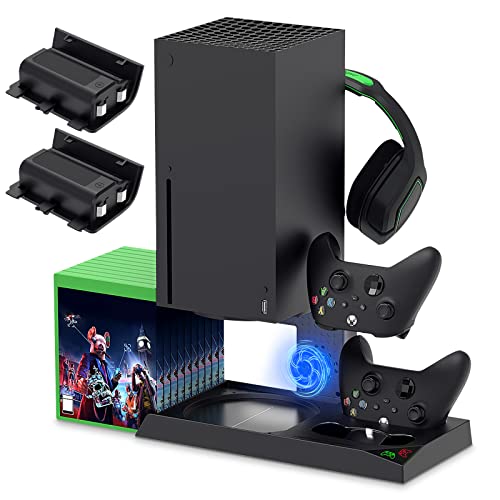
If you have an Xbox you need to get this cooling/charging stand for your console/controllers.
There is nothing worse than being ready for a long night of gaming only to realize your controllers are dead. With this stand that never has to happen again!
Why Won’t Playstation Games Work On Xbox?
Xbox architecture is completely different as compared to the PlayStation architecture. By this, it means that the complete internal working of the PlayStation games is different as compared to other consoles.
There are many types of games in the market and each supports a specific device. You cannot just run any game on any device.
Games are designed from a specific perspective so they can work on a specific platform under specific circumstances. It is not theoretically possible to make this type of work.
Although many people have tried as this would be amazing to be able to play all of your games on any console you owned.
When you get a game from a gaming store or get a digital game, you will see that they are designed for a particular platform. You can see that the game is intended for specific devices that are mentioned on the hard disk or the banner of the game.
This is how you know what game console the game is designed for.
Typically, PlayStation games are in a blue hardcover and XBOX games are in the green one. If they supported each other, there would be no difference and there would not need to be multiple copies of the disk at every store.
Sadly this is not a thing as you can see. This happens because every game disc is dependent upon its own platform.
Xbox Vs Playstation Game Development
A game is developed in a particular game development studio. The console makers such as PlayStation or XBOX do not develop their games by themselves.
Although there are a few original games developed by Sony and Microsoft, they are specifically developed in the gaming studio as they are not a part of the console development.
When the game studio develops a game, they keep in mind the architectural plans of the particular platforms. Because of this, they release the games for those specific platforms.
They cannot simply make the games that will run on all the devices as there are a lot of differences between the consoles and platforms.
When a game is developed, the particular rules and regulations of the specific platform are observed first. Proper working is done to make the game for that platform and then the complete version is released. Because of this, we can play the game on that specific device.
The same phenomena are applied to PlayStation and Xbox consoles. A game development company develops a game by learning the internal architecture of the PlayStation and Xbox consoles. Because of this, specific PlayStation and Xbox games are released for their own console.
Even if you try to run the same game on the different versions of the same brand, you will not be able to play it because the same rules are applied to it.
Xbox & Playstation Have Different Operating Systems
The PlayStation 4or PS5 has a different operating system and system architecture as compared to the Xbox One or Xbox One S. Because of this, the gaming operating system has a separate working environment as compared to the non-gaming working environment.
This is why PlayStation games will not work with a different console or Xbox games won’t work on a Playstation either.
PlayStation consoles use the FreeBSD operating system; and Xbox does not. These two consoles have many key differences in the operating systems.
The working method, rules, regulations, and internal circuitry make a big difference between the two consoles.
The general display of the graphics and other features are also very different. Since both the consoles make use of the different APIs in displaying user interfaces, they are quite the opposite of each other.
Xbox uses DirectX API in making the graphical user interface while on the other hand, the PlayStation uses two levels of API. These are commonly used for performing different operations.
The two different API levels are GNL and high-level GNMX API.
Because of these reasons for the specific platform, the code of the game will only be operated on the specific region of the gaming architecture.
A game that is designed for the Xbox one will not recognize the code of the other company’s games and vice versa.
If you recode either of the two systems, then you could theoretically make sure that a single game disc may work on both the PlayStation and Xbox consoles at the same time. If you tried that though, it would be extremely tough to even attempt let alone achieve.
Another issue you would run into is if you change the code on either of the consoles, they immediately recognize it and lock you out of the game system for hacking.
Even if you were able to accomplish this though, neother PlayStation or Xbox would ever allow it to happen. They don’t want it to happen because the revenue from the games would be less, and it would affect their bottom line.
This is why it is better to have games limited to specific platforms that support the functionality according to the requirement of the hardware.
We have seen that some of the versions of the PlayStation and Xbox games have the features of the cross-platform capabilities.Because of this, you may be able to run an old game from the previous version on the new console. Even though this is accomplished, it is different from running on the opposite type of console.
Conclusion
Now that you know all about the differences of the two platforms and operating systems you can clearly see why the two consoles will not play each other’s games. You can also see why someone has not been able to create a cross platform device to play games from each different console.
If you want to trick your friends though, you can route your Playstation 4 through your Xbox One and view the Playstation 4 using your Xbox. Although it sounds like it is difficult to do, it is actually quite simple.
Even though you can route the PlayStation through the Xbox One, you still have to play using the PlayStation controller as the Xbox basically only works as a converter and not an actual playing device.
No matter what console you have, you know that it is extremely fun to play, and if you were to open it up, you would quickly see how complex the system is which is why it is not possible just to play games from a different console on that one.