
*This post may contain affiliate links. As an Amazon Associate we earn from qualifying purchases.
Do you own a Sega Saturn and love playing games on the system? Are you tired of changing ports on your tv if you want to watch a movie though? Well if you are like me you will want to keep reading this article.
So can the Sega Saturn play DVDs?
Although the Sega Saturn is full of surprises, the Sega Saturn is not able to play DVDs from the cd slot on the console. The system is compatible with CDs but not with DVDs.
If you want to know more about the Sega Saturn and the compatibility of it, you will want to keep reading this article.
Are you a huge Sega fan? Then you have to check out the amazing Sonic and Sega gear that you can get. Whether you want a Sonic wallet, a Sega sweatshirt, or a classic hat there are plenty of choices to choose from. You can find them all by clicking here.
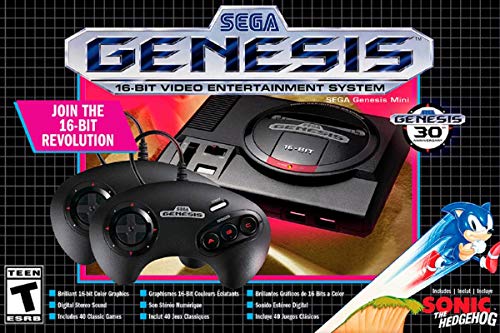
If you love Sega then you will want to check out this Sega Genesis Mini console. It comes with two controllers and even comes preloaded with 42 Games!
Enjoy these classic Sega Genesis games without having to purchase a single game cartridge!
SEGA Saturn DVD Compatibility
The SEGA Saturn is a 32-bit design console with a dual central processing unit (CPU) and eight processors. It is a part of the fifth generation of video game consoles, which all feature a CD-ROM drive. The SEGA Saturn plays CDs, mini CDs, photo CDs, CD+G, and CD+EG games.
While designing the SEGA Saturn, the designers heard of Sony’s 3D PlayStation console features and added a second video processor to try and compete with it.
Because DVDs were made after the SEGA Saturn was designed and released on the market, they cannot be played on the SEGA Saturn and there are no known DVD cards for the console. Some online video demonstrations show that when a DVD is inserted into the SEGA Saturn, it is unable to load the contents. The message “drive empty” is displayed on the connected monitor when the SEGA Saturn tries to read a DVD.
Sega Saturn’s Failure
Many people consider the Sega Saturn as a failure. But why? Why would a system from a gaming giant (of the time) fail so spectacularly? What could Sega have done different to make it a success?
Watch this video below to learn all about the Sega Saturn’s failure and why it happened.
History of the Sega Saturn
After the successes of SEGA Genesis and SEGA CD, SEGA created the SEGA Saturn. The company pushed the boundaries when it created the Saturn with cartridge and CD compatibilities, and with fun game titles that many retro gamers love and continue to play. The Saturn was released in 1994 and although it was loved by many, it was not at the top of the sales chart as that was the same year the PlayStation was released.
The rise and fall of the Sega Saturn
The SEGA Saturn was the third home game console made in 1995. It was released in North America and sold between 1995 and 1998. Sadly it ended with the launch of SEGA’s fourth and final home game console, the Dreamcast.
The gaming industry considered the SEGA Saturn a commercial flop, due to its poor marketing and distribution. SEGA Enterprises even released the Saturn almost four months before its expected American release date because of the console’s success in Japan, which was previously released in November 1994.
This did not allow the American media enough time to promote and advertise the Saturn to consumers, who were anticipating the console’s release. The console was actually scheduled to be released in September 1995 on a day called “Saturnday”.
Because the console came to the United States earlier, no one was prepared for it, and even the gamers were very shocked that the console was already being sold in stores months before it was scheduled to be released. This early release actually ended up hurting Sega more than if they had just waited to release the console until its actual release date.
On top of that, SEGA had a limited supply in stock and had to be more selective with which retailers would receive the first console releases. This caused some retailers to completely refuse to stock the Saturn console which resulted in poor sales for the SEGA Saturn. The game console did well in Japan but is mainly known as a commercial failure since it did not do well in America.
Saturn Specs Highlights
The SEGA Saturn had many strengths. This game console had the best 2D processors for the 2D gaming experience. The games created for the Saturn offered more family-friendly options that were only compatible with this console. The features included an add-on that allowed up to 10 players for multiplayer games and a 1MB/4MB RAM expansion port for cartridges with graphics that surpassed PlayStation’s on arcade titled games.
The Saturn was considered one of the most durable and best-built game consoles with the best old-school game controller design. The design fits comfortably in the hands with a six-point layout and a good directional pad which was ideal for fighting games.
Retro gamers and the SEGA Saturn
Although one would think that the discontinuation of the SEGA Saturn would lower interest in the games, this is not true. For those who were lucky, they could purchase SEGA Saturn games on cartridge and video CD at a reasonable price. With the increasing interest in retro games and retro gaming, resellers exponentially increased the cost of English SEGA game titles. As mentioned before though, the SEGA games were successful in the East, especially Japan, so it was easier to purchase games in that language.
During the initial release of the SEGA Saturn games, under 300 of their 1000+ game titles were available on the American market. This limited the options available to consumers and made it challenging and expensive to collect them all. However, as retro gaming increased in the US and UK, English game titles were in demand. The increased price of English SEGA games is harming the gaming industry since most of the profits will stay in the hands of resellers instead of going back to the game developers.
SEGA Saturn Games
Currently, there are 1094 games available to play exclusively on the SEGA Saturn. It is unclear whether these are all English titled games or a combination of all languages, but it certainly provided a wide array of options for game lovers. Most of Saturn’s games came from SEGA’s arcade games. That was partially due to game developers claims that it was too difficult to design games for the Saturn and opted to make games for other competitors instead.
The games launched with the SEGA Saturn in the US were Virtua Fighter, Panzer Dragoon, Clockwork Knight, Bug, and Daytona USA. Some gamers said they were fun and easy to play, while others were turned off by the poor 2D graphics. Even with these mixed reviews, many people still play them now with a few receiving sequel titles during the 1990s.
Bug (1995) was created as an alternative to Sonic the Hedgehog. While it was intriguing on its own, it paled in comparison to the main character Sonic.
Nights into Dreams (1996) was one of the most popular games, which was made by the Sonic Team. This game combined a two-dimensional video game in a three-dimensional world since the Saturn was barely able to handle a complete 3D game. It was a score attack game with an androgynous lead character called Nights that flew through dreams using acrobatic techniques and smooth movements.
Saturn’s sports games included titles such as World Series Baseball and SEGA Worldwide Soccer. Electronic Arts were well known for developing sports games for various gaming platforms but gave little support to the SEGA Saturn due to the challenges of the surprise release date and complex console hardware provided.
Conclusion
While many people are sad that the Saturn does not play dvds, It is still a great console that many people love to play and still enjoy playing every single day. If you do not own a Sega Saturn yet, you can purchase one right here!